

おかおボタン - スマホ版でも、メニューのボタンで表情とハンドサインを出す【JA,EN,KO】
- 日本語ダウンロード商品¥ 700
- Englishダウンロード商品¥ 700
- 한국어ダウンロード商品¥ 700
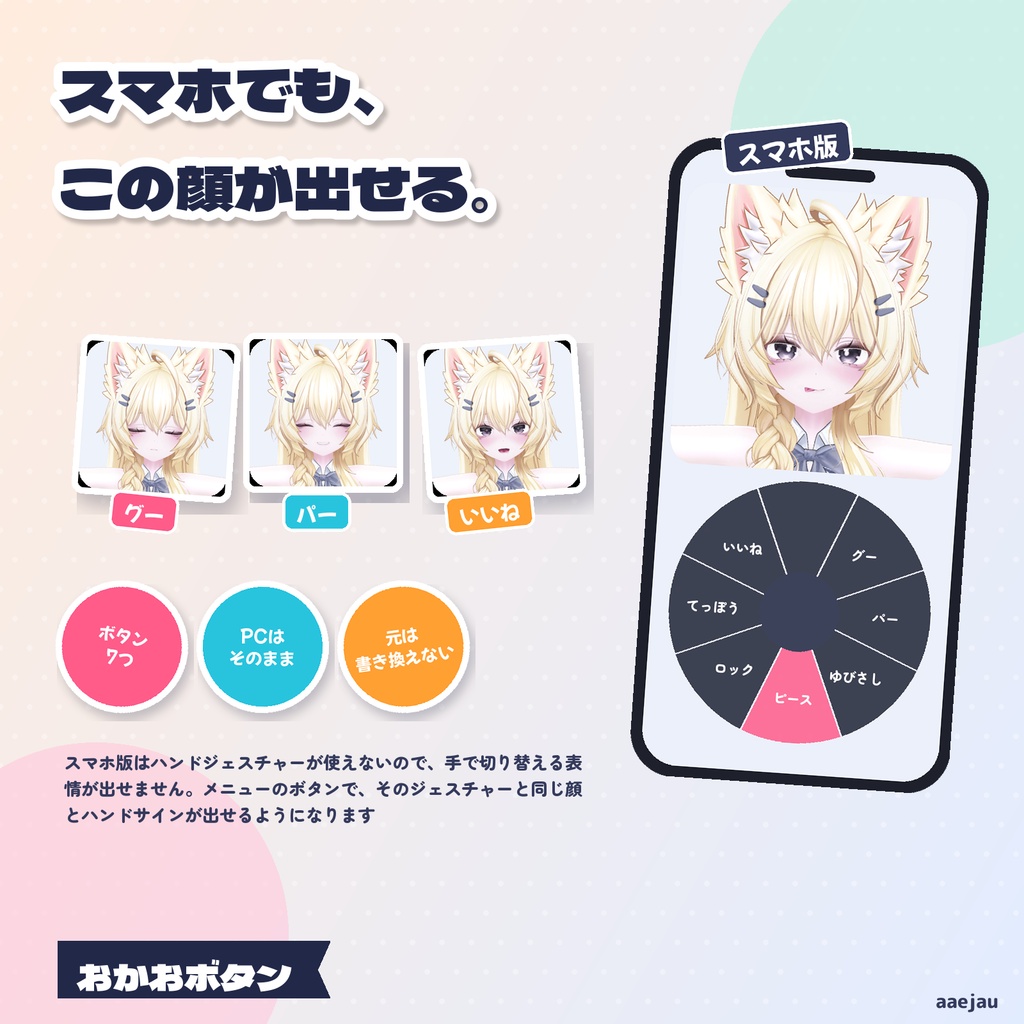
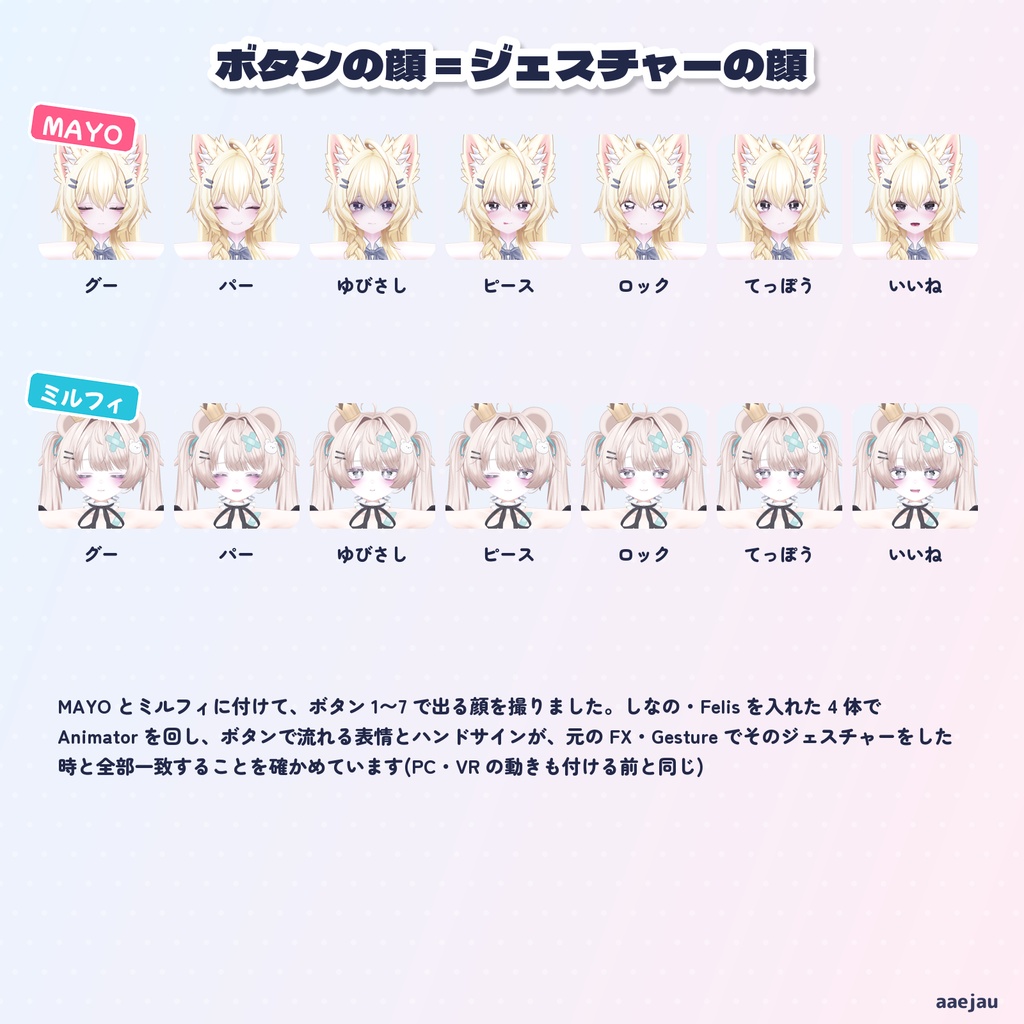
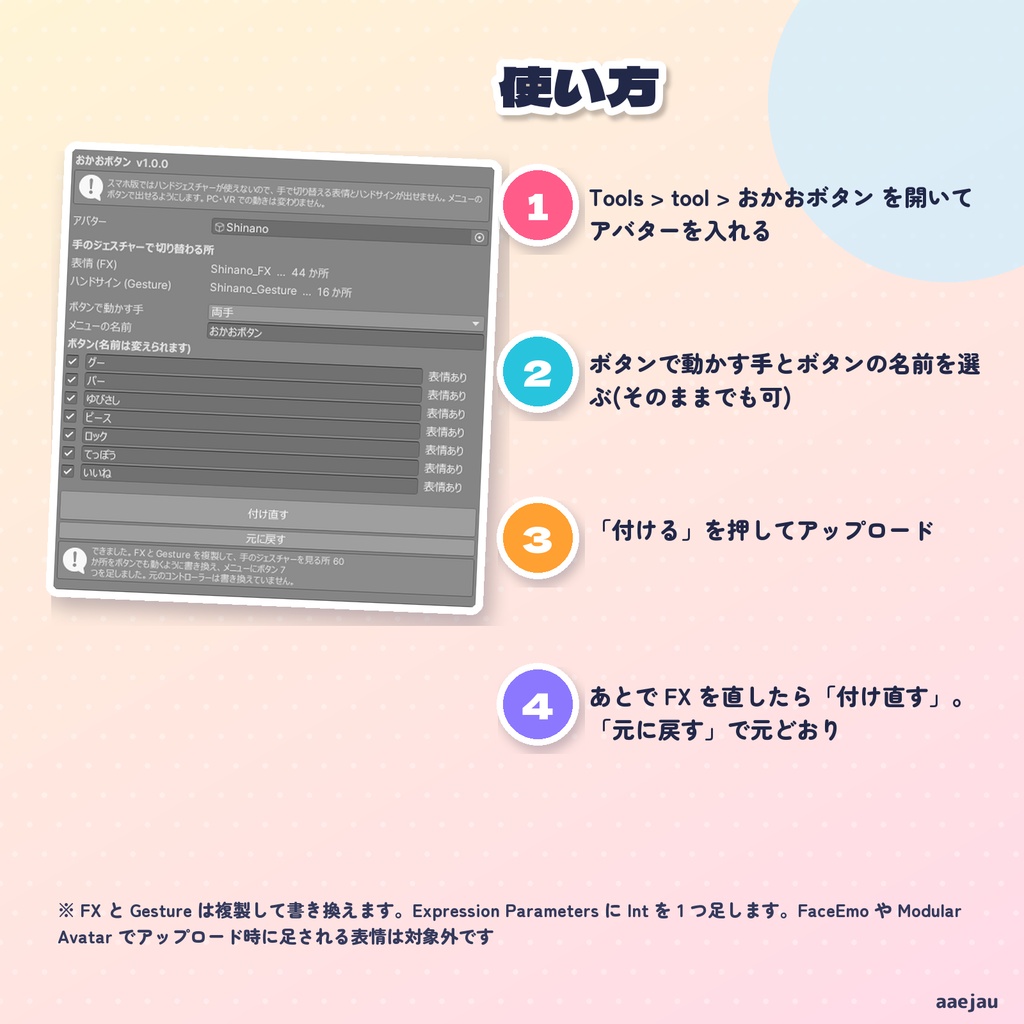
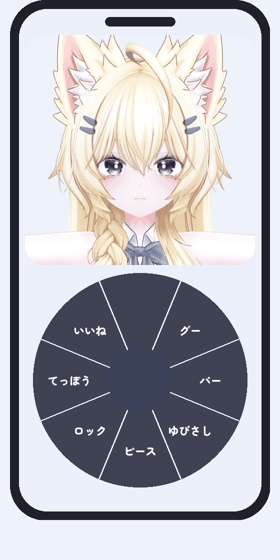
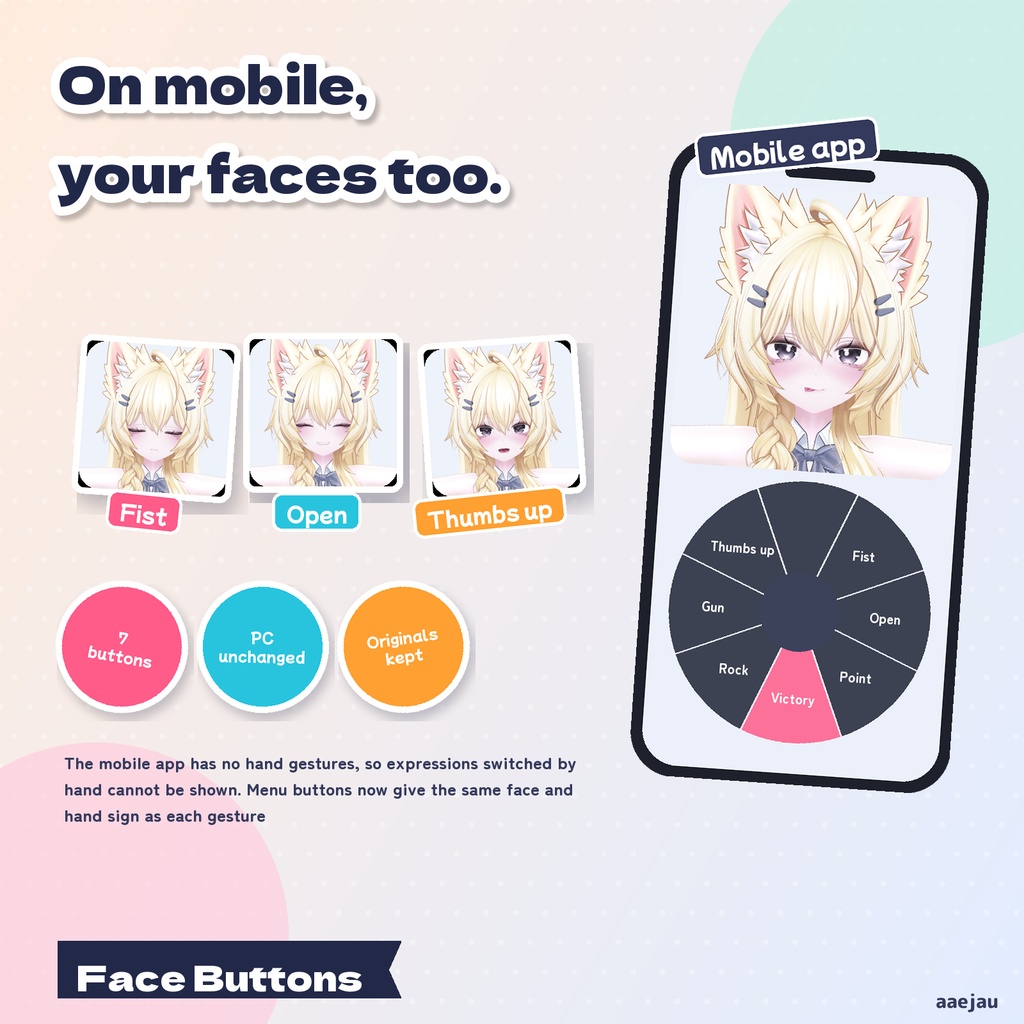
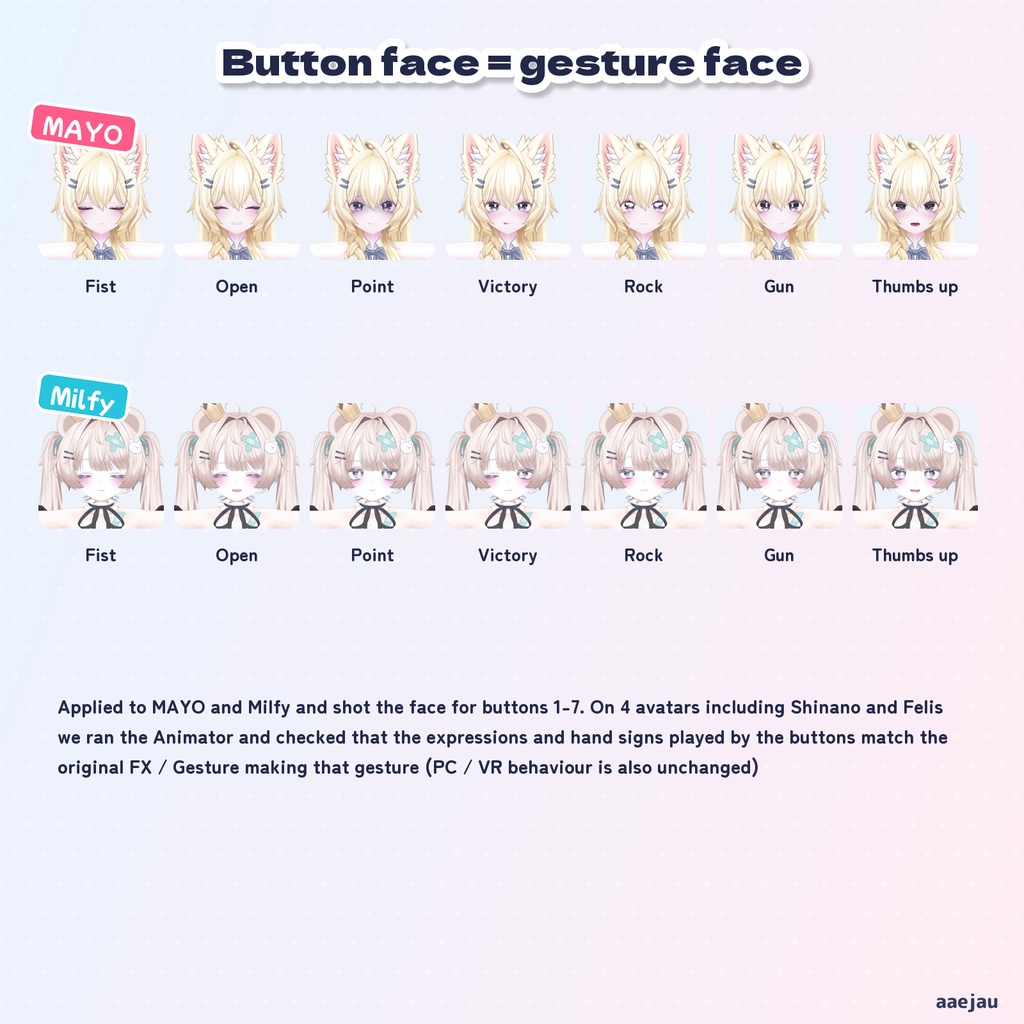
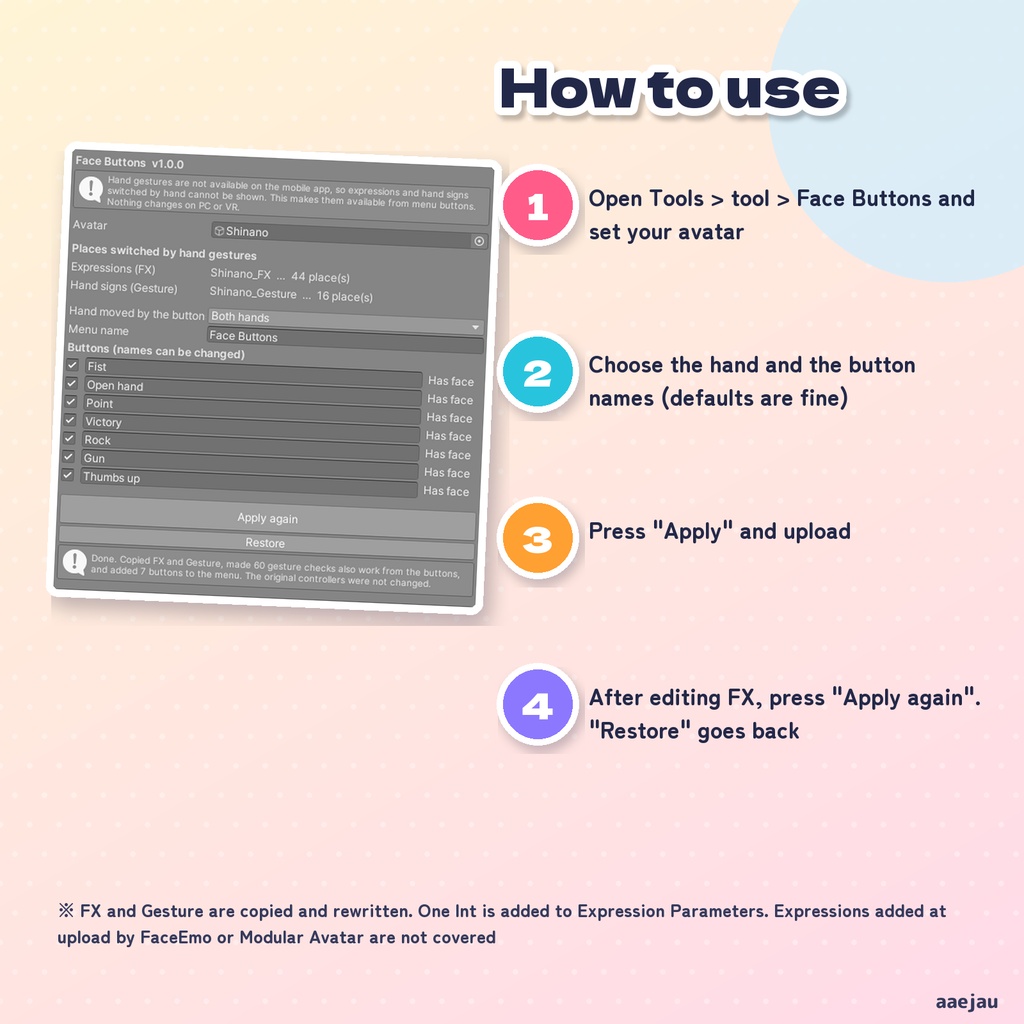
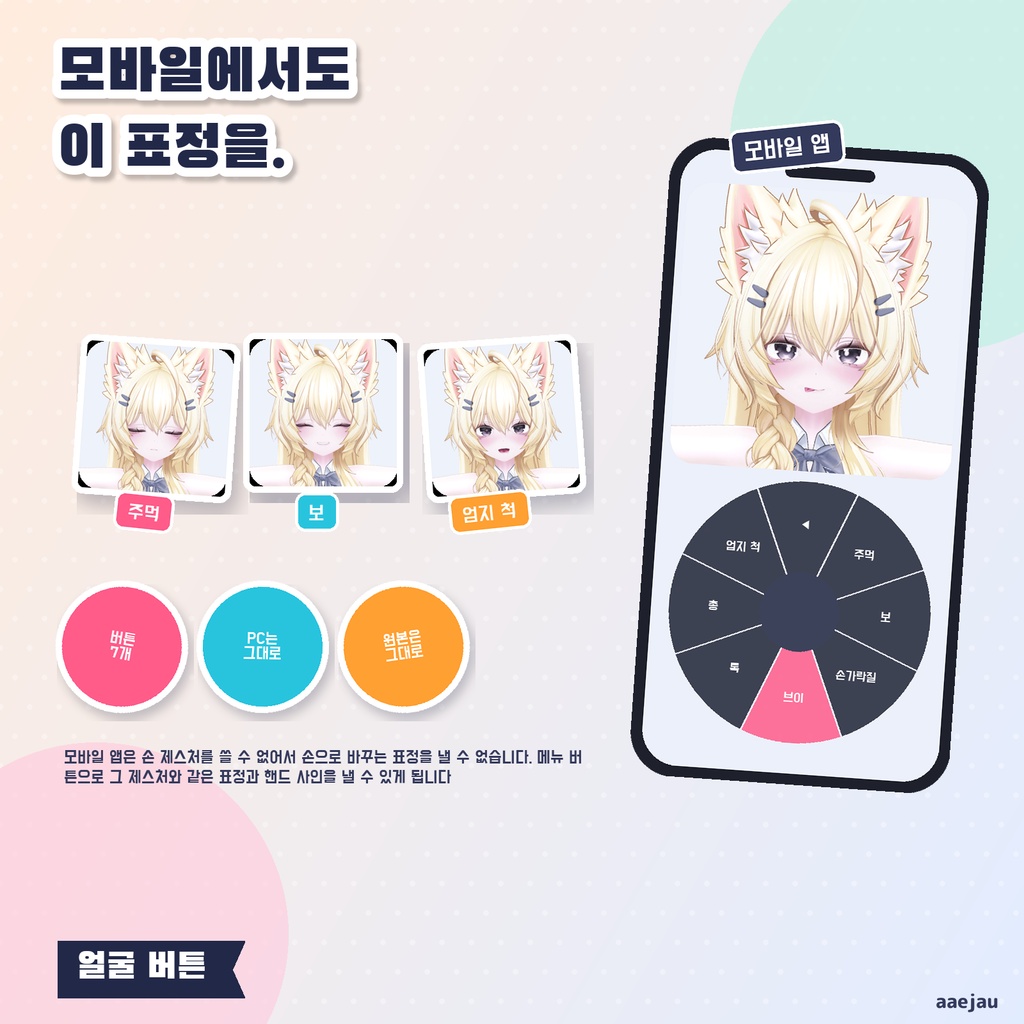
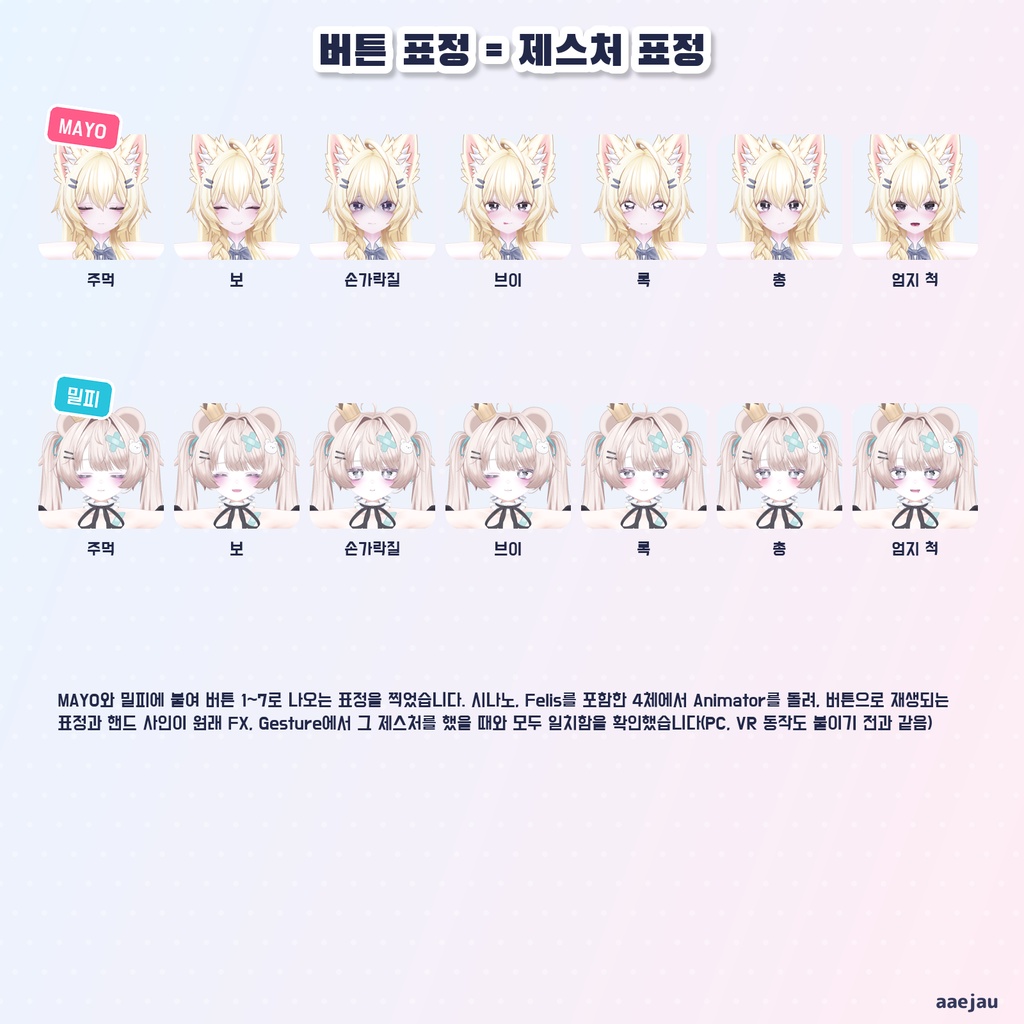
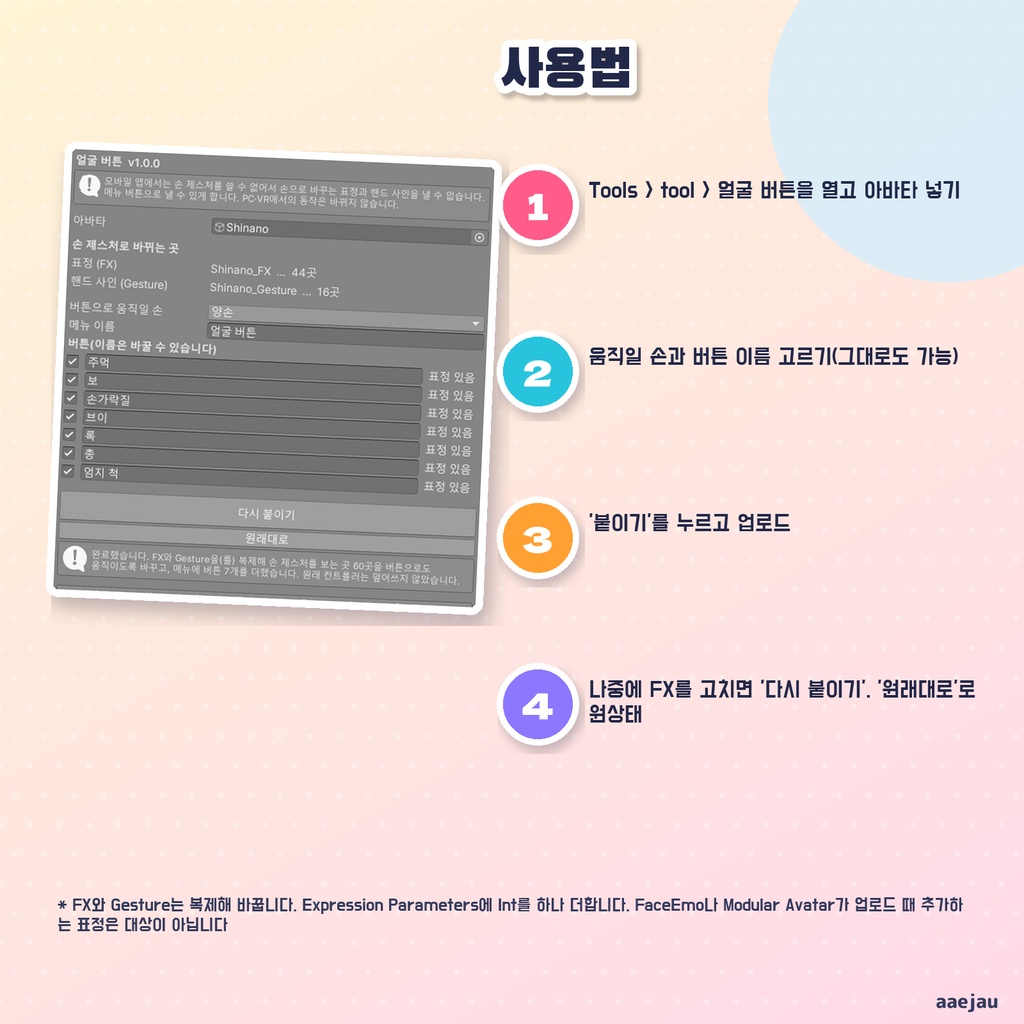


「スマホから入ったら、いつもの顔が出せない」 おかおボタンは、VRChat のスマホ版(Android・iOS)でも、手のジェスチャーで切り替える表情とハンドサインを出せるようにする Unity Editor ツールです。Expression Menu に「グー・パー・ゆびさし・ピース・ロック・てっぽう・いいね」の 7 つのボタンを足します。押している間は、そのジェスチャーをした時と同じ顔とハンドサインになります。Blender は使いません。 ◆ スマホ版には手のジェスチャーがありません スマホ版では手の形を変えられないので、手で切り替える表情が出せません。せっかく作った表情が、スマホから入った時だけ出ないままになります。 ◆ いまの表情をそのまま使います アバターの FX と Gesture に入っている表情とハンドサインを、そのままボタンにつなぎます。表情を作り直したり、メニュー用の表情を別に用意したりする必要はありません。 ◆ PC・VR の動きは変わりません ボタンを押していない間は、手の値がそのまま伝わるだけです。PC や VR で手のジェスチャーをした時の顔と手は、付ける前と同じです。 ◆ 元のファイルは書き換えません FX と Gesture は Assets/aaejau/OkaoButton/Generated/ に複製して、その中だけを書き換えます。Expression Parameters には Int を 1 つ(8 ビット)足します。「元に戻す」で付ける前に戻ります。 ◆ 使い方 1. メニューの Tools > tool > おかおボタン を開き、アバターを入れる 2. ボタンで動かす手(両手・左手だけ・右手だけ)とボタンの名前を選ぶ。そのままでも使えます 3. 「付ける」を押してアップロード。メニューに「おかおボタン」が出ます ◆ 4 体で確かめました しなの・Felis・MAYO・ミルフィに付けて、Animator を実際に回しました。ボタン 1〜7 で出る手の形は、元の Gesture でそのジェスチャーをした時と 4 体すべてで一致しました。表情も、しなの・MAYO・ミルフィで、流れるクリップが全部一致しています。ボタンを使わずに手のジェスチャーをした時は、付ける前と同じでした。 ※ FaceEmo や Modular Avatar などで、アップロードの時に足される表情は対象になりません ※ あとで FX や Gesture を直した時は「付け直す」を押してください ※ ボタンは一度に 1 つです。左右で別のジェスチャーを組み合わせた表情は出せません ※ Felis のように、表情をパラメーター ドライバーで切り替えるアバターは、Unity の中では表情が動きません(VRChat の中で動きます) ※ アップロードの前に Build & Test で見た目を確かめてください 内容物: unitypackage / README / CHANGELOG / TEST_REPORT / LICENSE / 画面のスクリーンショット ━━━━━━━━━━━━━━━━━━━━ English ━━━━━━━━━━━━━━━━━━━━ "When I join from my phone, I can't make my usual faces." Face Buttons is a Unity Editor tool that lets you show the expressions and hand signs normally switched by hand gestures, even on the VRChat mobile app (Android / iOS). It adds seven buttons to the Expression Menu: Fist, Open hand, Point, Victory, Rock, Gun and Thumbs up. While a button is on, the face and hand sign are the same as when you make that gesture. No Blender. ◆ The mobile app has no hand gestures On mobile you cannot change your hand shape, so expressions switched by hand cannot be shown. The faces you set up stay hidden whenever you join from your phone. ◆ Your current expressions are used as they are The expressions and hand signs already in your FX and Gesture are connected to the buttons. You do not need to remake expressions or prepare separate ones for a menu. ◆ Nothing changes on PC or VR While no button is on, the hand value is simply passed through. Faces and hands when making gestures on PC or VR are the same as before. ◆ Original files are never overwritten FX and Gesture are copied to Assets/aaejau/OkaoButton/Generated/ and only the copies are rewritten. One Int (8 bits) is added to Expression Parameters. "Restore" brings back what you had before. ◆ How to use 1. Open Tools > tool > Face Buttons and set your avatar 2. Choose the hand moved by the buttons (both / left only / right only) and the button names. The defaults work as they are 3. Press "Apply" and upload. "Face Buttons" appears in your menu ◆ Checked on 4 avatars Applied to Shinano, Felis, MAYO and Milfy with the Animator actually run. With buttons 1-7 the hand shape matched the original Gesture making that gesture on all 4 avatars. The expression clips played also all matched on Shinano, MAYO and Milfy. Making hand gestures without the buttons gave the same result as before applying. * Expressions added at upload by FaceEmo, Modular Avatar and similar tools are not covered * If you edit FX or Gesture later, press "Apply again" * One button at a time. Faces made by combining different gestures on each hand cannot be shown * Avatars that switch faces with parameter drivers, such as Felis, do not show the face inside Unity (it works inside VRChat) * Check the look with Build & Test before uploading Contents: unitypackage / README / CHANGELOG / TEST_REPORT / LICENSE / screenshot ━━━━━━━━━━━━━━━━━━━━ 한국어 ━━━━━━━━━━━━━━━━━━━━ "폰으로 들어가면 늘 쓰던 표정을 낼 수가 없다" 얼굴 버튼은 VRChat 모바일 앱(Android·iOS)에서도 손 제스처로 바꾸는 표정과 핸드 사인을 낼 수 있게 하는 Unity Editor 도구입니다. Expression Menu에 주먹·보·손가락질·브이·록·총·엄지 척의 7개 버튼을 더합니다. 버튼이 켜져 있는 동안 그 제스처를 했을 때와 같은 표정과 핸드 사인이 됩니다. Blender는 쓰지 않습니다. ◆ 모바일 앱에는 손 제스처가 없습니다 모바일에서는 손 모양을 바꿀 수 없어서 손으로 바꾸는 표정을 낼 수 없습니다. 공들여 만든 표정이 폰으로 들어갔을 때만 나오지 않게 됩니다. ◆ 지금의 표정을 그대로 씁니다 아바타의 FX와 Gesture에 들어 있는 표정과 핸드 사인을 그대로 버튼에 연결합니다. 표정을 다시 만들거나 메뉴용 표정을 따로 준비할 필요가 없습니다. ◆ PC·VR 동작은 바뀌지 않습니다 버튼이 꺼져 있는 동안에는 손의 값이 그대로 전달될 뿐입니다. PC나 VR에서 손 제스처를 했을 때의 표정과 손은 붙이기 전과 같습니다. ◆ 원래 파일은 덮어쓰지 않습니다 FX와 Gesture는 Assets/aaejau/OkaoButton/Generated/ 에 복제해 그 안만 바꿉니다. Expression Parameters에는 Int를 하나(8비트) 더합니다. 원래대로 버튼으로 붙이기 전으로 돌아갑니다. ◆ 사용법 1. Tools > tool > 얼굴 버튼을 열고 아바타 넣기 2. 버튼으로 움직일 손(양손·왼손만·오른손만)과 버튼 이름 고르기. 그대로도 쓸 수 있습니다 3. 붙이기를 누르고 업로드. 메뉴에 얼굴 버튼이 나옵니다 ◆ 4체로 확인했습니다 시나노·Felis·MAYO·밀피에 붙이고 Animator를 실제로 돌렸습니다. 버튼 1~7로 나오는 손 모양은 원래 Gesture에서 그 제스처를 했을 때와 4체 모두 일치했습니다. 표정도 시나노·MAYO·밀피에서 재생되는 클립이 모두 일치했습니다. 버튼 없이 손 제스처를 했을 때는 붙이기 전과 같았습니다. * FaceEmo나 Modular Avatar 등이 업로드 때 추가하는 표정은 대상이 아닙니다 * 나중에 FX나 Gesture를 고쳤다면 다시 붙이기를 눌러 주세요 * 버튼은 한 번에 하나입니다. 양손에서 다른 제스처를 조합한 표정은 낼 수 없습니다 * Felis처럼 표정을 파라미터 드라이버로 바꾸는 아바타는 Unity 안에서는 표정이 움직이지 않습니다(VRChat 안에서 움직입니다) * 업로드 전에 Build & Test로 모습을 확인해 주세요 내용물: unitypackage / README / CHANGELOG / TEST_REPORT / LICENSE / 스크린샷