

おるすばんモーション - AFK・待機・歩き・座りのモーションを、手持ちのアニメーションに入れ替え【JA,EN,KO】
- 日本語ダウンロード商品¥ 700
- Englishダウンロード商品¥ 700
- 한국어ダウンロード商品¥ 700
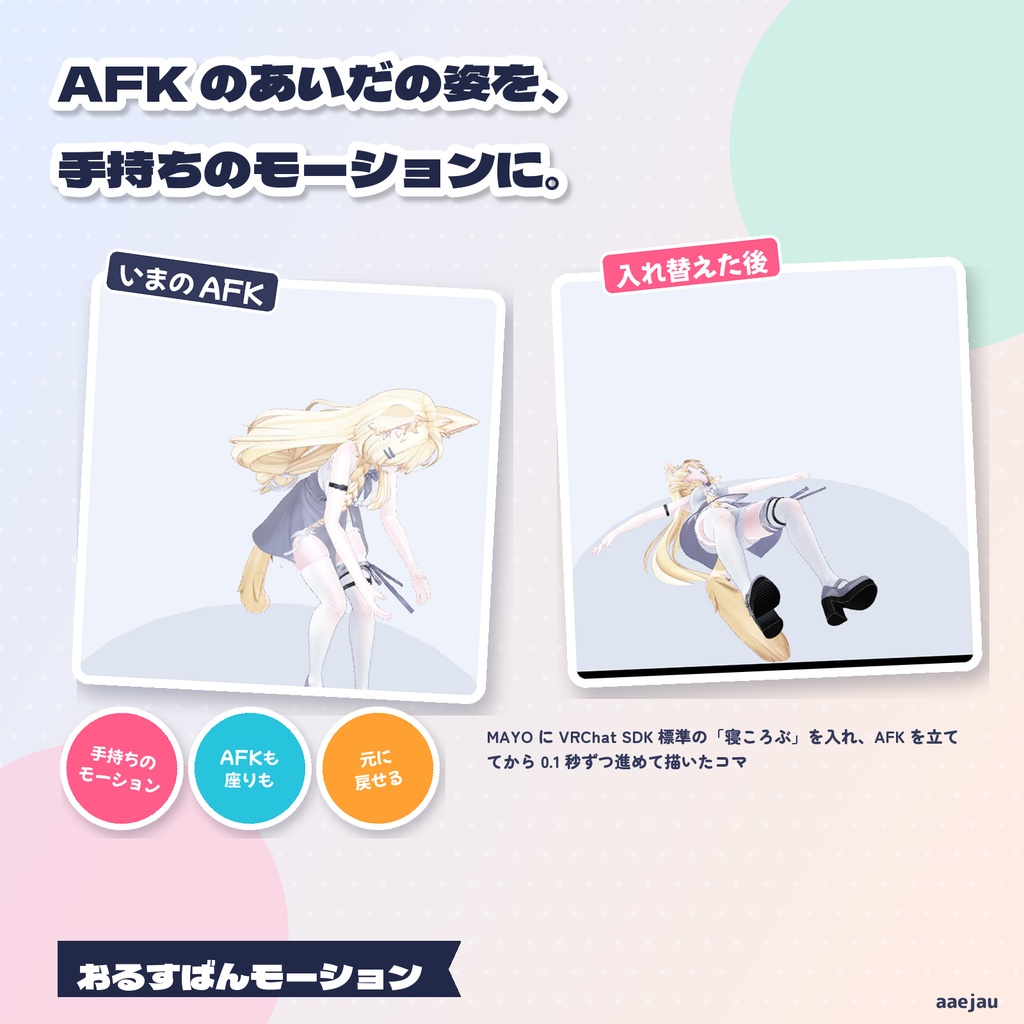
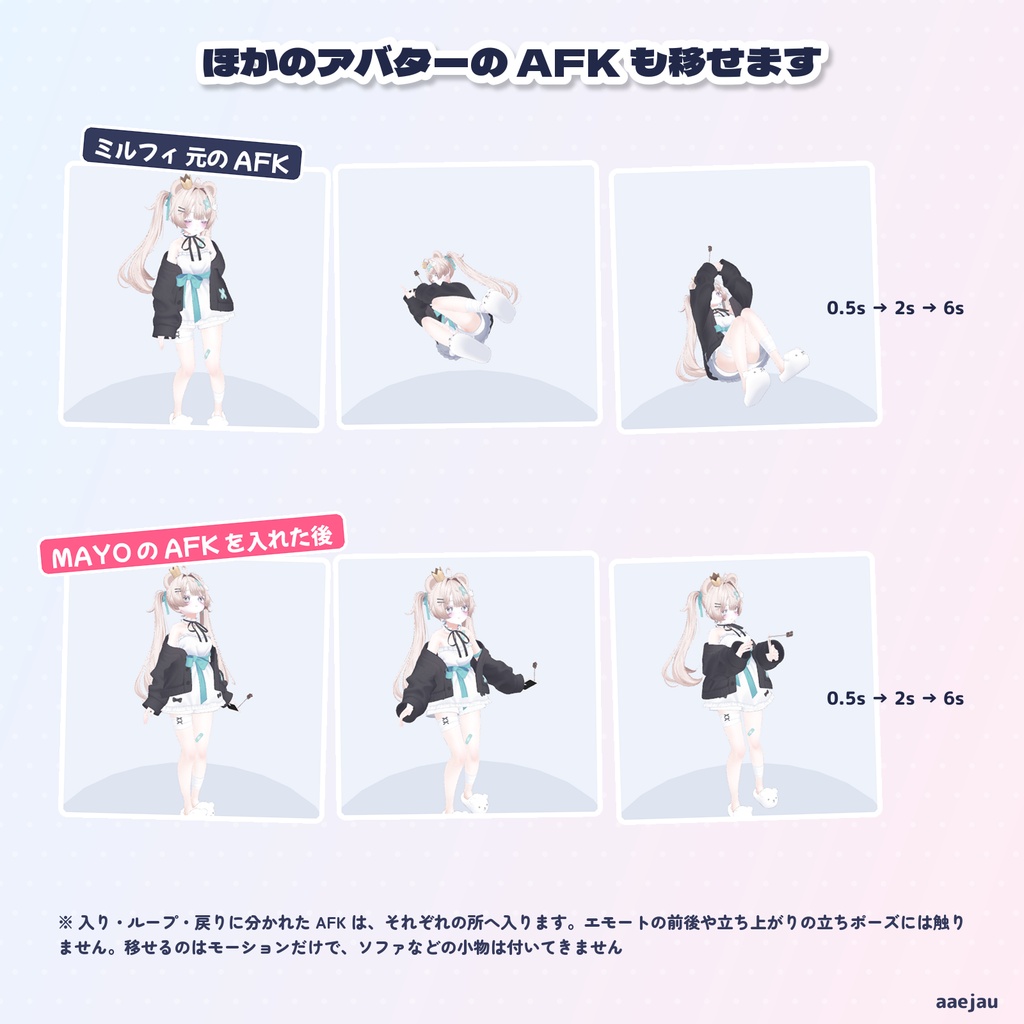
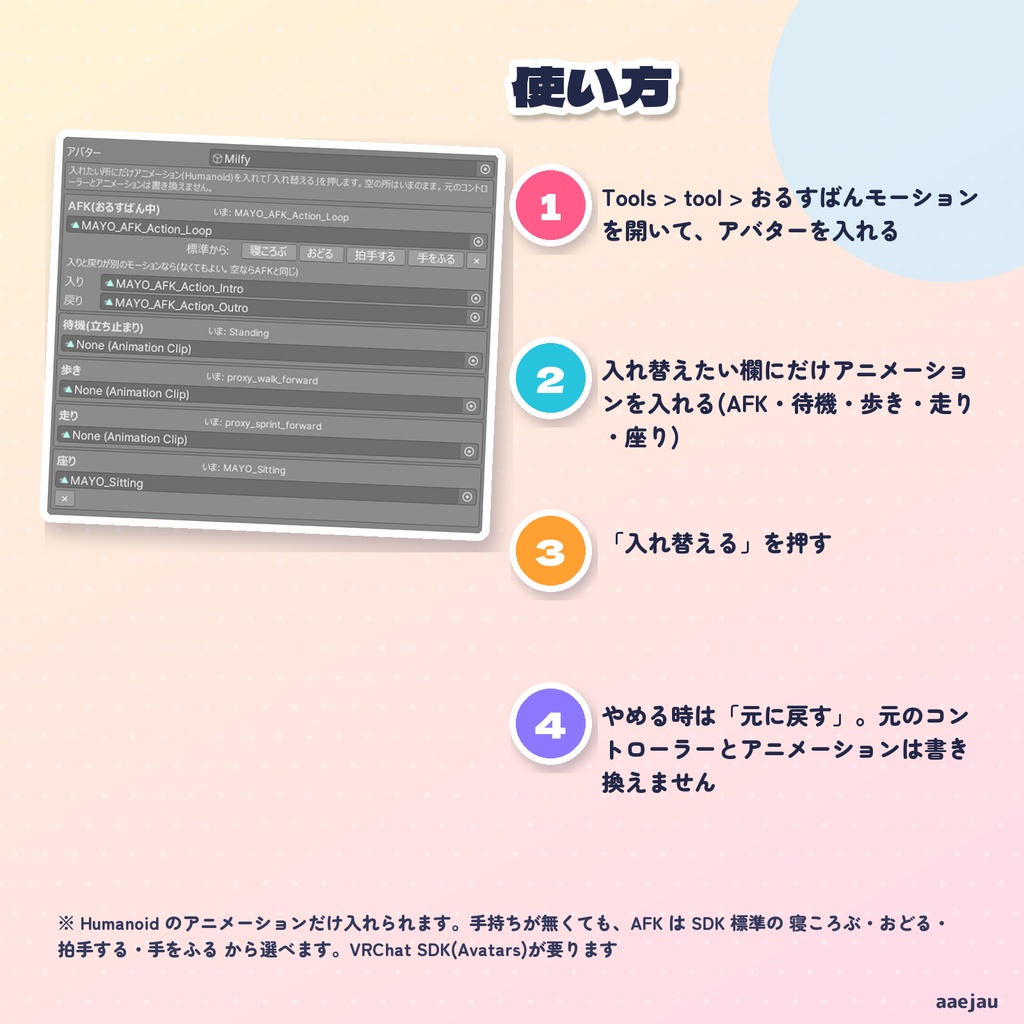
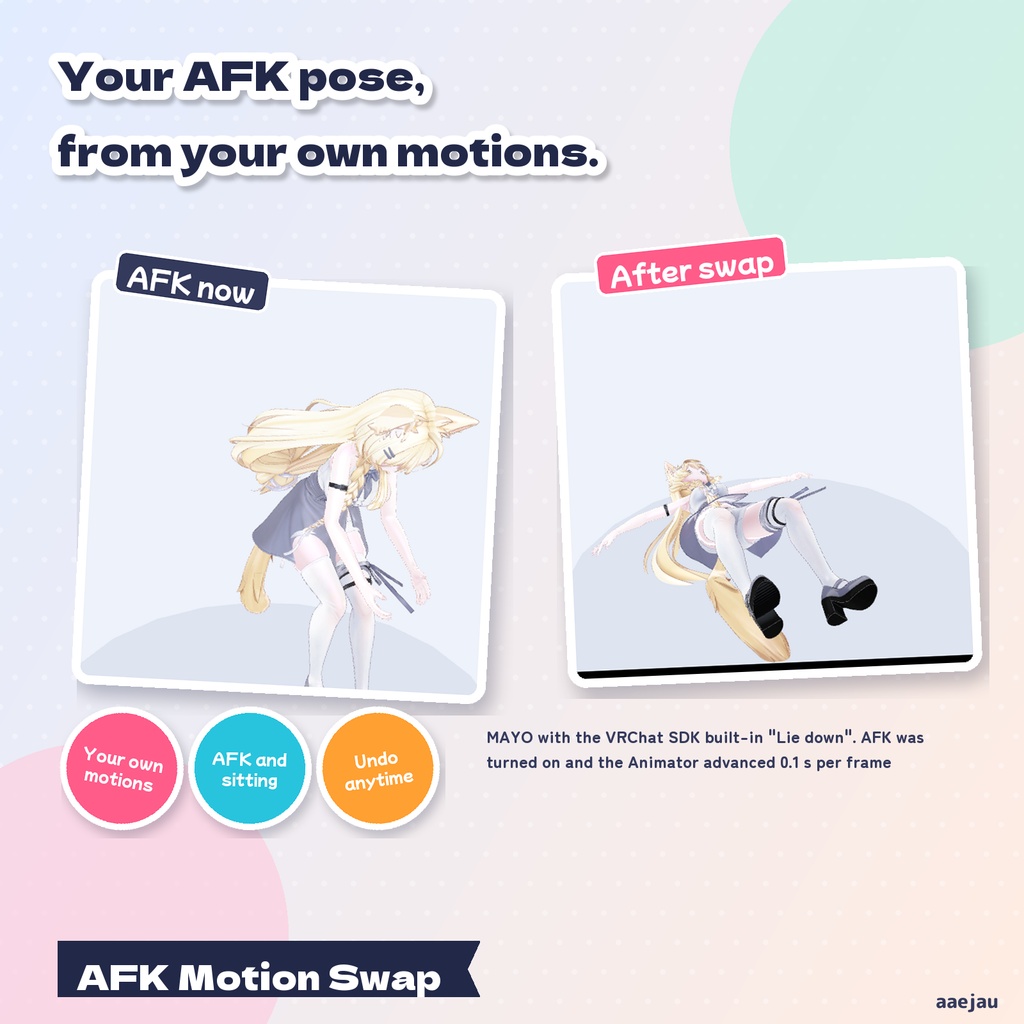
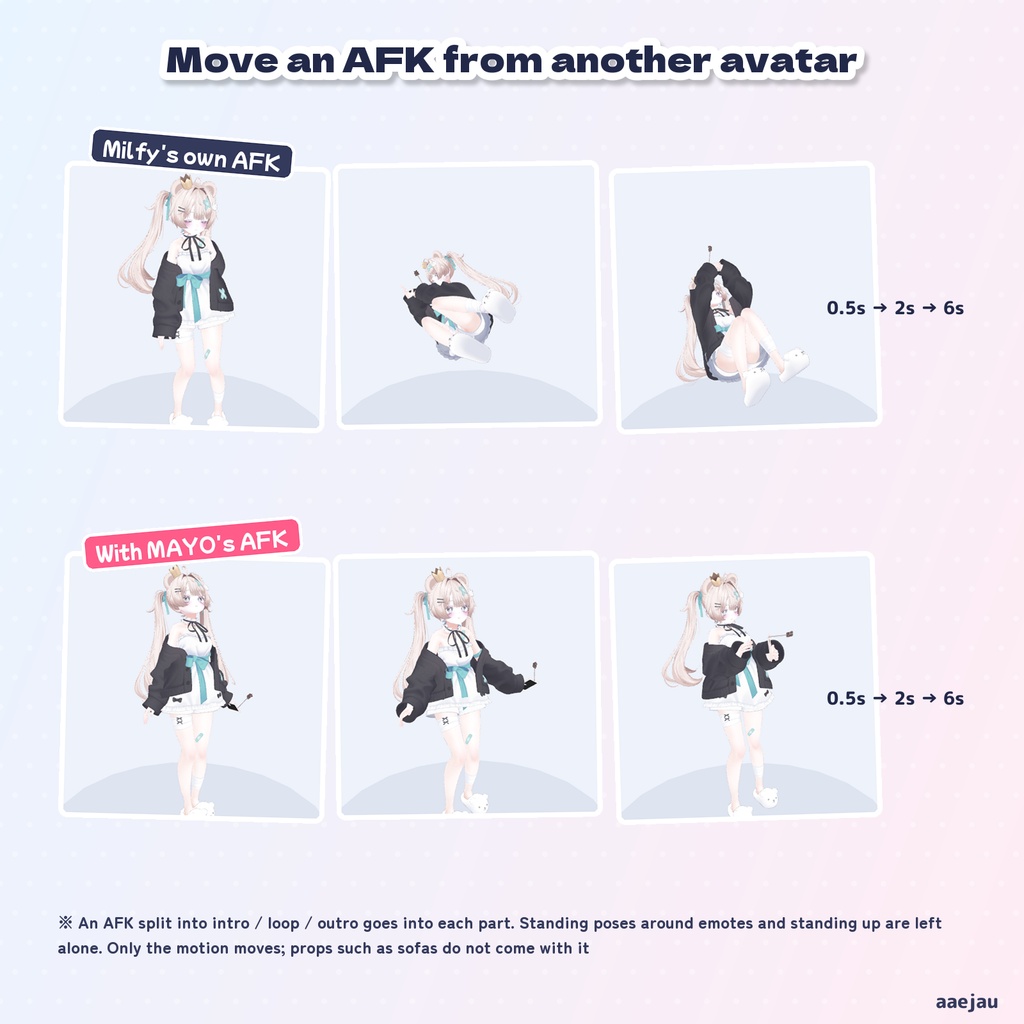
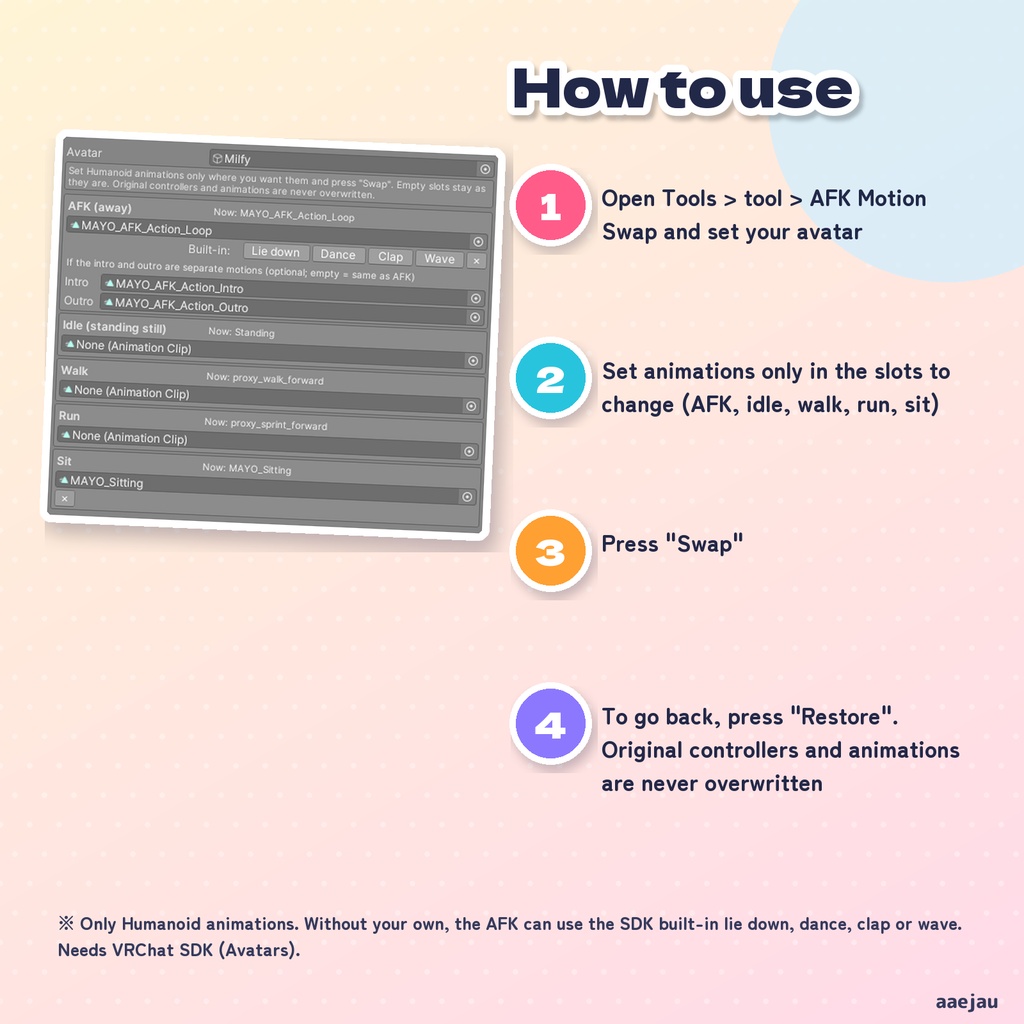
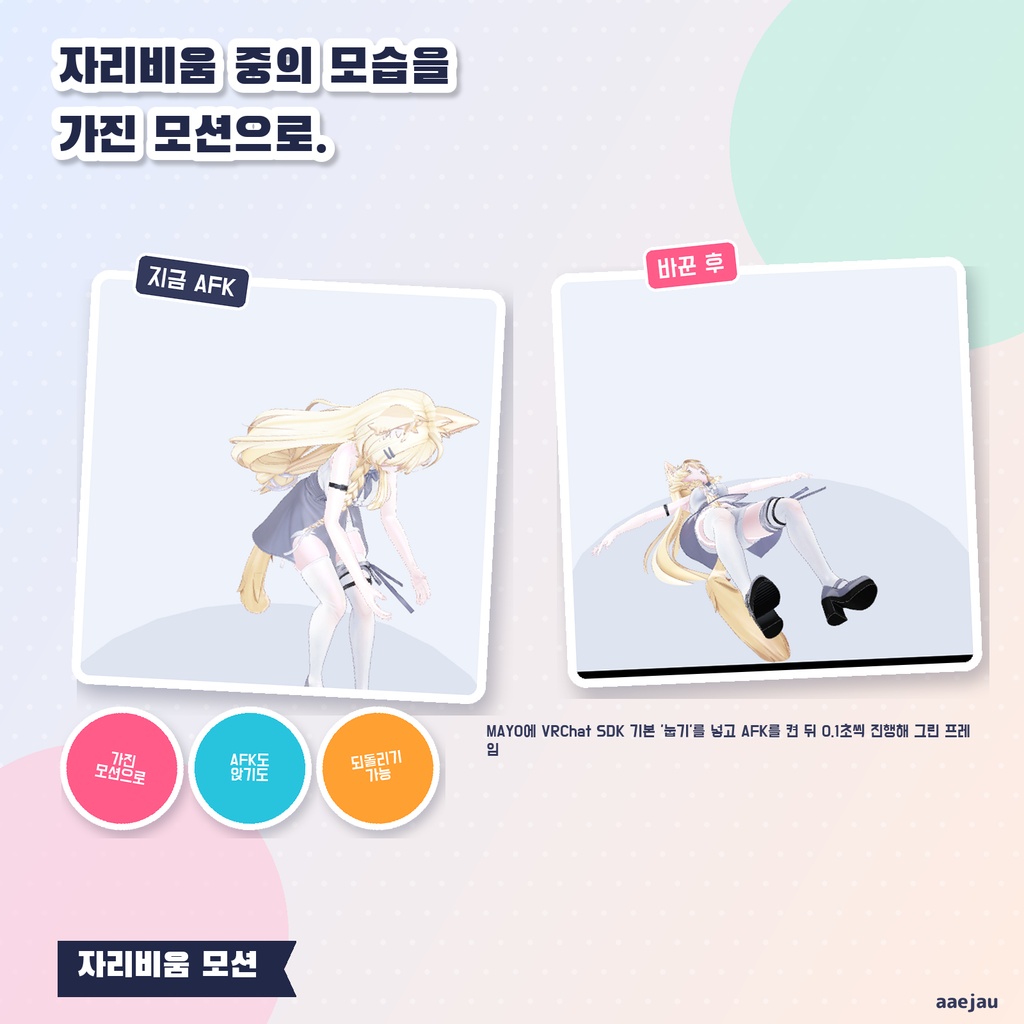
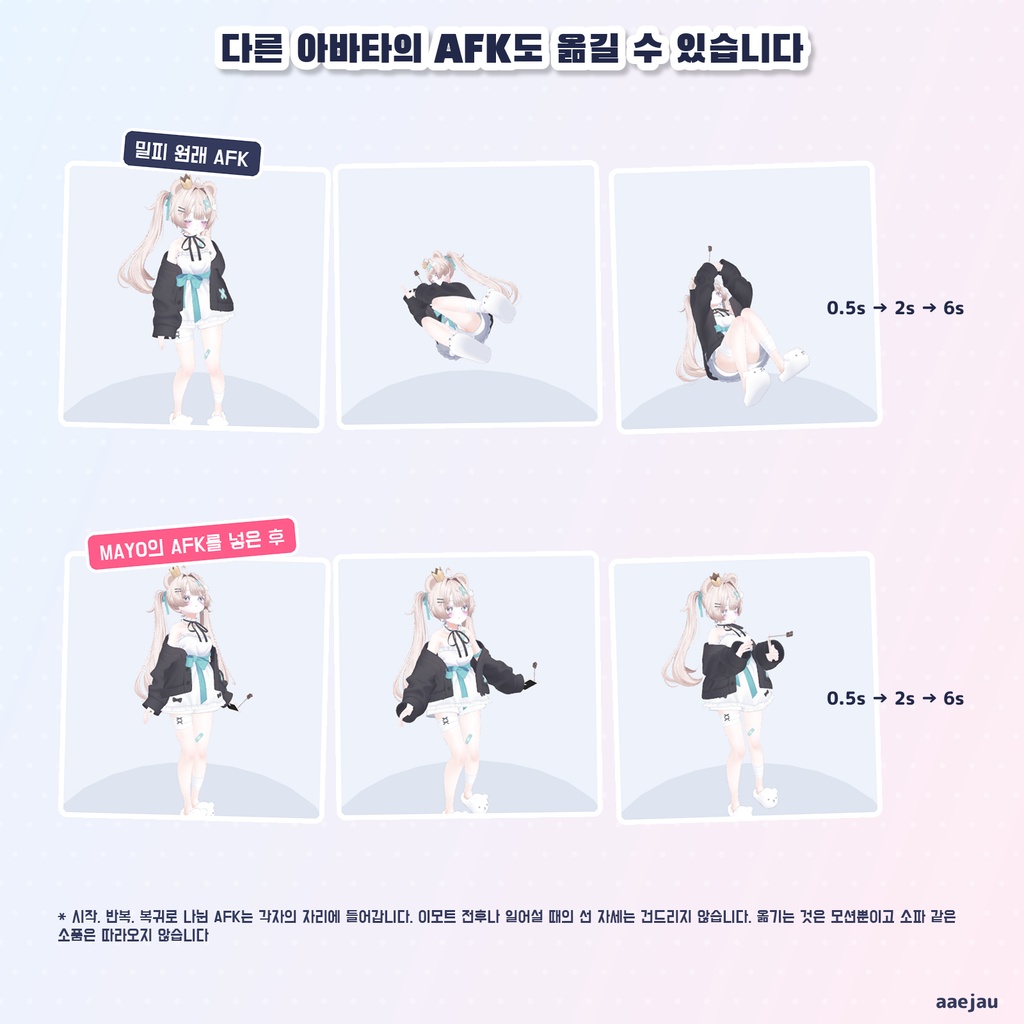
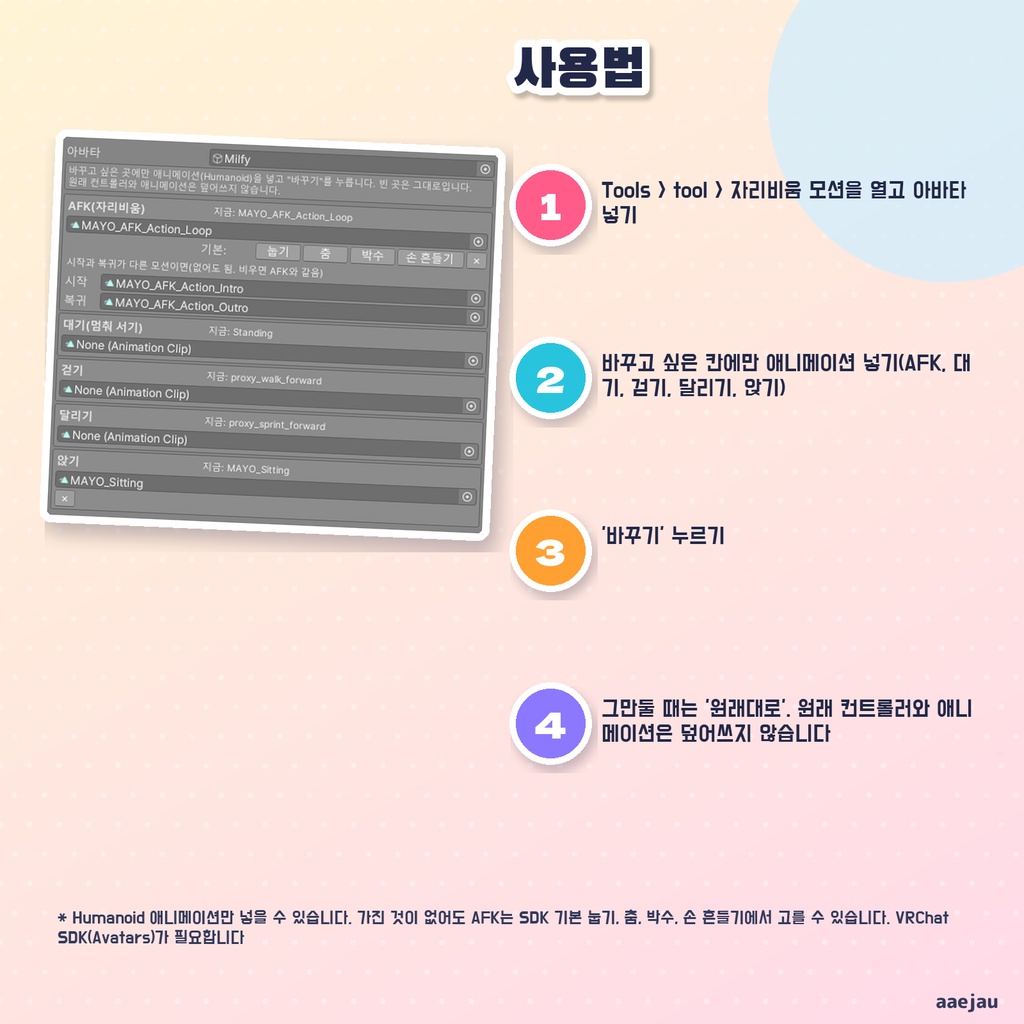


「気に入ったAFKモーションを買ったのに、Action レイヤーの組み方が分からなくて入れられなかった」 おるすばんモーションは、AFK・待機・歩き・走り・座りのモーションを、手持ちのアニメーションに入れ替える Unity Editor ツールです。欄にアニメーションを入れて、ボタンを1回押すだけです。Animator を自分で組む必要はありません。 ◆ 欄に入れるだけで入れ替わります AFK(おるすばん中)・待機・歩き・走り・座りの欄があり、入れたい所にだけアニメーションを入れて「入れ替える」を押します。空の欄はいまのまま動きます。それぞれの欄の横に、いま使われているモーションの名前が出ます。 ◆ ほかのアバターの AFK も移せます アバターに付いてきた AFK のアニメーションを、別のアバターへ入れることもできます。入り・ループ・戻りに分かれた AFK は、入りと戻りの欄にも入れると、それぞれの所へ入ります。空ならループと同じモーションで埋めます。 ◆ エモートや立ち上がりには触りません アバターによっては、AFK の前後とエモートの立ち姿に同じ立ちポーズを使い回しています。そのまま差し替えるとエモートまで AFK の姿になるので、Base の立ちポーズを使っている状態は入れ替えの対象から外しています。ジャンプやしゃがみ、後ろ歩きも元のままです。 ◆ 手持ちが無くても選べます AFK は VRChat SDK に入っている標準のモーションから「寝ころぶ・おどる・拍手する・手をふる」を選べます。くり返さないアニメーションは、くり返す設定の写しを作って使います。買ったアニメーション自体は書き換えません。 ◆ 元のファイルは書き換えません ・いま使っている Base / Action / Sitting のコントローラーを Assets/aaejau/OrusubanMotion/Generated/ に複製し、アバターをそちらへ向けます ・何度押しても、毎回元のコントローラーから作り直します ・「元に戻す」で入れ替える前に戻ります ◆ 使い方 1. メニューの Tools > tool > おるすばんモーション を開き、アバターを入れる 2. 入れ替えたい欄にだけアニメーション(Humanoid)を入れる 3. 「入れ替える」を押す ◆ 4体で確かめました しなの・Felis・MAYO・ミルフィで、別のアバターの AFK(入り・ループ・戻り)、座り、待機、歩き、走りを入れ替え、Animator を実際に回して、入れたモーションが流れることを確かめました。自前の Action を持つ MAYO とミルフィでは、エモートの前後や立ち上がりに使う立ちポーズの状態が全部そのまま残りました(7 / 7、8 / 8)。元のコントローラーと、それが使うクリップ・BlendTree のファイル、VRChat SDK の標準ファイルは、どれも1バイトも変わっていません。自動テストは9件です。 ※ Humanoid のアニメーションだけ入れられます ※ 移せるのはモーションだけです。ほかのアバターの AFK で使われていたソファなどの小物は付いてきません ※ 歩き・走りは真っすぐ前へ進む所だけを入れ替えます ※ Modular Avatar などがアップロードの時に足す Action レイヤーは対象になりません ※ アップロードの前に Build & Test で動きを確かめてください 内容物: unitypackage / README / CHANGELOG / TEST_REPORT / LICENSE / 画面のスクリーンショット ━━━━━━━━━━━━━━━━━━━━ English ━━━━━━━━━━━━━━━━━━━━ "I bought an AFK motion I liked, but couldn't figure out how to set up the Action layer." AFK Motion Swap is a Unity Editor tool that swaps the AFK, idle, walk, run and sit motions with your own animations. Put an animation in a slot and press one button. No need to build an Animator yourself. ◆ Just put animations in the slots There are slots for AFK, idle, walk, run and sit. Set animations only where you want them and press "Swap". Empty slots keep working as before. Each slot shows the name of the motion in use now. ◆ Move an AFK from another avatar You can put the AFK animation that came with one avatar into another. If the AFK is split into intro / loop / outro, set the intro and outro slots too and each goes into its own place. Empty ones are filled with the loop. ◆ Emotes and standing up are left alone Some avatars reuse one standing pose around the AFK and for emotes. Swapping it would turn the emotes into the AFK pose, so states that use the Base standing pose are left out. Jumping, crouching and walking backward also stay as they are. ◆ Works without animations of your own For the AFK you can pick VRChat SDK built-in motions: lie down, dance, clap or wave. Non-looping animations are used through a looping copy. Animations you bought are never changed. ◆ Original files stay as they are - The Base / Action / Sitting controllers in use are copied to Assets/aaejau/OrusubanMotion/Generated/ and the avatar is pointed at the copies - Every swap rebuilds from the original controllers - "Restore" brings back what you had before ◆ How to use 1. Open Tools > tool > AFK Motion Swap and set your avatar 2. Set Humanoid animations only in the slots to change 3. Press "Swap" ◆ Checked on 4 avatars On Shinano, Felis, MAYO and Milfy, AFK from other avatars (intro / loop / outro), sit, idle, walk and run were swapped, the Animator was actually run, and the swapped motions played. On MAYO and Milfy, which have their own Action, every standing-pose state around emotes and standing up stayed (7 / 7, 8 / 8). Original controllers, the clip / BlendTree files they use and the VRChat SDK default files did not change by a single byte. 9 automated tests. * Only Humanoid animations can be used * Only the motion moves. Props such as sofas from another avatar's AFK do not come with it * Walk and run swap only the straight-forward motion * Action layers added at upload by Modular Avatar and similar tools are not covered * Always check with Build & Test before uploading Contents: unitypackage / README / CHANGELOG / TEST_REPORT / LICENSE / screenshot ━━━━━━━━━━━━━━━━━━━━ 한국어 ━━━━━━━━━━━━━━━━━━━━ 「마음에 드는 AFK 모션을 샀는데 Action 레이어를 어떻게 짜는지 몰라서 못 넣었다」 자리비움 모션은 AFK·대기·걷기·달리기·앉기 모션을 가진 애니메이션으로 바꾸는 Unity Editor 툴입니다. 칸에 애니메이션을 넣고 버튼을 한 번 누르면 됩니다. Animator를 직접 짤 필요가 없습니다. ◆ 칸에 넣기만 하면 바뀝니다 AFK·대기·걷기·달리기·앉기 칸이 있고, 바꾸고 싶은 곳에만 애니메이션을 넣고 「바꾸기」를 누릅니다. 빈 칸은 그대로 움직입니다. 각 칸 옆에 지금 쓰는 모션 이름이 나옵니다. ◆ 다른 아바타의 AFK도 옮길 수 있습니다 시작·반복·복귀로 나뉜 AFK는 시작과 복귀 칸에도 넣으면 각자의 자리에 들어갑니다. 비우면 반복과 같은 모션으로 채웁니다. ◆ 이모트와 일어서기는 건드리지 않습니다 AFK 전후와 이모트에 같은 선 자세를 쓰는 아바타가 있어서, Base의 선 자세를 쓰는 상태는 바꾸지 않습니다. 점프·웅크리기·뒤로 걷기도 그대로입니다. ◆ 가진 것이 없어도 고를 수 있습니다 AFK는 VRChat SDK 기본 모션(눕기·춤·박수·손 흔들기)에서 고를 수 있습니다. 반복하지 않는 애니메이션은 반복 설정의 사본을 만들어 씁니다. ◆ 원래 파일은 덮어쓰지 않습니다 ・지금 쓰는 Base / Action / Sitting 컨트롤러를 Assets/aaejau/OrusubanMotion/Generated/ 에 복제해 아바타를 그쪽으로 향하게 합니다 ・「원래대로」로 바꾸기 전으로 돌아갑니다 ◆ 사용법 1. Tools > tool > 자리비움 모션을 열고 아바타 넣기 2. 바꾸고 싶은 칸에만 Humanoid 애니메이션 넣기 3. 「바꾸기」 누르기 ◆ 4체로 확인 시나노·Felis·MAYO·밀피에서 다른 아바타의 AFK(시작·반복·복귀)·앉기·대기·걷기·달리기를 바꾸고 Animator를 실제로 돌려 넣은 모션이 재생됨을 확인. 자체 Action을 가진 MAYO·밀피에서 선 자세 상태는 전부 그대로(7 / 7, 8 / 8). 원래 파일과 VRChat SDK 기본 파일은 1바이트도 바뀌지 않았습니다. 자동 테스트 9건. ※ Humanoid 애니메이션만 넣을 수 있습니다 ※ 옮기는 것은 모션뿐이고 소파 같은 소품은 따라오지 않습니다 ※ 걷기·달리기는 똑바로 앞으로 가는 모션만 바꿉니다 ※ Modular Avatar 등이 업로드 때 추가하는 Action 레이어는 대상이 아닙니다 ※ 업로드 전에 Build & Test로 확인해 주세요 내용물: unitypackage / README / CHANGELOG / TEST_REPORT / LICENSE / 화면 스크린샷