

すわりんコライダー - 体の太さに合わせたコライダーを置いて登録【JA,EN,KO】
- 日本語ダウンロード商品¥ 700
- Englishダウンロード商品¥ 700
- 한국어ダウンロード商品¥ 700
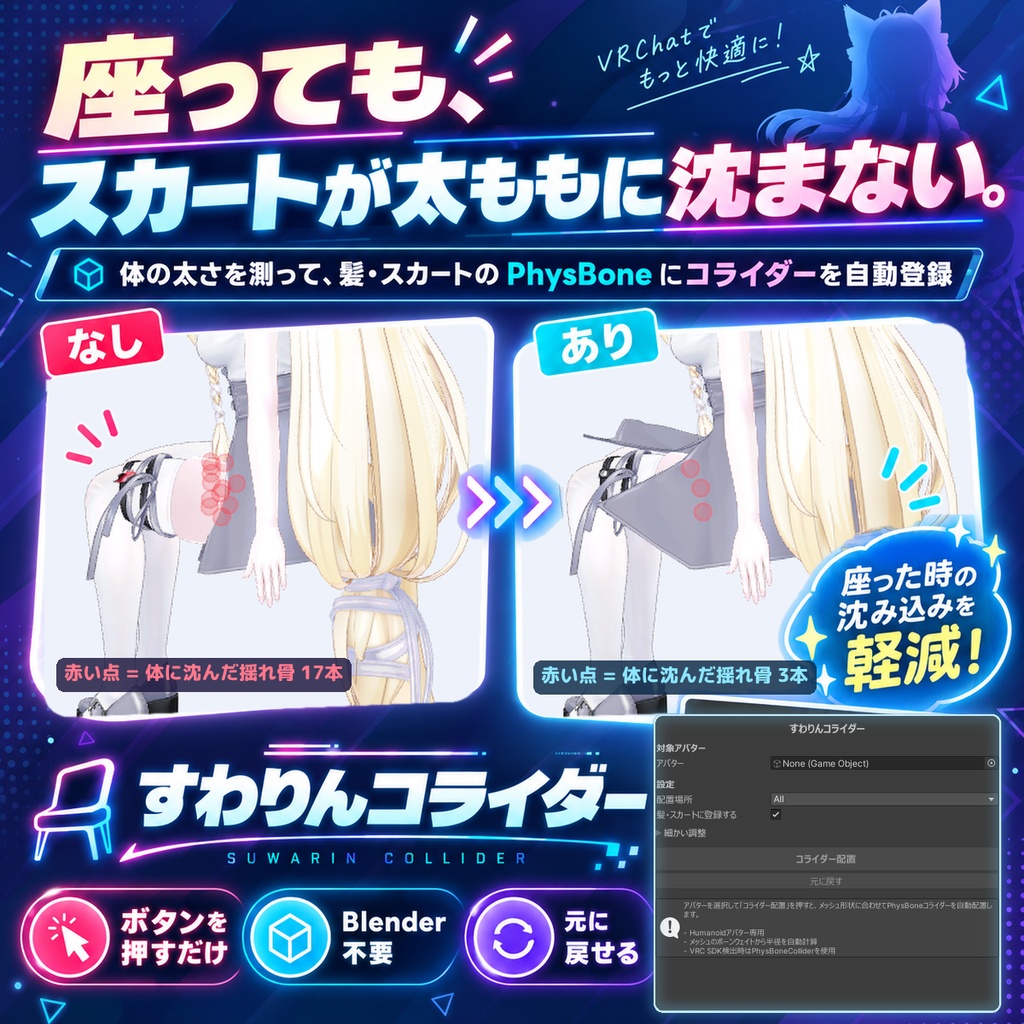
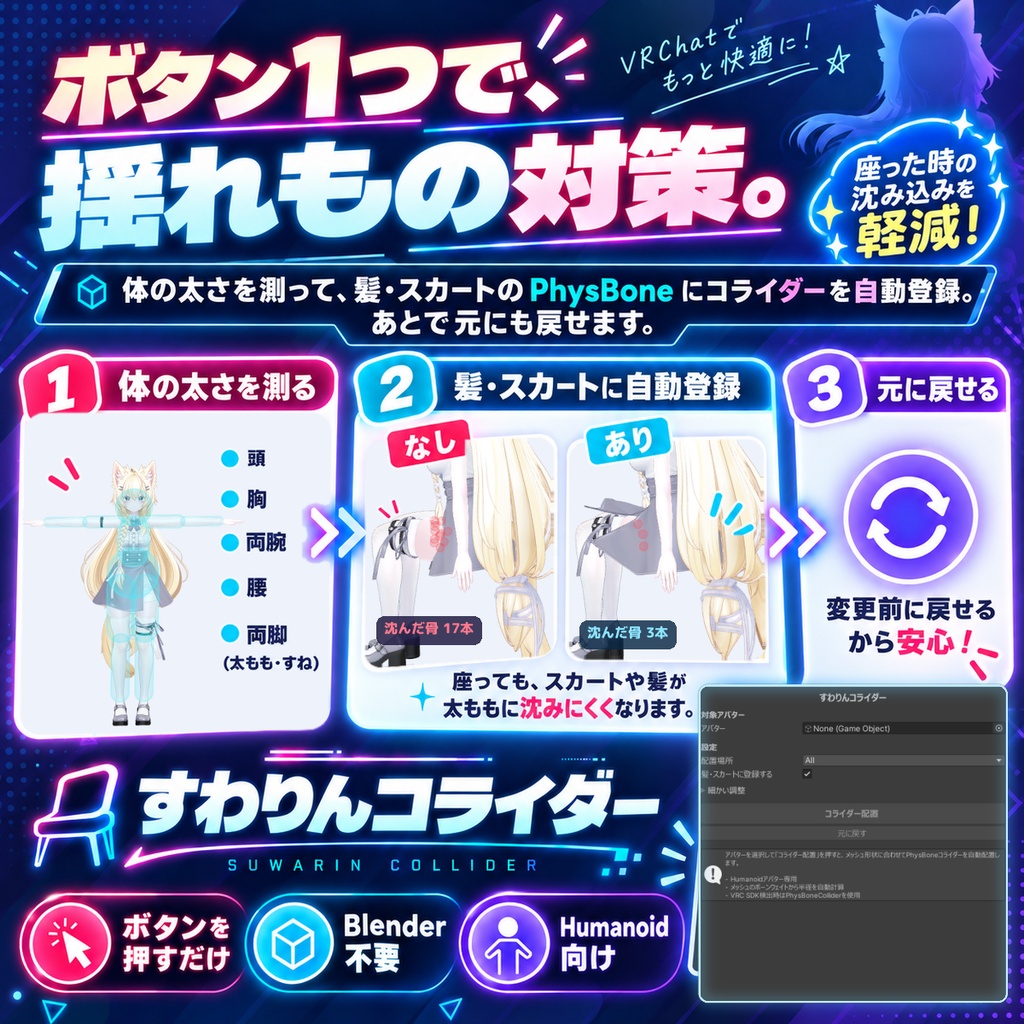
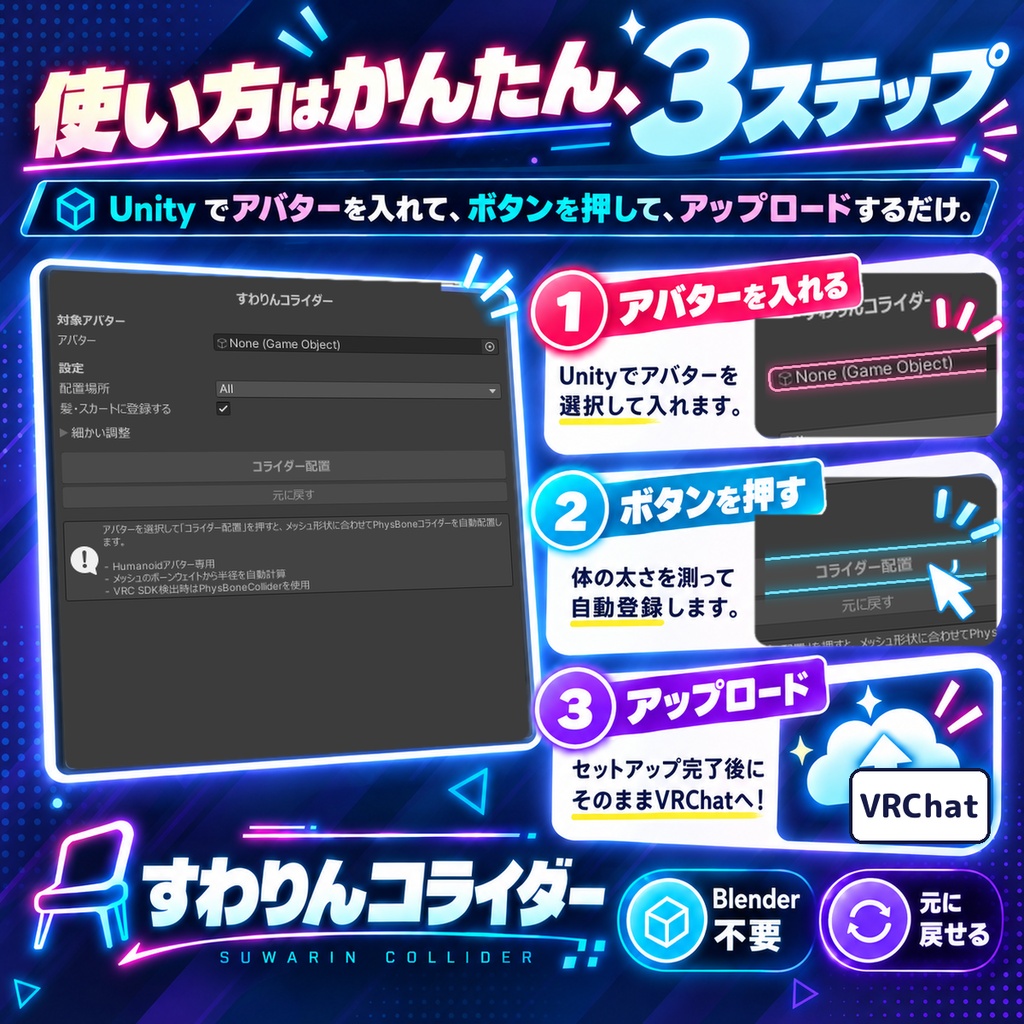
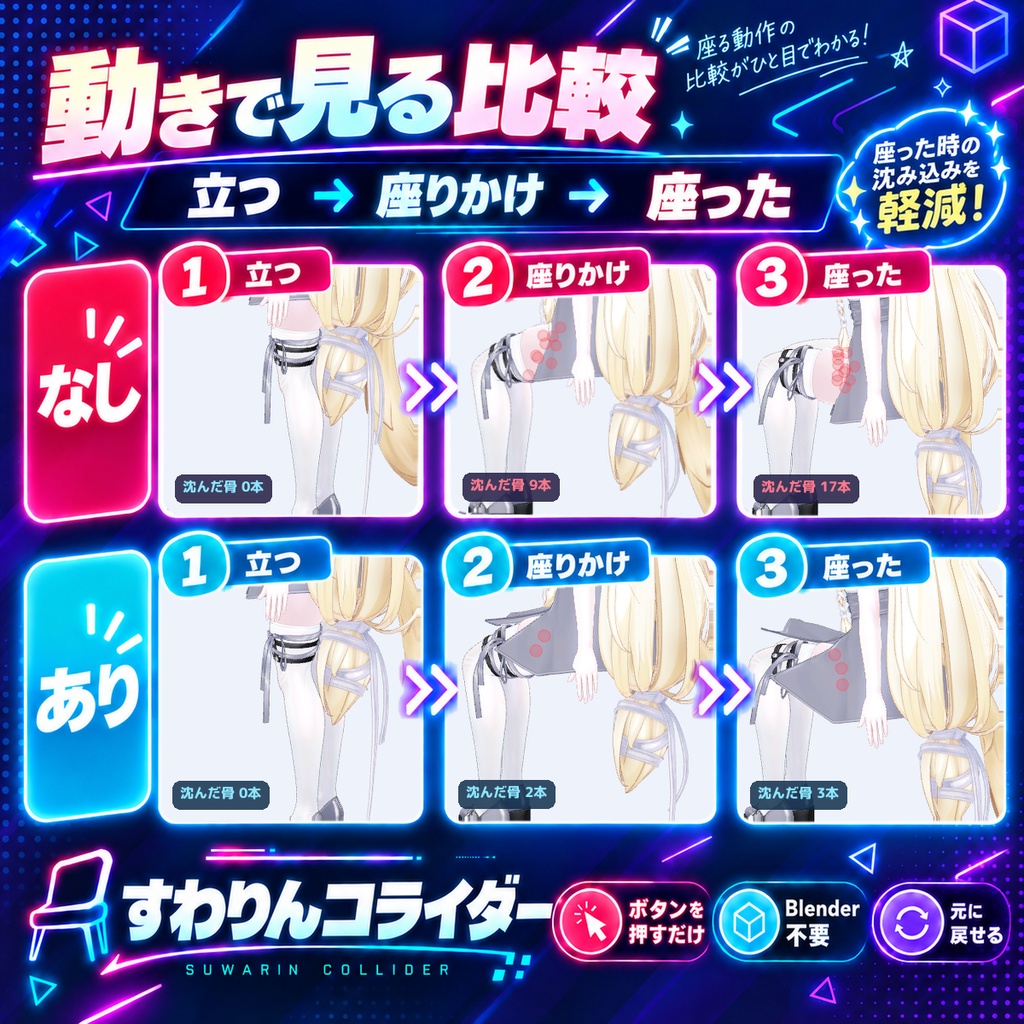
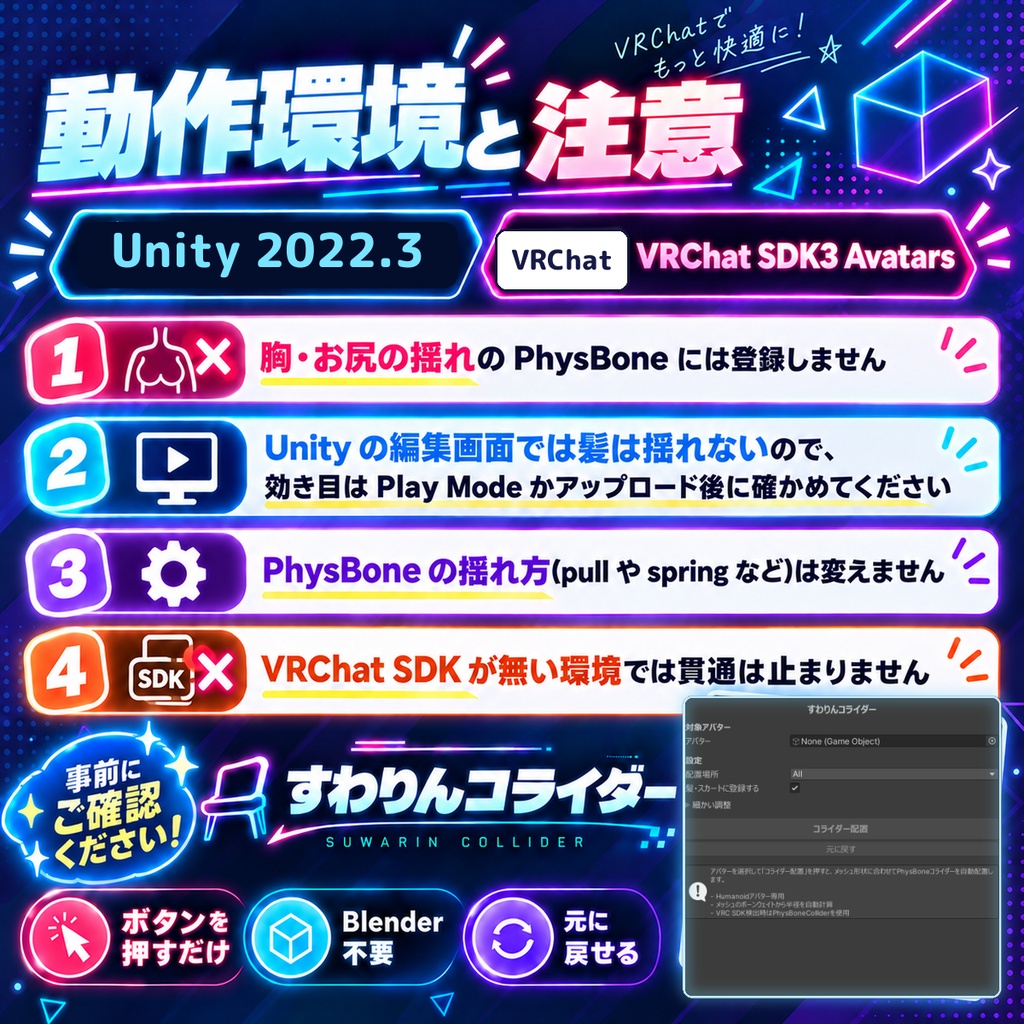
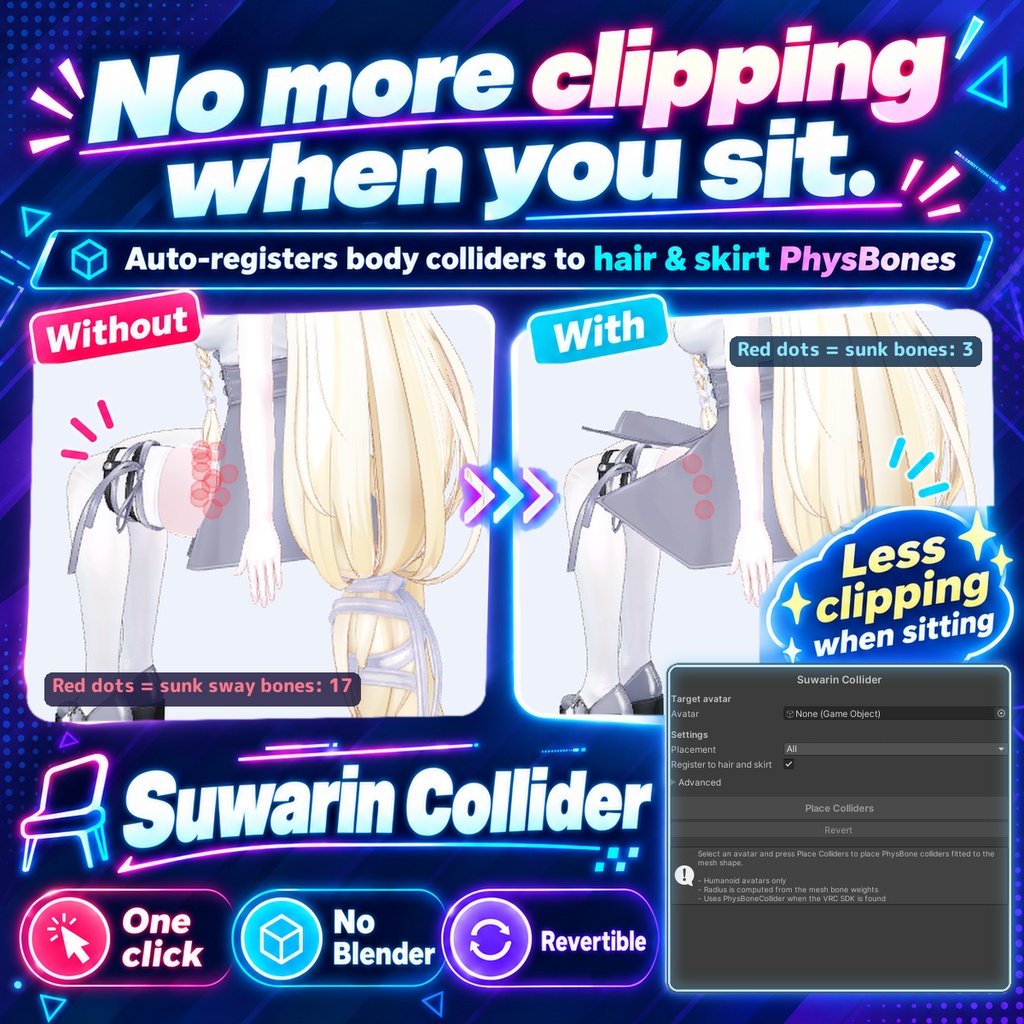
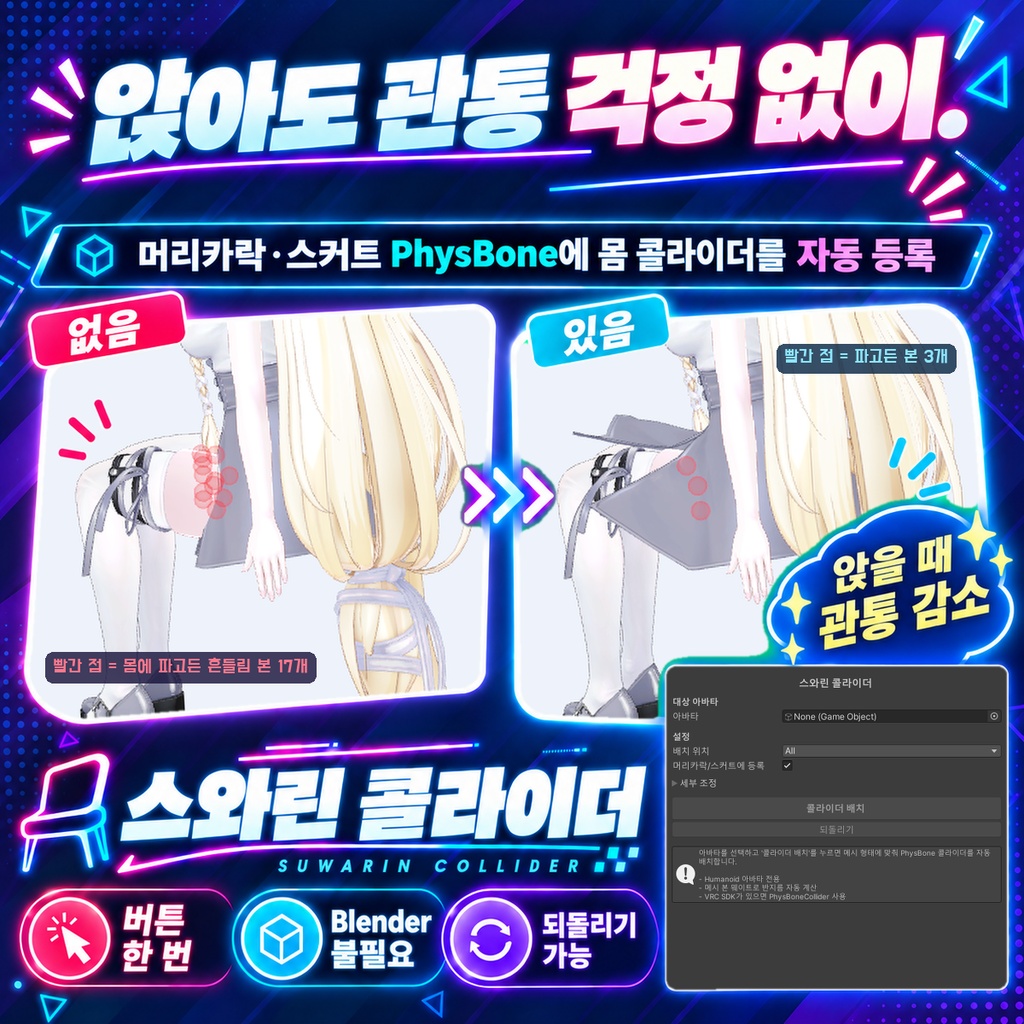


髪やスカートが体に沈むのを止めるためのPhysBoneコライダーを、アバターのメッシュから太さを測って頭・胸・腕・腰・脚に置くエディタ拡張です。置いたコライダーを、届く範囲にある髪やスカートのPhysBoneのColliders欄へ登録するところまで行います。「元に戻す」でこのツールが足した物だけを外せます。 ◆ 使い方 1. メニューの Tools > tool > すわりんコライダー を開く 2. アバターをウィンドウに入れる 3. 「配置場所」を選ぶ(迷ったら All のまま)。「髪・スカートに登録する」がオンになっていることを確認する 4. 「コライダー配置」を押し、結果の「登録した ○件」と警告を確認する 5. VRChatにアップロードして揺れ方を確かめる。沈む部位があれば「細かい調整」やInspectorのRadiusで太さを直す ◆ 必要環境 ・Unity 2022.3 ・VRChat SDK3 Avatars(PhysBone を使うため) ・Humanoid のアバター ※ 立った姿勢(腕を下ろした姿勢も含む)ですでに体の中に入っている揺れ骨には、そのぶんコライダーを細くして当たらないようにします。元の6割まで細くしても抜けない組は登録しません。細くした部位は、座ったときに止める力が少し弱くなります ※ 胸・お尻の揺れの PhysBone には登録しません ※ Humanoid のアバター専用です ※ Unity の編集画面では髪は揺れないため、効き目はアップロード後か Play Mode で確かめる必要があります ※ 太さを測れない骨は既定値(半径3cm)になり、その部位では髪が止まらないことがあります(警告に骨の名前が出ます) ※ PhysBone の揺れ方(pull や spring など)は変えません。揺れ物の付け根がコライダーの中にある場合は登録しません ※ VRChat SDK が無い環境では Unity 標準の Collider になり、貫通は止まりません 内容物: unitypackage / README / CHANGELOG / TEST_REPORT / LICENSE / 画面のスクリーンショット --- English --- An editor extension that measures the avatar mesh and places PhysBone colliders on the head, chest, arms, hips and legs to stop hair and skirts from sinking into the body. It also registers those colliders in the Colliders list of the hair and skirt PhysBones that can reach them. Revert removes only what this tool added. ◆ How to use 1. Open Tools > tool > すわりんコライダー from the menu 2. Put the avatar in the window 3. Choose Placement (leave it on All if unsure) and make sure "Register to hair and skirt" is on 4. Press Place Colliders, then check the registered count and any warnings in the result 5. Upload to VRChat and check the motion. If a part still sinks, adjust Advanced settings or the Radius in the Inspector ◆ Requirements ・Unity 2022.3 ・VRChat SDK3 Avatars (for PhysBones) ・A Humanoid avatar * If a swaying bone is already inside the body while standing (including with the arms down), the collider is made thinner so it does not touch it. Pairs that still overlap at 60% of the original thickness are not registered. Thinned parts hold the skirt a little less when sitting * Chest and butt jiggle PhysBones are not registered * Humanoid avatars only * Hair does not sway in the Unity editor, so check the effect after uploading or in Play Mode * Bones whose thickness cannot be measured get a default radius of 3cm, and hair may not stop there (the bone names appear in the warnings) * PhysBone motion settings (pull, spring, etc.) are not changed. PhysBones whose root is inside a collider are not registered * Without the VRChat SDK, standard Unity Colliders are created and they do not stop clipping Contents: unitypackage / README / CHANGELOG / TEST_REPORT / LICENSE / screenshot --- 한국어 --- 머리카락이나 스커트가 몸에 파고드는 것을 막기 위해, 아바타 메시에서 두께를 측정해 머리·가슴·팔·허리·다리에 PhysBone 콜라이더를 배치하는 에디터 확장입니다. 배치한 콜라이더를 닿는 범위에 있는 머리카락·스커트 PhysBone의 Colliders 항목에 등록하는 것까지 수행합니다. '되돌리기'로 이 툴이 추가한 것만 제거할 수 있습니다. ◆ 사용법 1. 메뉴에서 Tools > tool > すわりんコライダー 를 엽니다 2. 아바타를 창에 넣습니다 3. '배치 위치'를 고릅니다(모르겠으면 All 그대로). '머리카락/스커트에 등록'이 켜져 있는지 확인합니다 4. '콜라이더 배치'를 누르고 결과의 등록 수와 경고를 확인합니다 5. VRChat에 업로드해 흔들림을 확인합니다. 파고드는 부위가 있으면 '세부 조정'이나 Inspector의 Radius로 두께를 조정합니다 ◆ 요구 환경 ・Unity 2022.3 ・VRChat SDK3 Avatars (PhysBone 사용) ・Humanoid 아바타 ※ 선 자세(팔을 내린 자세 포함)에서 이미 몸 안에 들어가 있는 흔들림 본에는, 그만큼 콜라이더를 가늘게 해서 닿지 않게 합니다. 원래의 60%까지 가늘게 해도 빠지지 않는 조합은 등록하지 않습니다. 가늘게 한 부위는 앉았을 때 막는 힘이 조금 약해집니다 ※ 가슴·엉덩이 흔들림 PhysBone에는 등록하지 않습니다 ※ Humanoid 아바타 전용입니다 ※ Unity 편집 화면에서는 머리카락이 흔들리지 않으므로, 효과는 업로드 후나 Play Mode에서 확인해야 합니다 ※ 두께를 측정하지 못한 본은 기본값(반지름 3cm)이 되며, 그 부위에서는 머리카락이 멈추지 않을 수 있습니다(경고에 본 이름이 나옵니다) ※ PhysBone의 흔들림 설정(pull, spring 등)은 바꾸지 않습니다. 뿌리가 콜라이더 안에 있는 PhysBone은 등록하지 않습니다 ※ VRChat SDK가 없는 환경에서는 Unity 기본 Collider가 되며 관통을 막지 못합니다 내용물: unitypackage / README / CHANGELOG / TEST_REPORT / LICENSE / 스크린샷