

ポンきせ - 非対応衣装のボーンをアバターに合わせる【JA,EN,KO】
- 日本語ダウンロード商品¥ 700
- Englishダウンロード商品¥ 700
- 한국어ダウンロード商品¥ 700
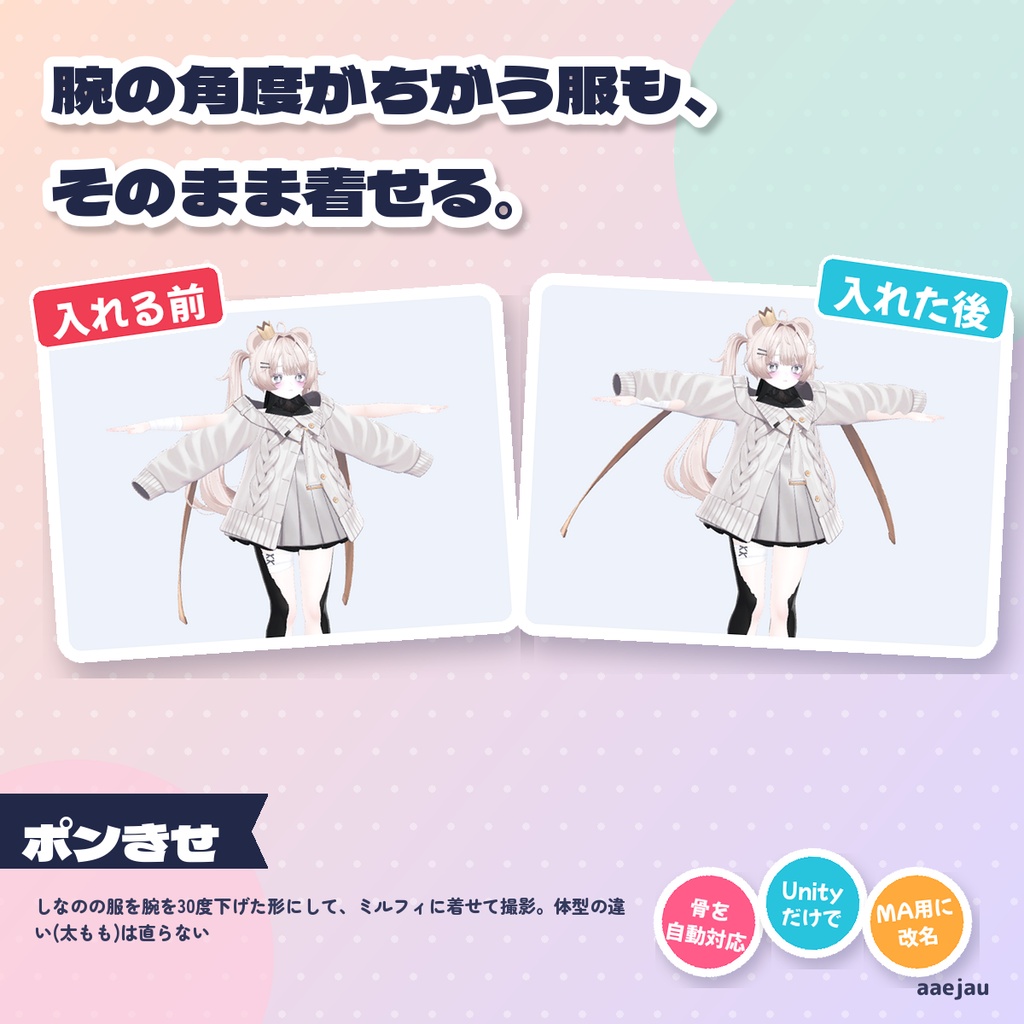
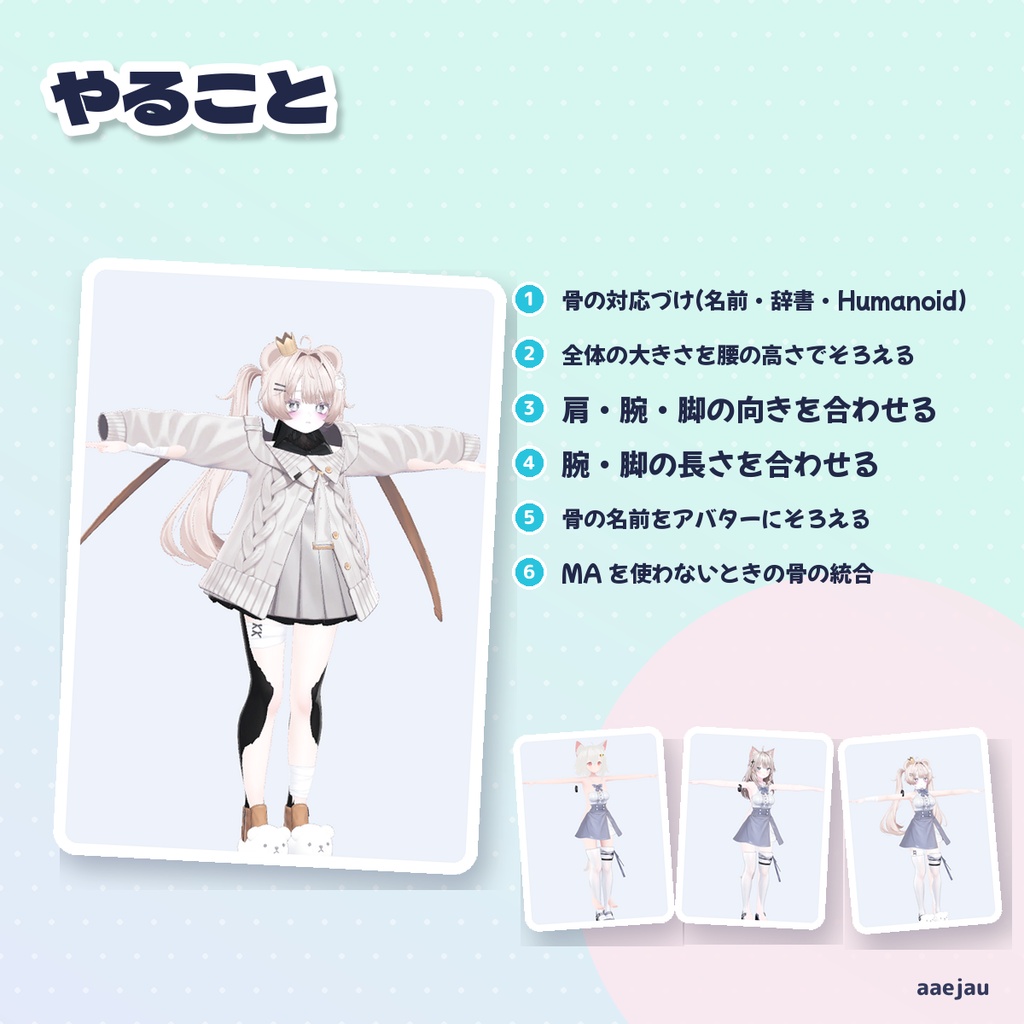
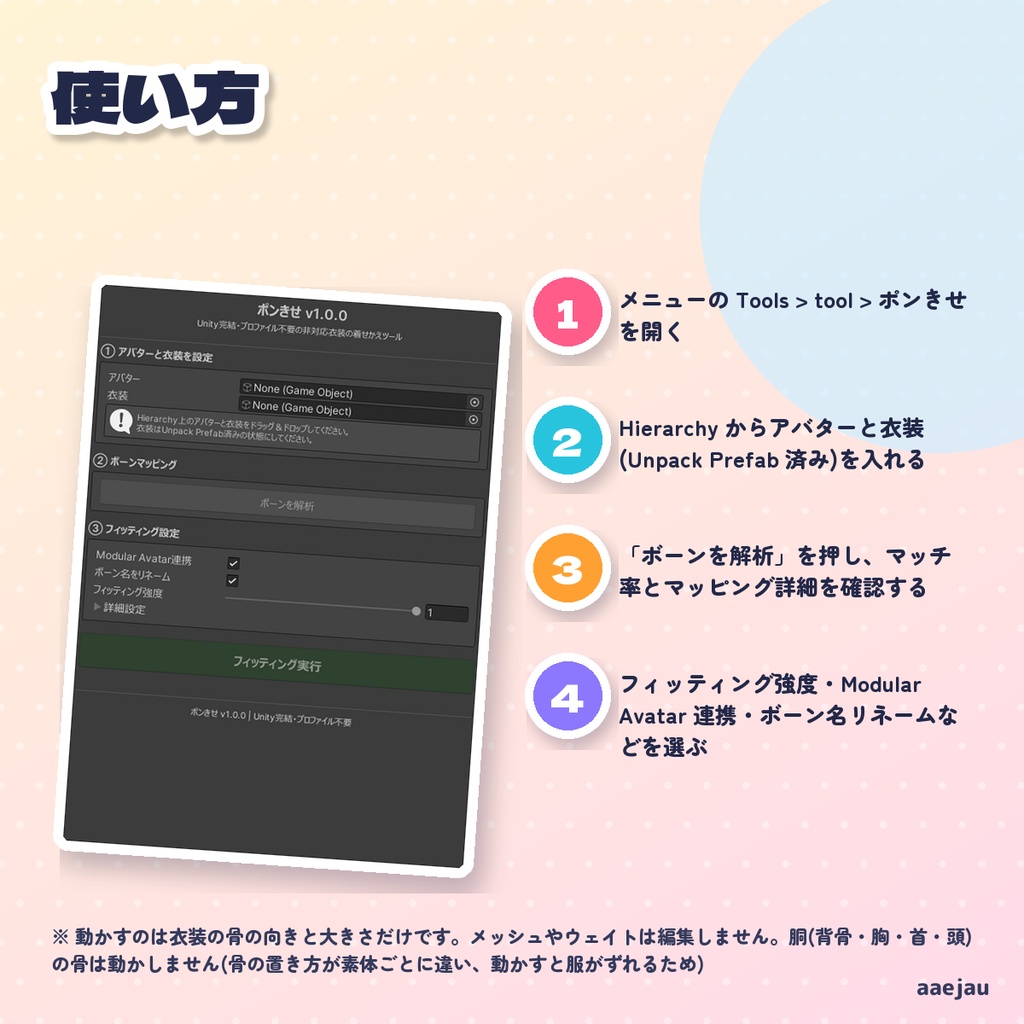
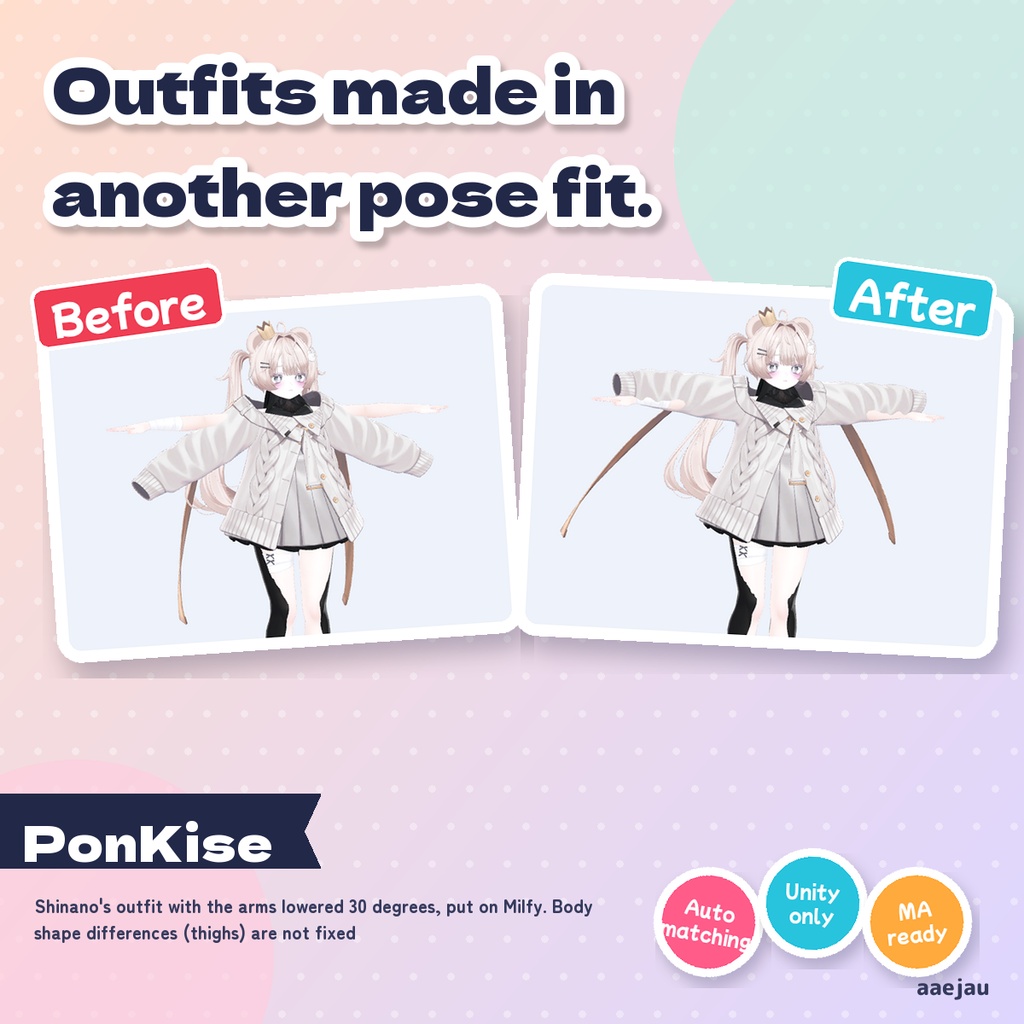
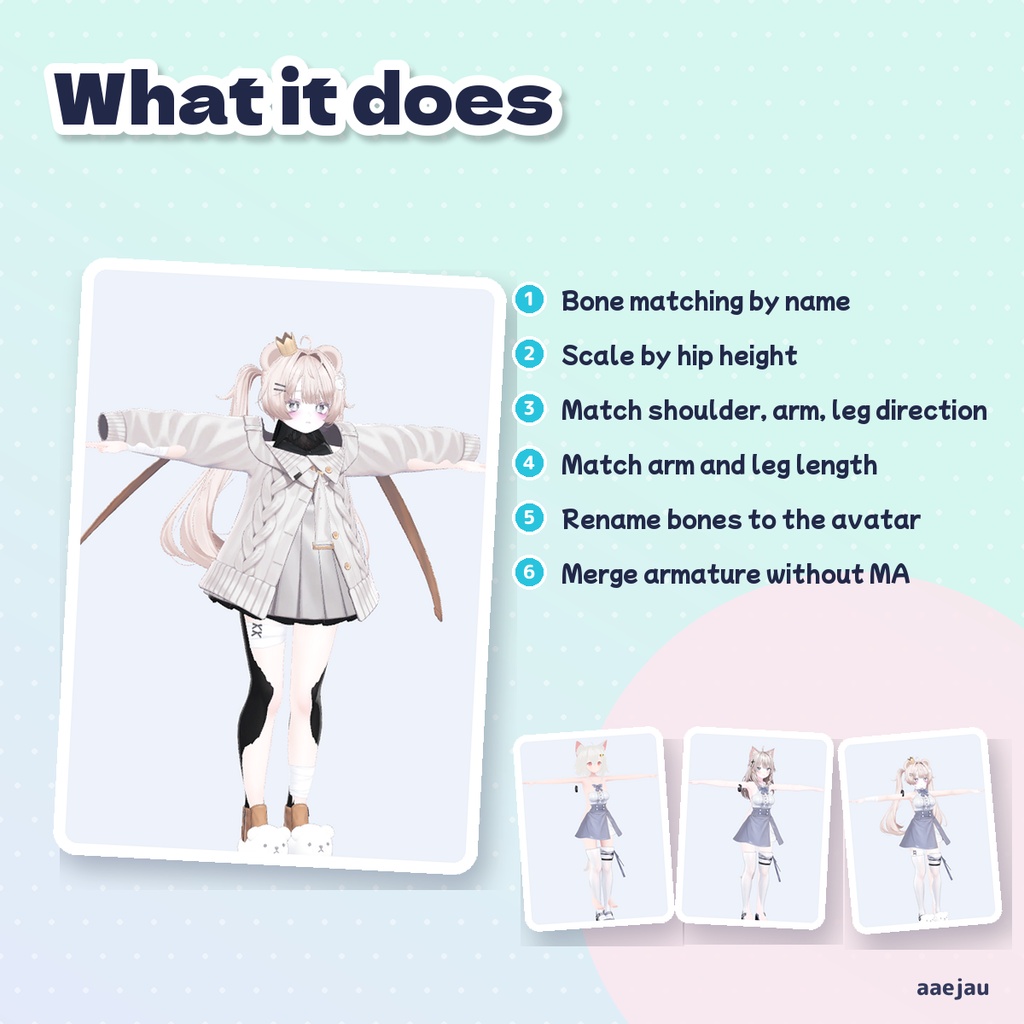
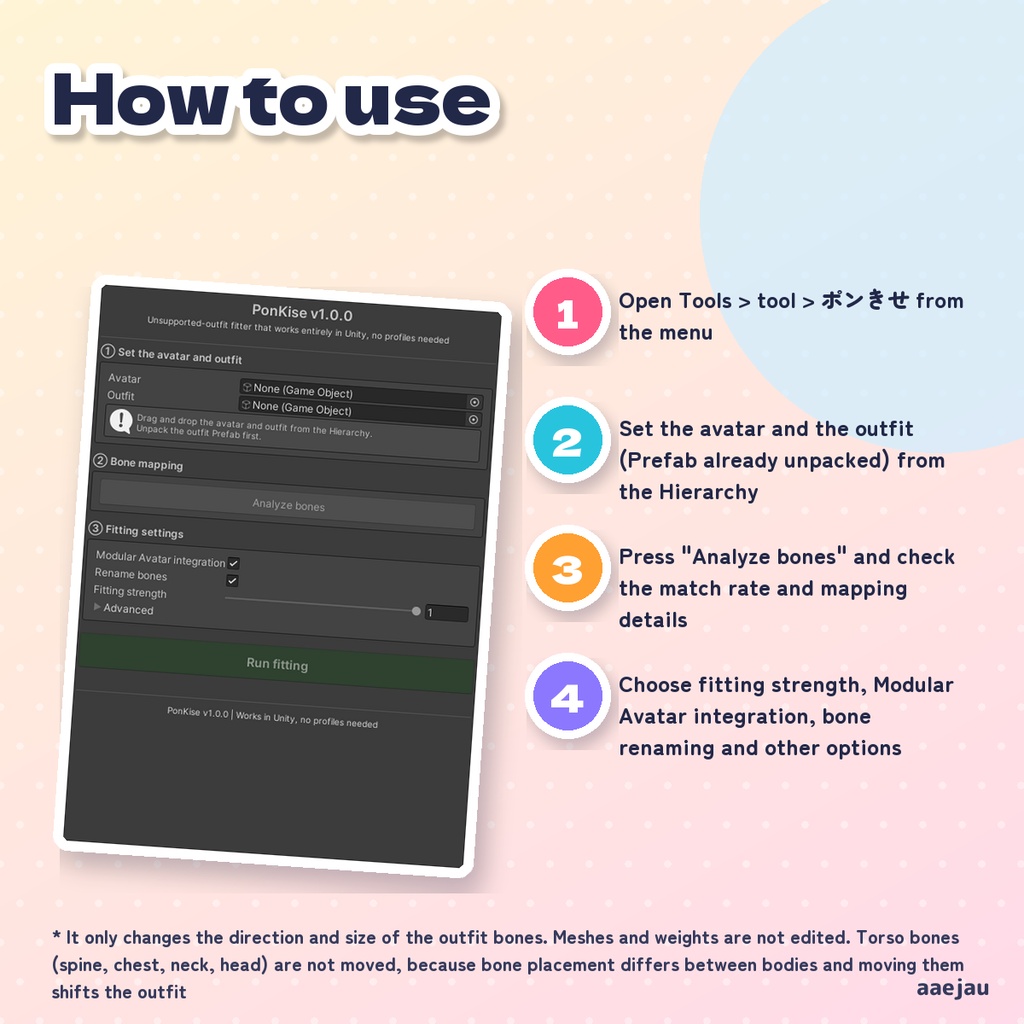
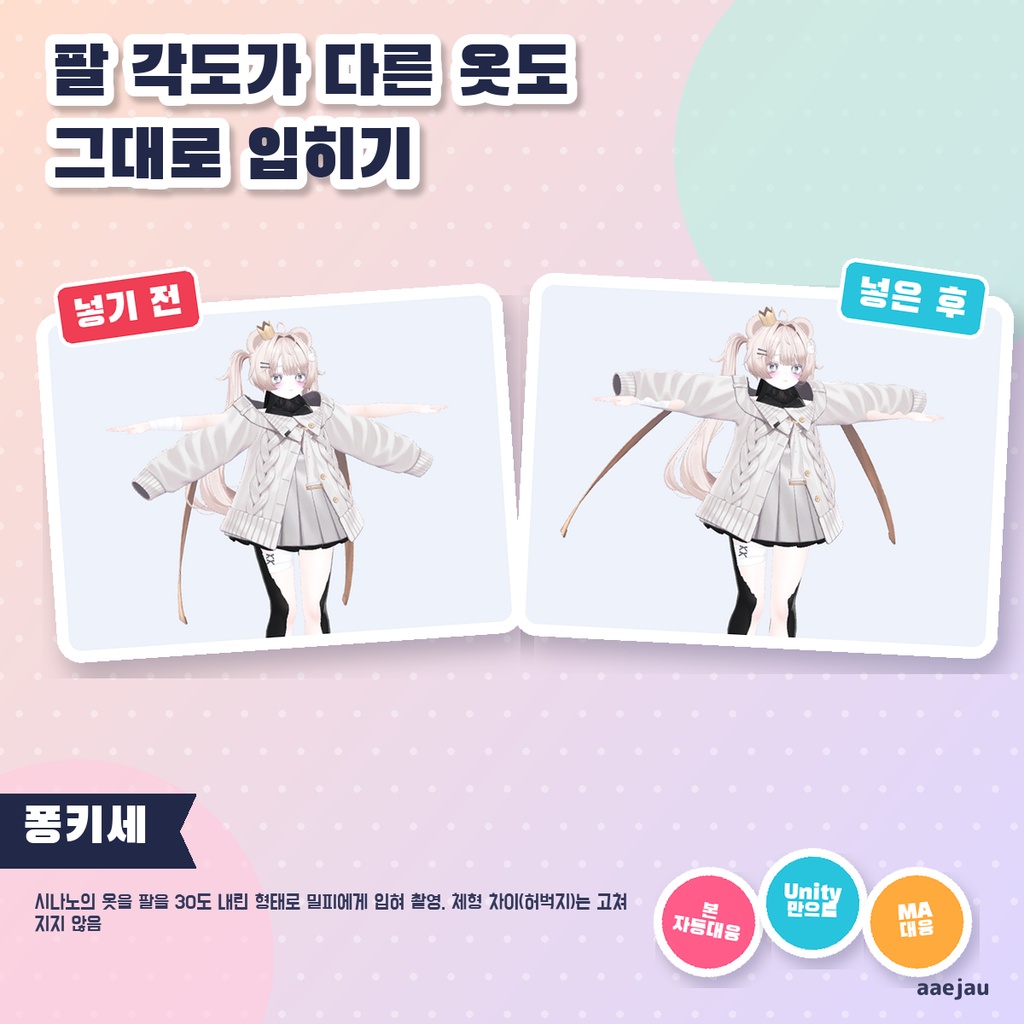
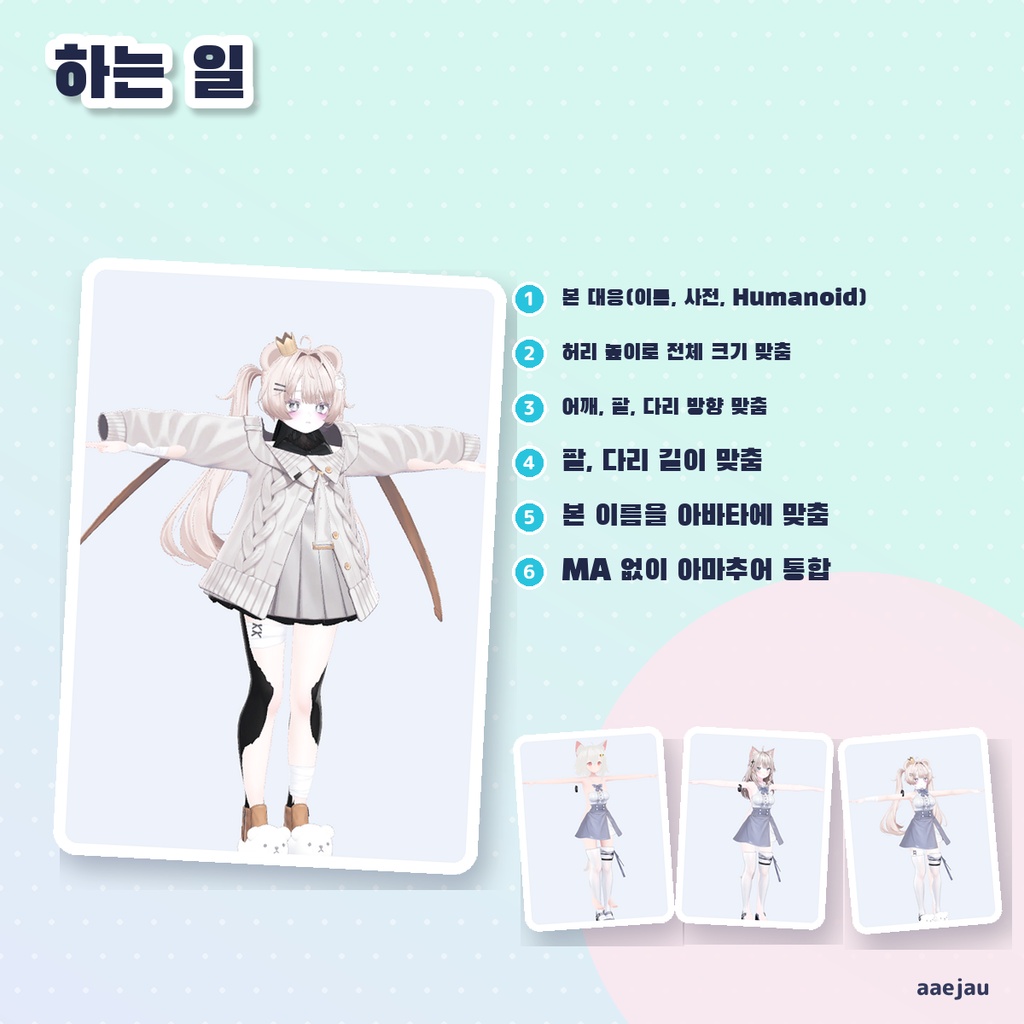
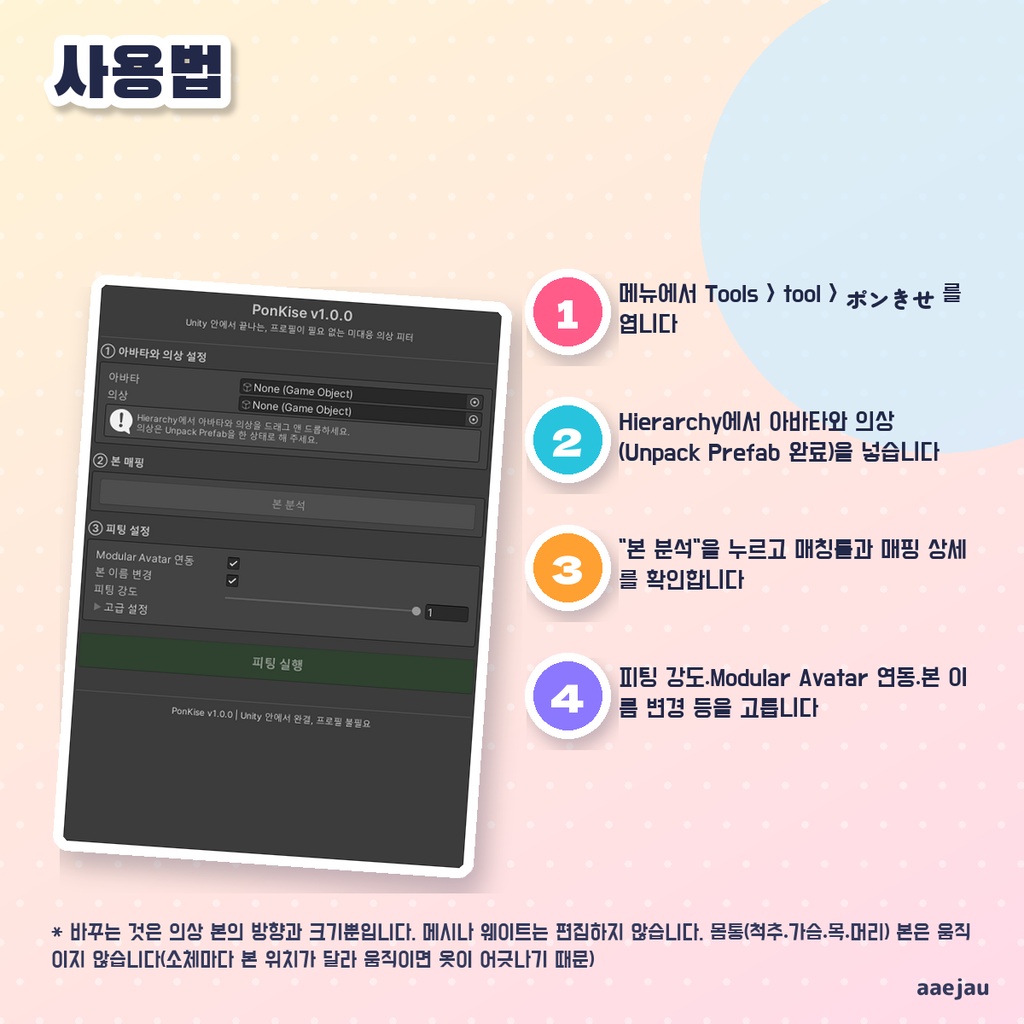


「着せたい服がアバター非対応で、袖が腕からずれる」。 Blenderは使いません。Unityの中だけで終わります。 アバターと衣装のボーンを、名前・ボーン名辞書・Humanoid 情報・階層の形から対応づけ、衣装全体の大きさを腰の高さの比でそろえ、肩・腕・脚の骨の向きと長さをアバターに合わせます(Aポーズで作られた衣装の袖が、Tポーズのアバターの腕に沿います)。Unity の中だけで動き、衣装ごとのプロファイルは要りません。衣装をアバターの子に置いてボーン名をそろえる Modular Avatar 向けの準備と、MA を使わない場合のアーマチュア統合を選べます。 ◆ 使い方 1. メニューの Tools > tool > ポンきせ を開く 2. Hierarchy からアバターと衣装(Unpack Prefab 済み)を入れる 3. 「ボーンを解析」を押し、マッチ率とマッピング詳細を確認する 4. フィッティング強度・Modular Avatar 連携・ボーン名リネームなどを選ぶ 5. 「フィッティング実行」を押す。結果が気に入らなければ Ctrl+Z で戻す ◆ 必要環境 ・Unity 2022.3 ・Humanoid 設定のアバター ・Modular Avatar(任意。無くても動きます) ※ 動かすのは衣装の骨の向きと大きさだけです。メッシュやウェイトは編集しません。胴(背骨・胸・首・頭)の骨は動かしません(骨の置き方が素体ごとに違い、動かすと服がずれるため) ※ 胸や太ももの太さなど体型の違いは直りません。しなのの服をミルフィに着せた試験では、袖は腕に沿いましたが、太ももはタイツを突き抜けました ※ しなの・Felis・ミルフィに MAYO の服、ミルフィにしなのの服(腕を30度下げた形)を着せて確かめました。形がもともと近い衣装では見た目はほとんど変わりません ※ 体が衣装からはみ出す所は直りません。シェイプキーやメッシュ削除で別に直してください ※ ボーン構造が大きく違う衣装では、対応づけできないボーンが残ります(未マッチとして一覧に出ます) ※ Modular Avatar のコンポーネントは追加しません。MA を使う場合はビルド前に MA > Setup Outfit を実行してください 内容物: unitypackage / README / CHANGELOG / TEST_REPORT / LICENSE / 画面のスクリーンショット ━━━━━━━━━━━━━━━━━━━━ English ━━━━━━━━━━━━━━━━━━━━ Matches avatar and outfit bones using names, a bone-name dictionary, Humanoid data and hierarchy structure, then scales the whole outfit by the hip height ratio and matches the direction and length of the shoulder, arm and leg bones to the avatar (sleeves of an outfit made in A-pose follow the arms of a T-pose avatar). It runs entirely inside Unity and needs no per-outfit profiles. You can choose Modular Avatar prep (placing the outfit under the avatar and matching bone names) or an armature merge for setups without MA. ◆ How to use 1. Open Tools > tool > ポンきせ from the menu 2. Set the avatar and the outfit (Prefab already unpacked) from the Hierarchy 3. Press "Analyze bones" and check the match rate and mapping details 4. Choose fitting strength, Modular Avatar integration, bone renaming and other options 5. Press "Run fitting". If you do not like the result, undo with Ctrl+Z ◆ Requirements ・Unity 2022.3 ・An avatar with a Humanoid rig ・Modular Avatar (optional; works without it) * It only changes the direction and size of the outfit bones. Meshes and weights are not edited. Torso bones (spine, chest, neck, head) are not moved, because bone placement differs between bodies and moving them shifts the outfit * Body shape differences such as bust or thigh thickness are not fixed. In a test putting Shinano's outfit on Milfy, the sleeves followed the arms but the thighs poked through the tights * Checked by putting MAYO's outfit on Shinano, Felis and Milfy, and Shinano's outfit (arms lowered 30 degrees) on Milfy. Outfits that are already close in shape look almost the same after fitting * It does not fix the body poking through the outfit. Fix that separately with shape keys or mesh deletion * With very different bone structures, some bones stay unmatched (they are listed as unmatched) * It does not add Modular Avatar components. If you use MA, run MA > Setup Outfit before building Contents: unitypackage / README / CHANGELOG / TEST_REPORT / LICENSE / screenshot ━━━━━━━━━━━━━━━━━━━━ 한국어 ━━━━━━━━━━━━━━━━━━━━ 아바타와 의상의 본을 이름·본 이름 사전·Humanoid 정보·계층 구조로 대응시키고, 의상 전체 크기를 허리 높이의 비율로 맞추고, 어깨·팔·다리 본의 방향과 길이를 아바타에 맞춥니다(A포즈로 만든 의상의 소매가 T포즈 아바타의 팔을 따라갑니다). Unity 안에서만 동작하며 의상별 프로필이 필요 없습니다. 의상을 아바타의 자식으로 두고 본 이름을 맞추는 Modular Avatar용 준비와, MA를 쓰지 않을 때의 아마추어 통합 중에서 고를 수 있습니다. ◆ 사용법 1. 메뉴에서 Tools > tool > ポンきせ 를 엽니다 2. Hierarchy에서 아바타와 의상(Unpack Prefab 완료)을 넣습니다 3. "본 분석"을 누르고 매칭률과 매핑 상세를 확인합니다 4. 피팅 강도·Modular Avatar 연동·본 이름 변경 등을 고릅니다 5. "피팅 실행"을 누릅니다. 결과가 마음에 들지 않으면 Ctrl+Z로 되돌립니다 ◆ 요구 환경 ・Unity 2022.3 ・Humanoid로 설정된 아바타 ・Modular Avatar (선택. 없어도 동작합니다) ※ 바꾸는 것은 의상 본의 방향과 크기뿐입니다. 메시나 웨이트는 편집하지 않습니다. 몸통(척추·가슴·목·머리) 본은 움직이지 않습니다(소체마다 본 위치가 달라 움직이면 옷이 어긋나기 때문) ※ 가슴이나 허벅지 두께 같은 체형 차이는 고쳐지지 않습니다. 시나노의 옷을 밀피에게 입힌 시험에서 소매는 팔을 따라갔지만 허벅지는 타이츠를 뚫고 나왔습니다 ※ 시나노·Felis·밀피에게 MAYO의 옷, 밀피에게 시나노의 옷(팔을 30도 내린 형태)을 입혀 확인했습니다. 원래 형태가 가까운 의상은 겉보기가 거의 바뀌지 않습니다 ※ 몸이 의상 밖으로 삐져나오는 부분은 고쳐지지 않습니다. 셰이프 키나 메시 삭제로 따로 고쳐 주세요 ※ 본 구조가 크게 다른 의상에서는 대응되지 않는 본이 남습니다 (미매칭으로 목록에 표시됩니다) ※ Modular Avatar 컴포넌트는 추가하지 않습니다. MA를 쓴다면 빌드 전에 MA > Setup Outfit을 실행하세요 내용물: unitypackage / README / CHANGELOG / TEST_REPORT / LICENSE / 스크린샷