

アクセふわりガード - 髪・スカート・袖・しっぽの突き抜けを12か所で減らす【JA,EN,KO】
- ダウンロード商品¥ 700
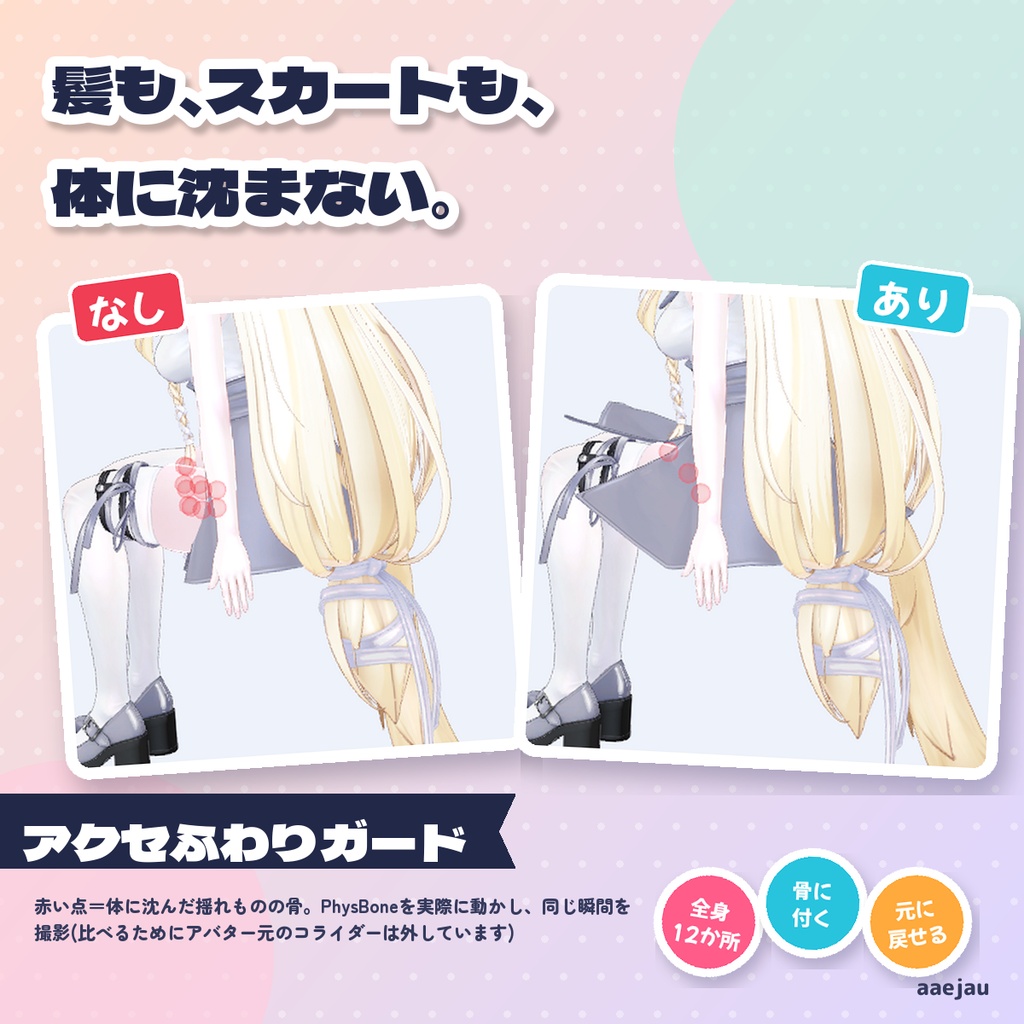
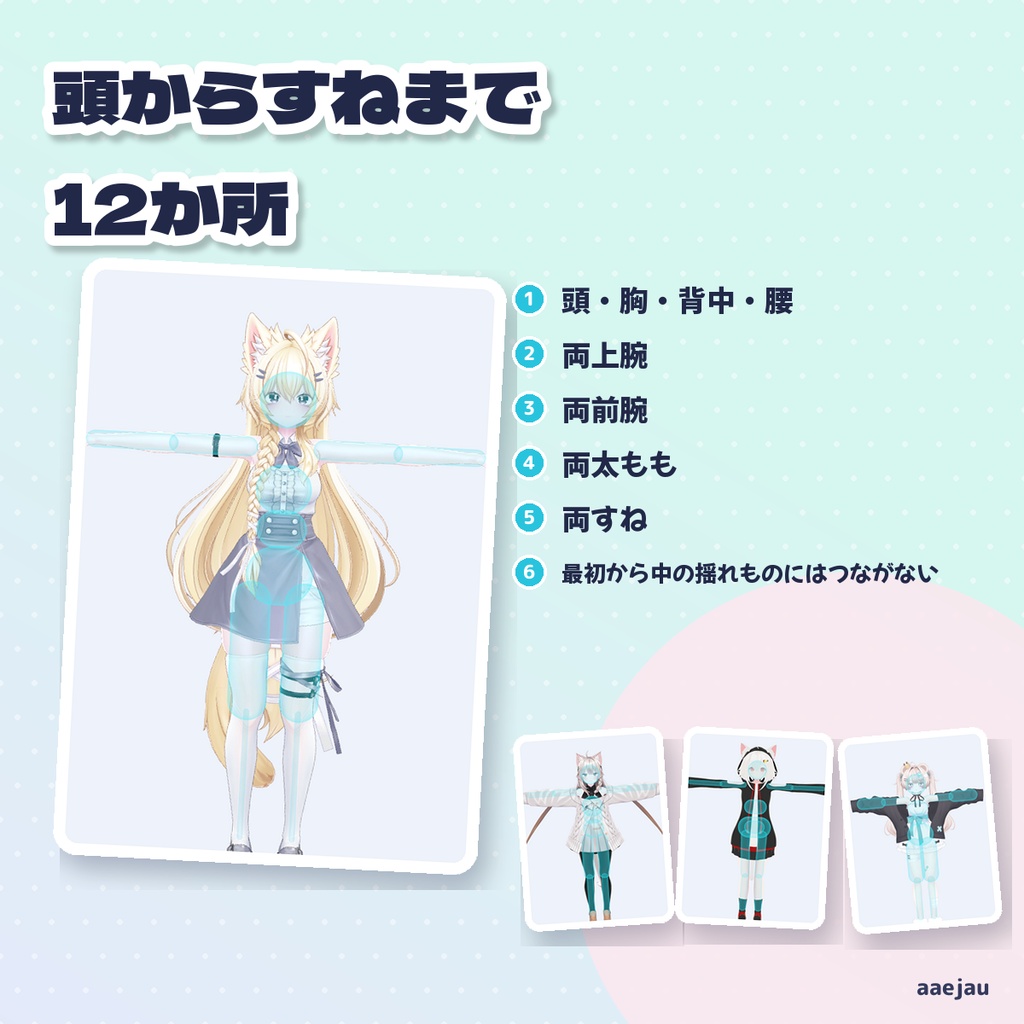
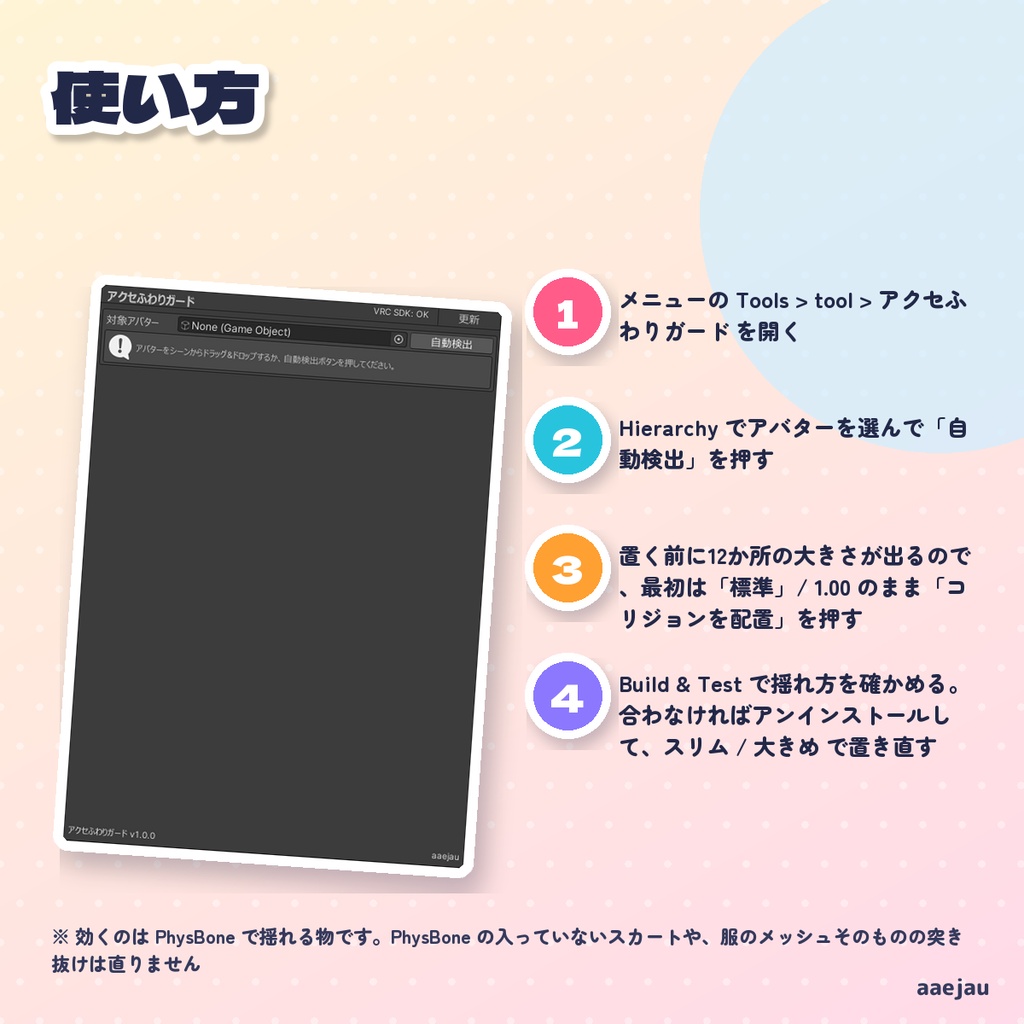
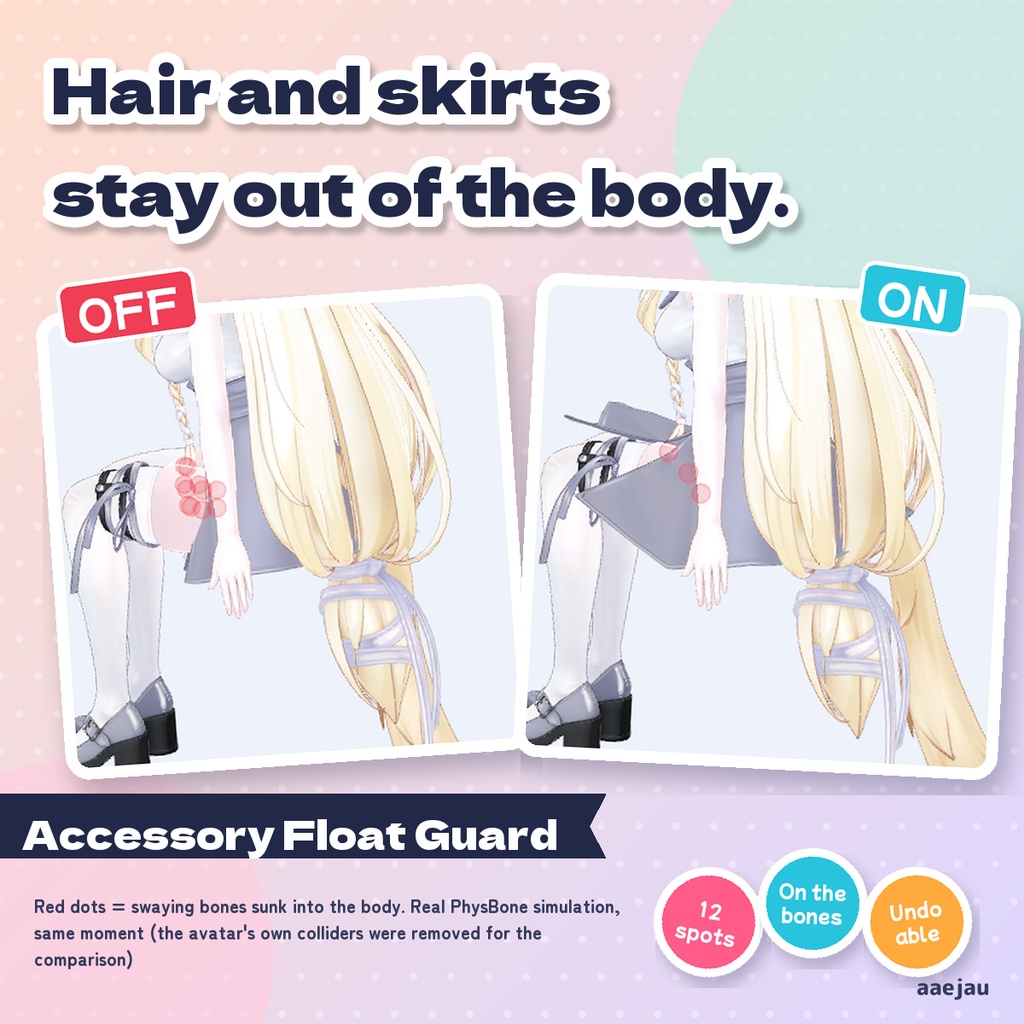
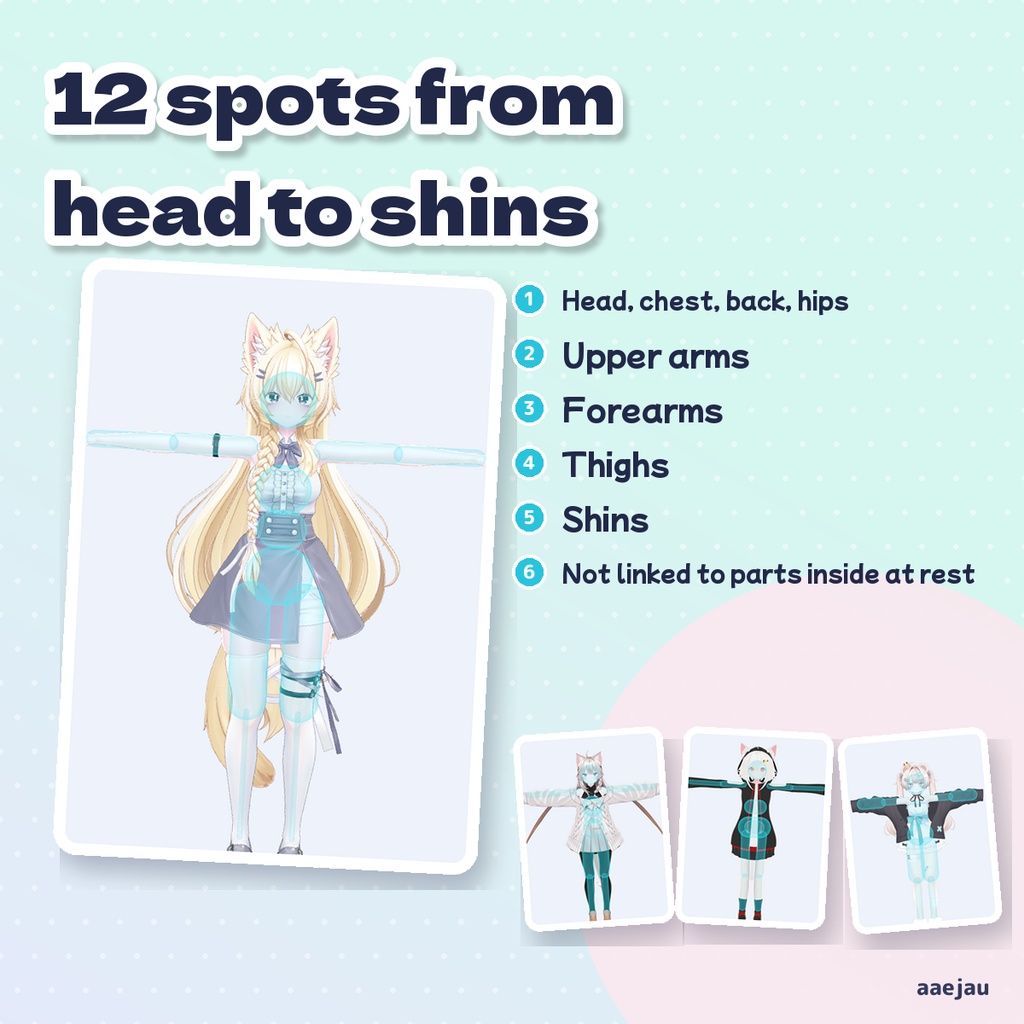
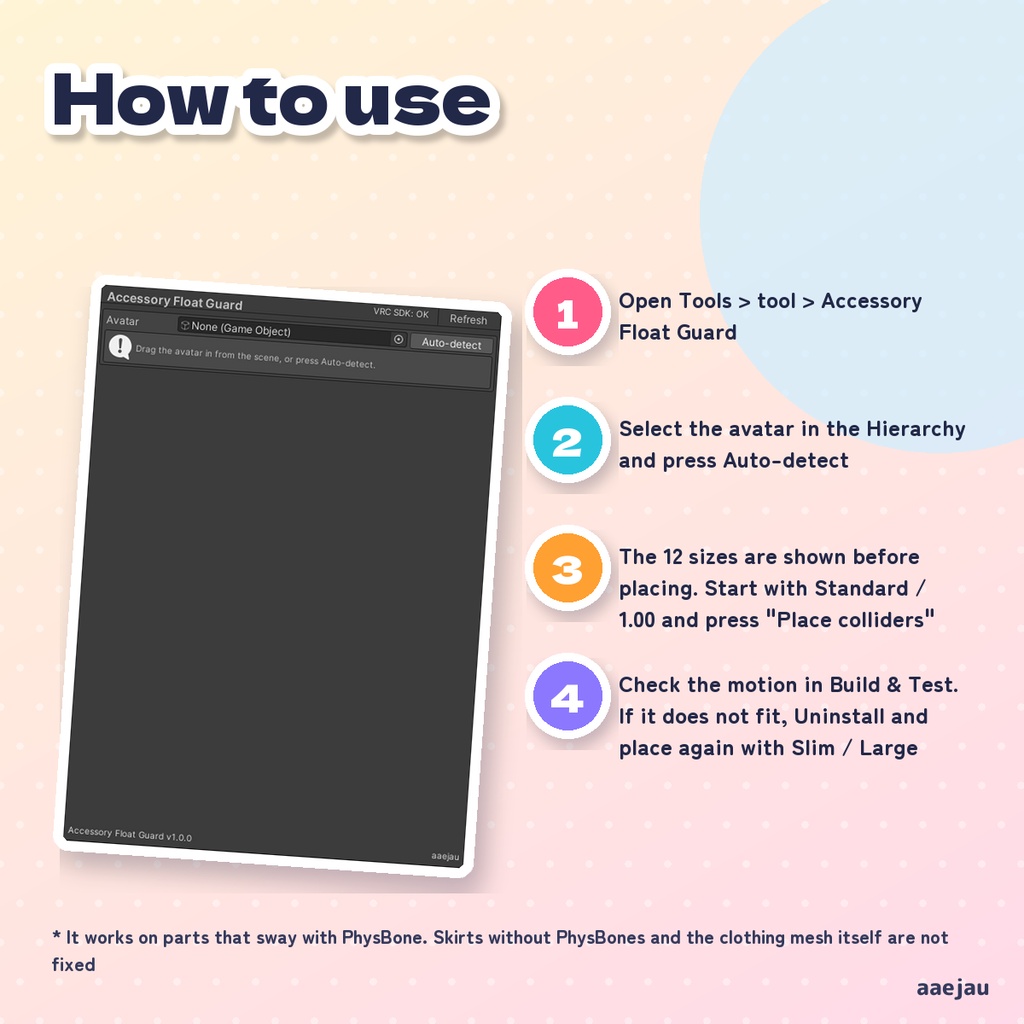
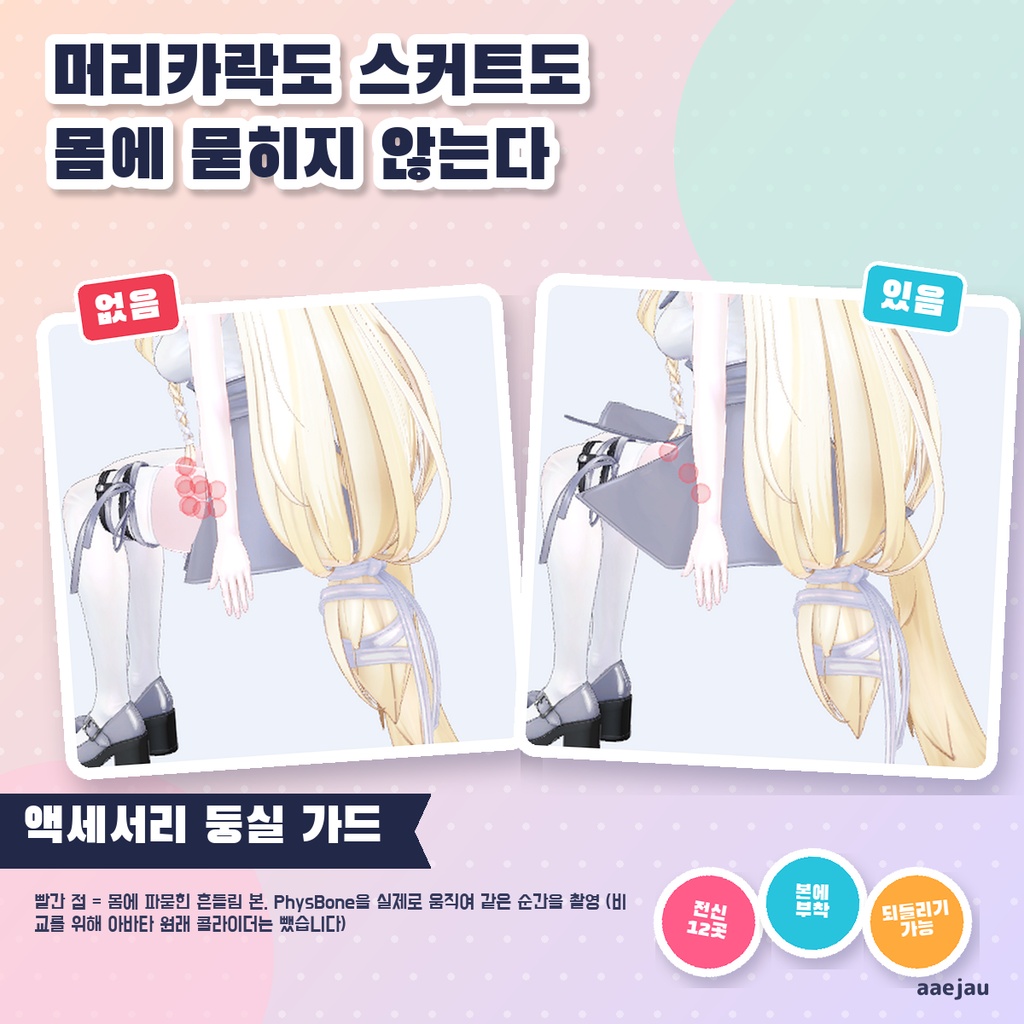
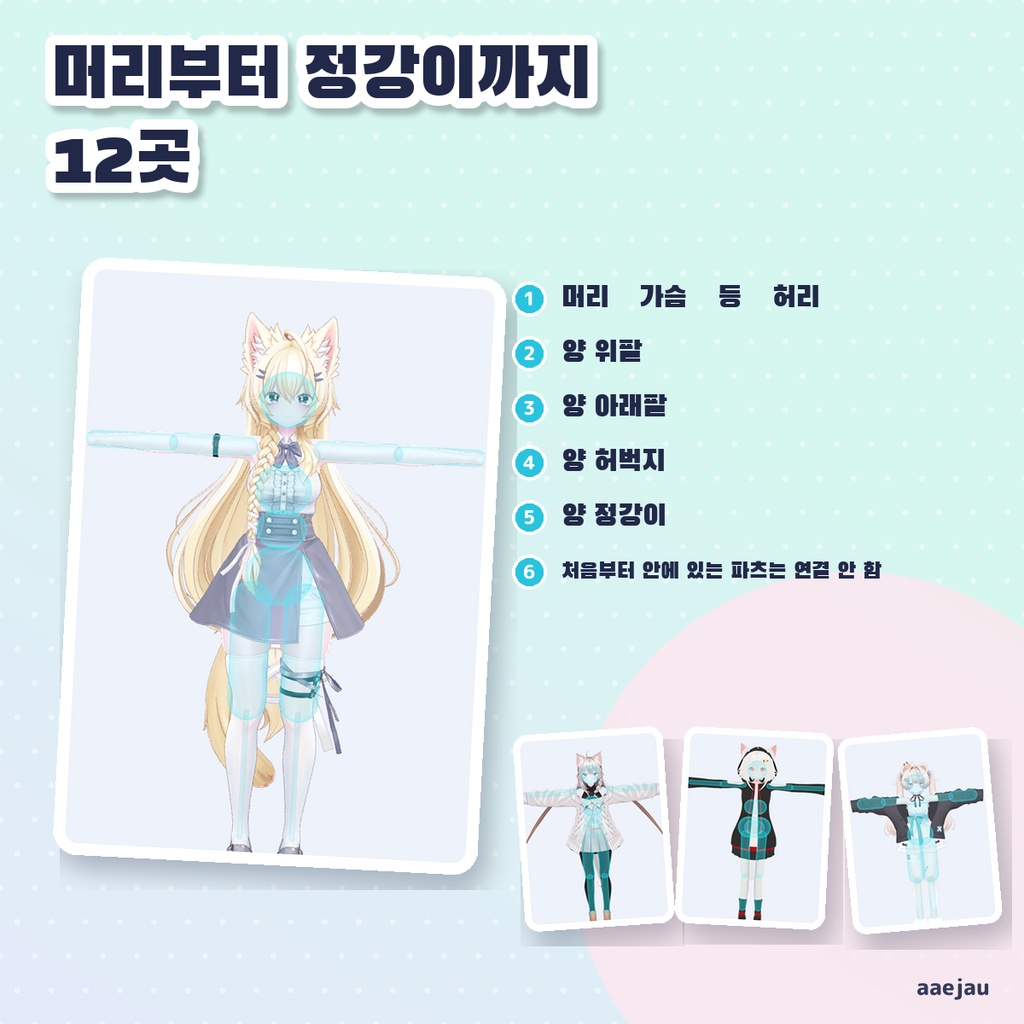
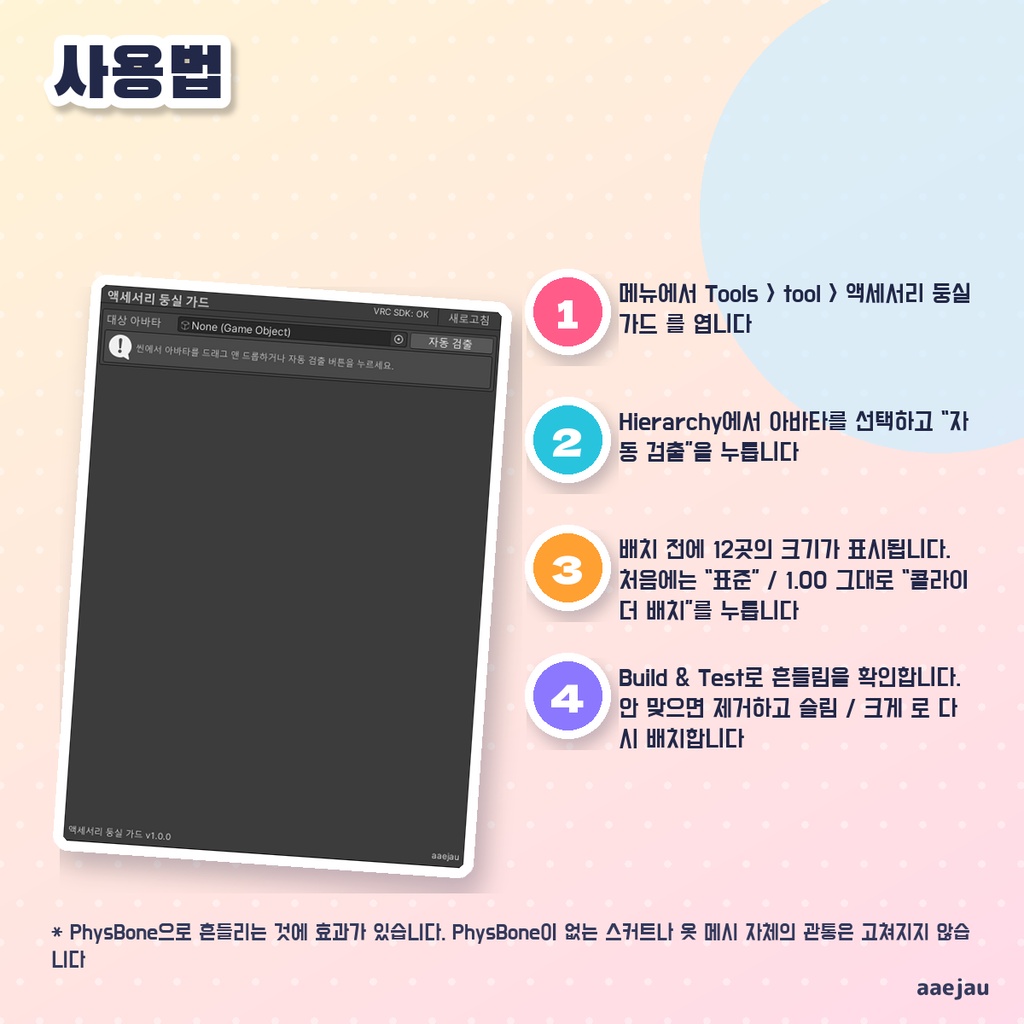


「髪のリボンやしっぽが、腕や体に沈んじゃう。」 Blenderは使いません。Unityの中だけで終わります。 頭・胸・背中・腰・両上腕・両前腕・両太もも・両すねの12か所に、アバターのメッシュから測った太さのPhysBoneコライダーを骨に付けて置き、揺れもののPhysBoneに登録するエディタ拡張です。止まっている時点で既にコライダーの中にある揺れもの(髪の根元・胸の揺れなど)にはつなぎません。 ◆ 使い方 1. メニューの Tools > tool > アクセふわりガード を開く 2. Hierarchy でアバターを選んで「自動検出」を押す 3. 置く前に12か所の大きさが出るので、最初は「標準」/ 1.00 のまま「コリジョンを配置」を押す 4. Build & Test で揺れ方を確かめる。合わなければアンインストールして、スリム / 大きめ で置き直す ◆ 必要環境 ・Unity 2022.3 ・VRChat SDK - Avatars 3.x ・Humanoid のアバター ・1個以上の VRC PhysBone ※ 効くのは PhysBone で揺れる物です。PhysBone の入っていないスカートや、服のメッシュそのものの突き抜けは直りません ※ スカートは骨ごと押し出すので、布の形によっては角度次第で布の間から脚が見えることがあります ※ すべての貫通を消すものではありません。速い動きではコライダーを通り抜けることがあります ※ コライダーが12個増えるので、Performance Rank も確認してください ※ Humanoid のアバターと、1個以上の PhysBone が必要です 内容物: unitypackage / README / CHANGELOG / TEST_REPORT / LICENSE / 画面のスクリーンショット ━━━━━━━━━━━━━━━━━━━━ English ━━━━━━━━━━━━━━━━━━━━ An editor tool that attaches PhysBone colliders, sized from the avatar mesh, to the bones of 12 spots (head, chest, back, hips, upper arms, forearms, thighs, shins) and links them to the swaying PhysBones. It does not link parts that are already inside a collider at rest (hair roots, chest jiggle). ◆ How to use 1. Open Tools > tool > Accessory Float Guard 2. Select the avatar in the Hierarchy and press Auto-detect 3. The 12 sizes are shown before placing. Start with Standard / 1.00 and press "Place colliders" 4. Check the motion in Build & Test. If it does not fit, Uninstall and place again with Slim / Large ◆ Requirements ・Unity 2022.3 ・VRChat SDK - Avatars 3.x ・Humanoid avatar ・At least one VRC PhysBone * It works on parts that sway with PhysBone. Skirts without PhysBones and the clothing mesh itself are not fixed * Skirts are pushed out bone by bone, so depending on the cloth the leg can show between the bones at some angles * It does not remove every clipping. Fast motion can still pass through colliders * It adds 12 colliders, so check your Performance Rank * Requires a Humanoid avatar and at least one PhysBone Contents: unitypackage / README / CHANGELOG / TEST_REPORT / LICENSE / screenshot ━━━━━━━━━━━━━━━━━━━━ 한국어 ━━━━━━━━━━━━━━━━━━━━ 머리·가슴·등·허리·양 위팔·양 아래팔·양 허벅지·양 정강이 12곳에, 아바타 메시로 잰 두께의 PhysBone 콜라이더를 본에 붙여 배치하고 흔들림 파츠의 PhysBone에 등록하는 에디터 확장입니다. 정지 상태에서 이미 콜라이더 안에 있는 파츠(머리카락 뿌리·가슴 흔들림 등)에는 연결하지 않습니다. ◆ 사용법 1. 메뉴에서 Tools > tool > 액세서리 둥실 가드 를 엽니다 2. Hierarchy에서 아바타를 선택하고 “자동 검출”을 누릅니다 3. 배치 전에 12곳의 크기가 표시됩니다. 처음에는 “표준” / 1.00 그대로 “콜라이더 배치”를 누릅니다 4. Build & Test로 흔들림을 확인합니다. 안 맞으면 제거하고 슬림 / 크게 로 다시 배치합니다 ◆ 요구 환경 ・Unity 2022.3 ・VRChat SDK - Avatars 3.x ・Humanoid 아바타 ・1개 이상의 VRC PhysBone ※ PhysBone으로 흔들리는 것에 효과가 있습니다. PhysBone이 없는 스커트나 옷 메시 자체의 관통은 고쳐지지 않습니다 ※ 스커트는 본 단위로 밀어내므로, 천의 모양에 따라 각도에 따라서는 본 사이로 다리가 보일 수 있습니다 ※ 모든 관통을 없애지는 않습니다. 빠른 움직임에서는 콜라이더를 통과할 수 있습니다 ※ 콜라이더가 12개 늘어나므로 Performance Rank도 확인하세요 ※ Humanoid 아바타와 1개 이상의 PhysBone이 필요합니다 내용물: unitypackage / README / CHANGELOG / TEST_REPORT / LICENSE / 스크린샷