

うでふりコライダー - 体の太さに合わせてコライダーを置き、髪とスカートに登録する【JA,EN,KO】
- 日本語ダウンロード商品¥ 700
- Englishダウンロード商品¥ 700
- 한국어ダウンロード商品¥ 700
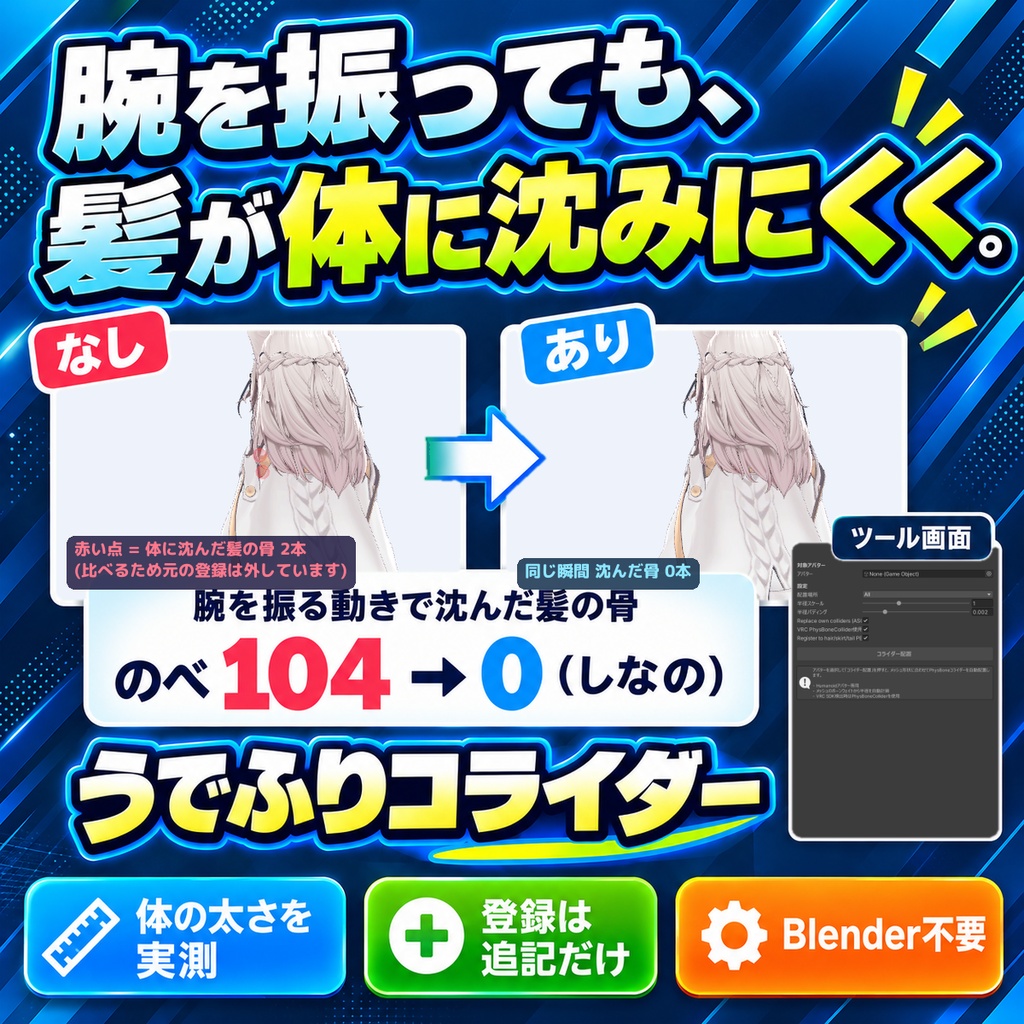
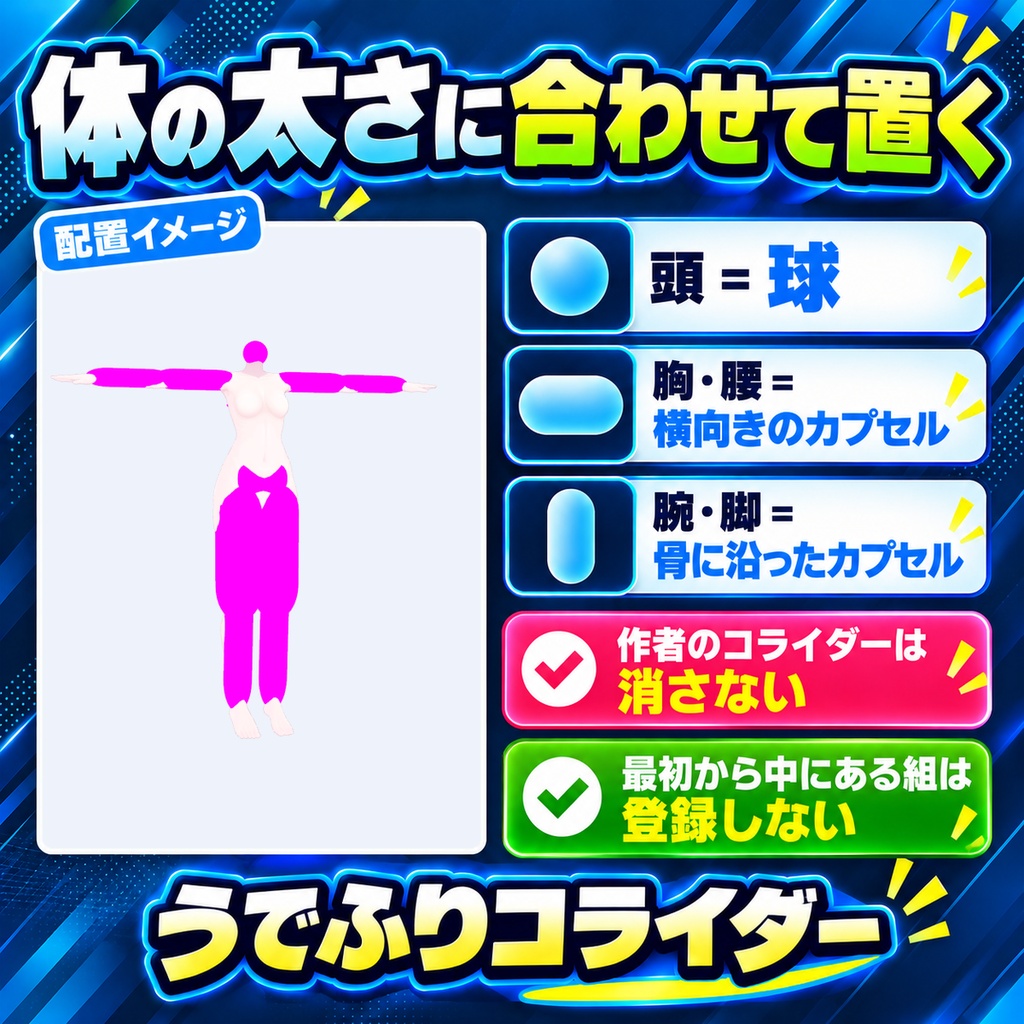
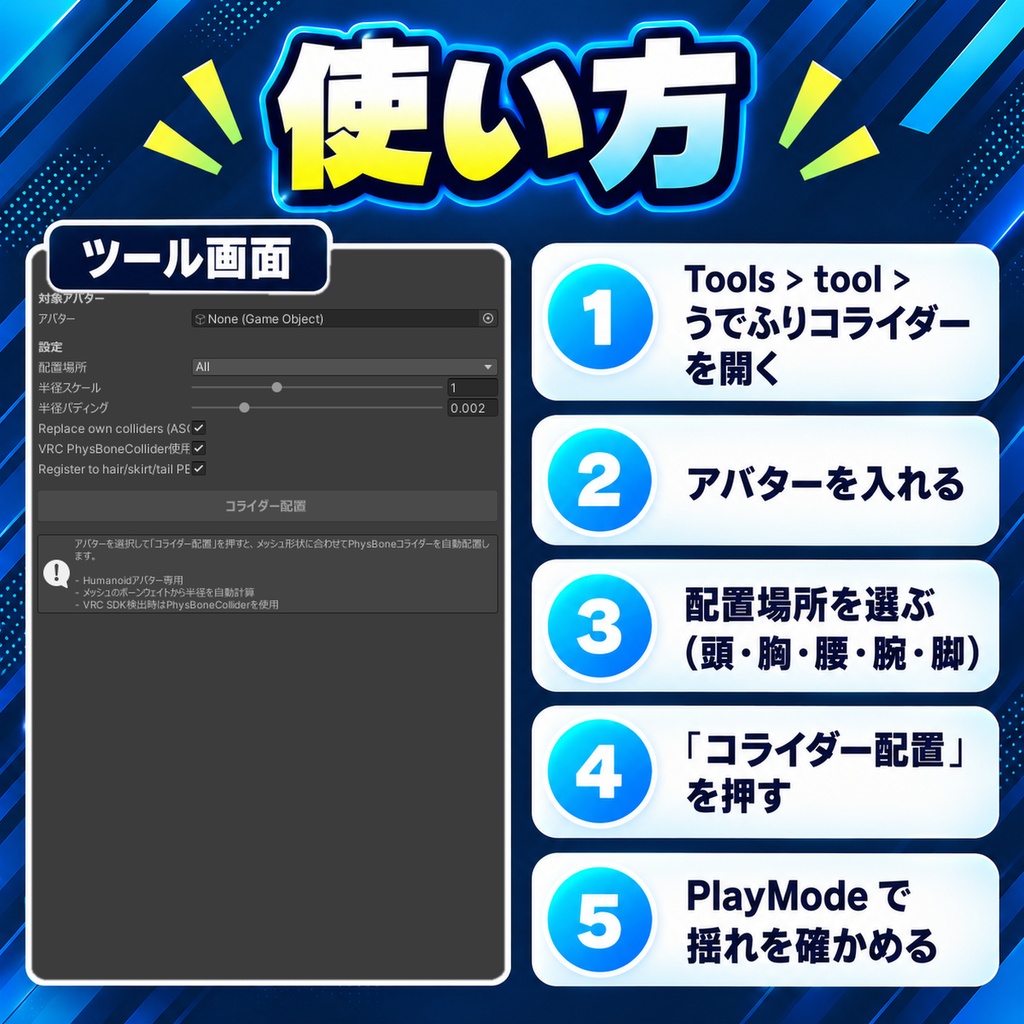
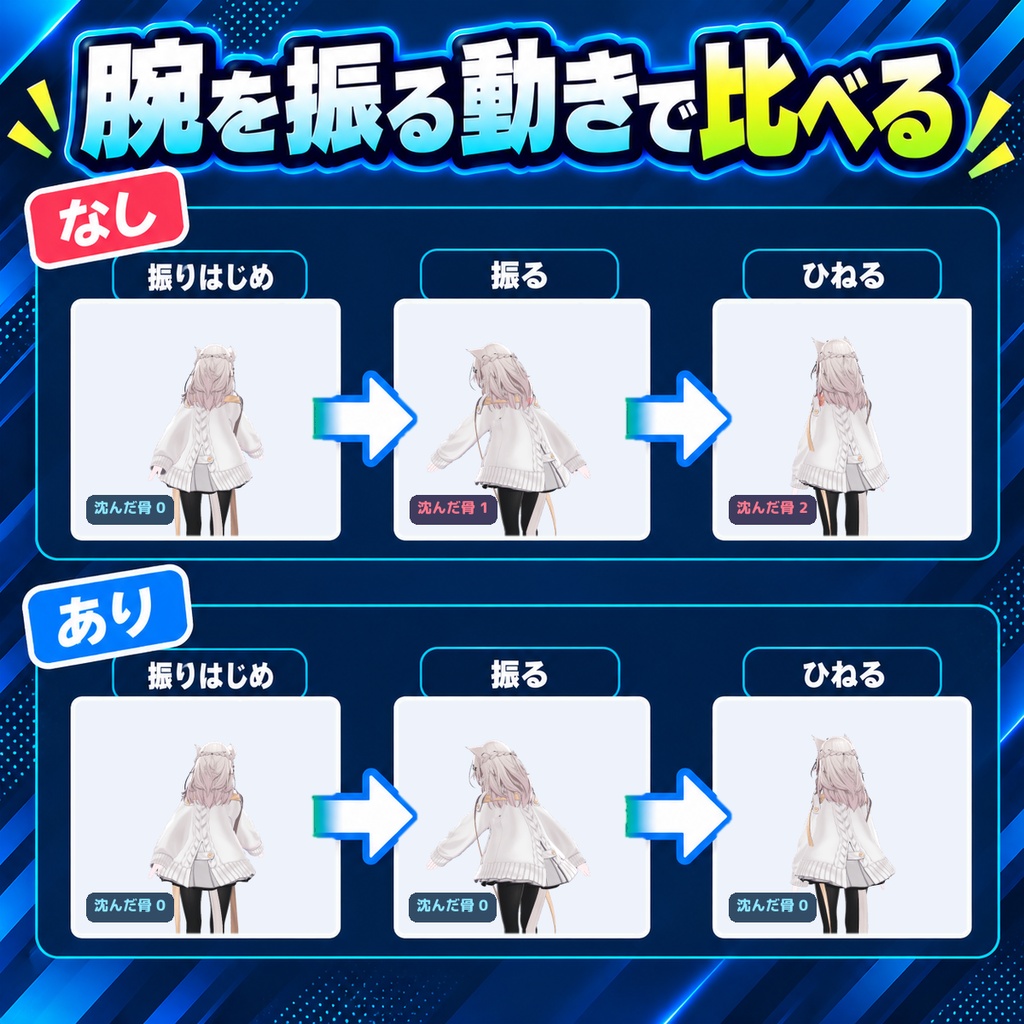
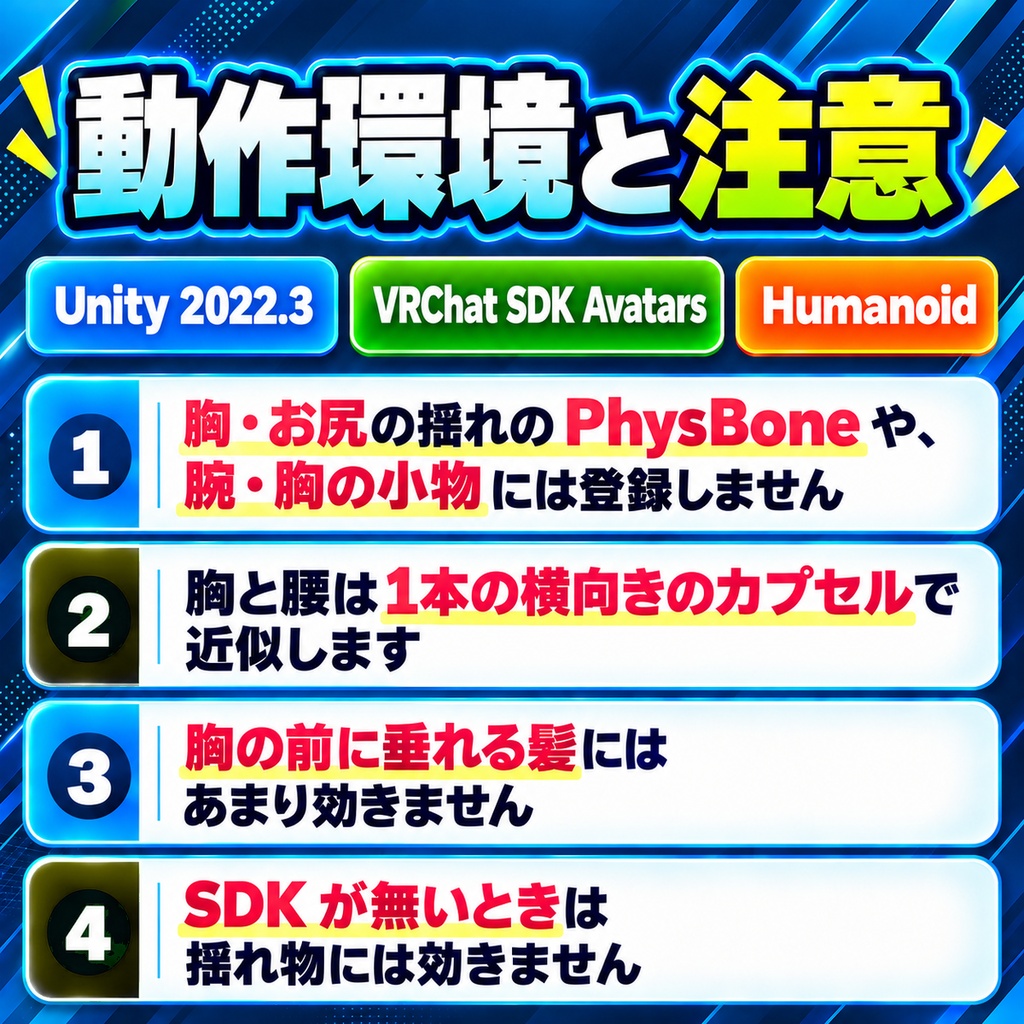
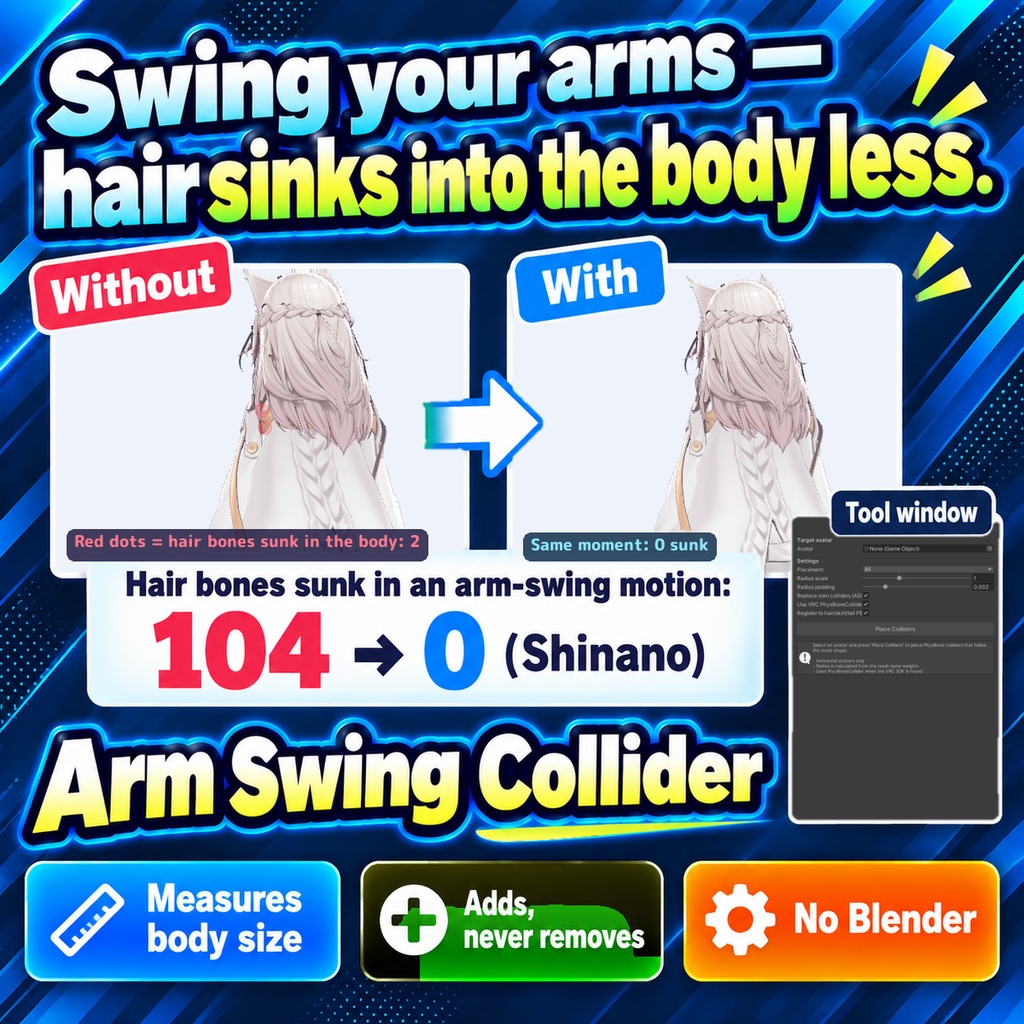
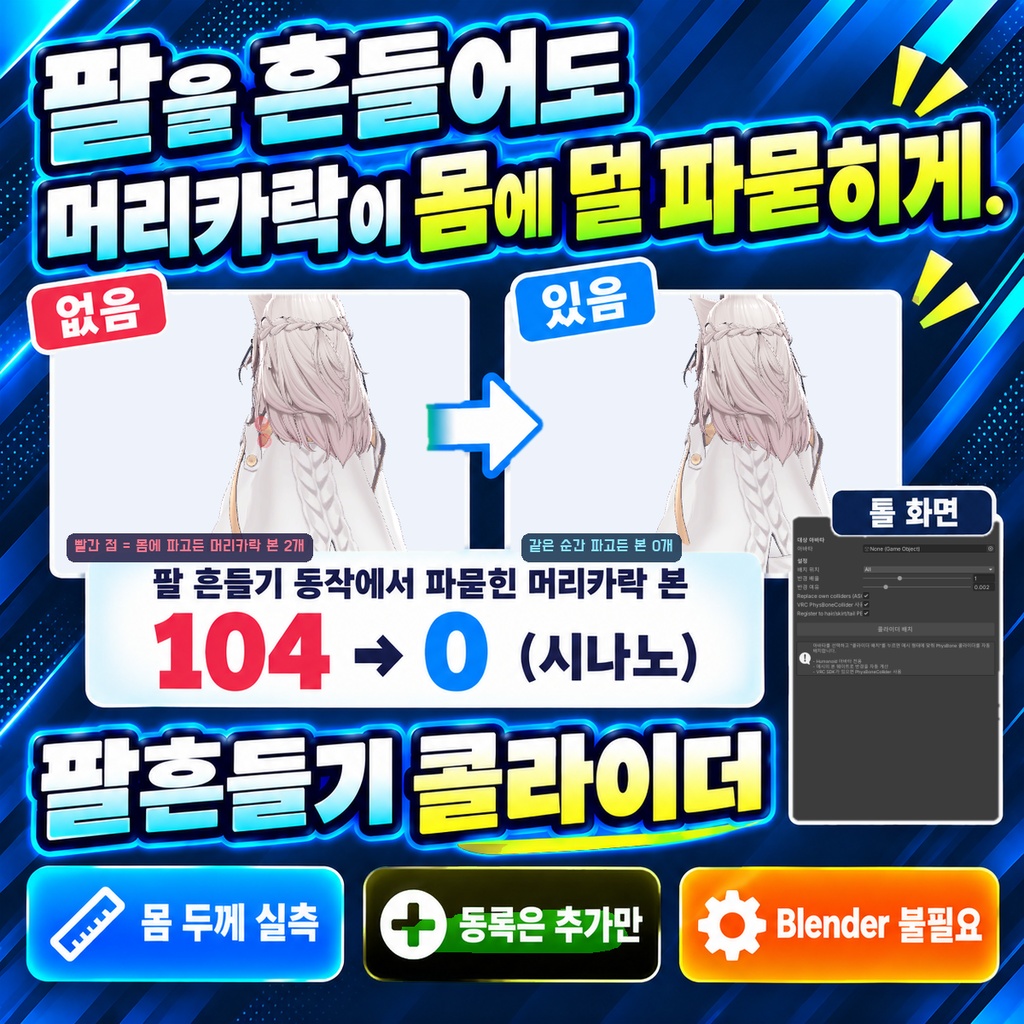


「腕を振ると、髪が体に沈んじゃう。」 Blenderは使いません。Unityの中だけで終わります。 Humanoidアバターの頭・胸・腰・腕・脚に、体のメッシュの太さに合わせたPhysBoneコライダーを置き、髪・スカート・しっぽのPhysBoneへ登録するUnityエディタ拡張です。太さは素体のメッシュだけを、今の姿勢でスキニングした頂点から測ります(服と髪の頂点は使いません)。腕と脚は骨に沿ったカプセル、頭は頭の中心の球、胸と腰は体の幅いっぱいの横向きのカプセルです。作者が置いたコライダーとPhysBoneの設定は消さず、登録は追記だけです。 ◆ 使い方 1. メニュー Tools > tool > うでふりコライダー を開く 2. 「アバター」にアバターを入れる(Hierarchyで選ぶと自動で入ります) 3. 「配置場所」で対象(全部・頭・胸・上腕・前腕・腰・太もも・すね)を選び、必要なら半径スケールとパディングを調整する 4. 「コライダー配置」を押し、結果の一覧で半径と、登録したPhysBoneを確かめる 5. PlayModeで髪やスカートを動かし、体に沈まないか確かめる ◆ 必要環境 ・Unity 2022.3 ・Humanoidアバター ・VRChat SDK Avatars(PhysBoneへの登録に必要) ※ Humanoidに設定されたアバター専用です ※ PhysBoneへの登録にはVRChat SDKのVRC PhysBoneColliderが要ります。SDKが無いときはUnity標準のコライダーを置くだけで、揺れ物には効きません ※ 登録するのは、頭の下の髪などのPhysBoneと、腰の下のスカート・しっぽのPhysBoneです。胸・お尻の揺れのPhysBoneや、腕・胸についた小物のPhysBoneには登録しません ※ 置いた時点で骨がすでにコライダーの中にある組み合わせは登録しません(最初から押し出されて髪やスカートが膨らむため)。結果の一覧に「skipped」として出ます ※ 登録先のPhysBoneの半径が0のときは、小さい半径(背の高さ1.5mで約1cm)を入れます ※ 「Replace own colliders」は、このツールが前に置いたコライダー(名前が ASC_ で始まる物)だけを消して置き直します。作者が置いたコライダーは消しません ※ 胸と腰は1本の横向きのカプセルで近似します。体の形によっては前側がはみ出たり、脇が足りなかったりします ※ 体のメッシュを見つけられない、または骨に頂点が少ないときは、背の高さから決めた大きさを使います ※ しなの・MAYO に腕を振って体をひねる動きをさせ、PhysBone を実際に動かして体に沈んだ髪の骨を数えました(比べるためにアバター元の登録は外しています): しなの のべ 104 → 0、MAYO 30 → 21 ※ 胸のコライダーは、胸の揺れ骨を中に入れないように細くします(しなのでは半径約1cm)。胸の前に垂れる髪にはあまり効きません 内容物: unitypackage / README / CHANGELOG / TEST_REPORT / LICENSE / 画面のスクリーンショット ━━━━━━━━━━━━━━━━━━━━ English ━━━━━━━━━━━━━━━━━━━━ A Unity editor extension that places PhysBone colliders fitted to the body mesh on the head, chest, hips, arms and legs of a Humanoid avatar, and registers them to the hair, skirt and tail PhysBones. Thickness is measured only from the body mesh, using vertices skinned in the current pose (clothes and hair are not used). Arms and legs get capsules along the bones, the head gets a sphere at the center of the head, and the chest and hips get horizontal capsules as wide as the body. Colliders and PhysBone settings made by the avatar author are kept, and registration only adds entries. ◆ How to use 1. Open Tools > tool > うでふりコライダー from the menu 2. Put the avatar in "Avatar" (selecting it in the Hierarchy fills it in automatically) 3. Choose targets in "Placement" (All, Head, Chest, UpperArms, Forearms, Hips, UpperLegs, LowerLegs) and adjust radius scale and padding if needed 4. Press "Place Colliders" and check the radii and the registered PhysBones in the result list 5. Move the hair and skirt in Play Mode and check that they no longer sink into the body ◆ Requirements ・Unity 2022.3 ・Humanoid avatar ・VRChat SDK Avatars (needed for PhysBone registration) * Humanoid avatars only * Registration to PhysBones needs VRC PhysBoneColliders from the VRChat SDK. Without the SDK, standard Unity colliders are placed and they do not affect PhysBones * Colliders are registered to PhysBones under the head (hair etc.) and skirt / tail PhysBones under the hips. Breast / butt jiggle PhysBones and accessory PhysBones on the arms or chest are not touched * A pair where the bones are already inside the collider at rest is not registered (it would push the hair or skirt out from the start). It is listed as "skipped" in the result * If a target PhysBone has a radius of 0, a small radius (about 1 cm for a 1.5 m avatar) is set * "Replace own colliders" only removes colliders this tool placed before (names starting with ASC_) and places them again. Colliders made by the author are never removed * The chest and hips are approximated with one horizontal capsule each. Depending on the body shape the front may stick out or the sides may be short * If the body mesh cannot be found or a bone has few vertices, a size estimated from the avatar height is used * Shinano and MAYO swung their arms and twisted with real PhysBone simulation, and hair bones sunk into the body were counted (the avatar's own registrations were removed for the comparison): Shinano 104 total → 0, MAYO 30 → 21 * The chest collider is made thin so the breast jiggle bones stay outside (about 1cm radius on Shinano). It does little for hair hanging in front of the chest Contents: unitypackage / README / CHANGELOG / TEST_REPORT / LICENSE / screenshot ━━━━━━━━━━━━━━━━━━━━ 한국어 ━━━━━━━━━━━━━━━━━━━━ Humanoid 아바타의 머리, 가슴, 허리, 팔, 다리에 바디 메시 두께에 맞춘 PhysBone 콜라이더를 배치하고, 머리카락, 스커트, 꼬리 PhysBone에 등록하는 Unity 에디터 확장입니다. 두께는 바디 메시만 사용해 현재 포즈로 스키닝한 정점에서 측정합니다(옷과 머리카락 정점은 사용하지 않습니다). 팔과 다리는 본을 따라가는 캡슐, 머리는 머리 중심의 구, 가슴과 허리는 몸 폭만큼의 가로 캡슐입니다. 제작자가 배치한 콜라이더와 PhysBone 설정은 지우지 않으며, 등록은 추가만 합니다. ◆ 사용법 1. 메뉴 Tools > tool > うでふりコライダー 를 엽니다 2. "아바타"에 아바타를 넣습니다 (Hierarchy에서 선택하면 자동으로 들어갑니다) 3. "배치 위치"에서 대상(All, Head, Chest, UpperArms, Forearms, Hips, UpperLegs, LowerLegs)을 고르고 필요하면 반경 배율과 여유를 조정합니다 4. "콜라이더 배치"를 누르고 결과 목록에서 반경과 등록된 PhysBone을 확인합니다 5. PlayMode에서 머리카락과 스커트를 움직여 몸에 파묻히지 않는지 확인합니다 ◆ 요구 환경 ・Unity 2022.3 ・Humanoid 아바타 ・VRChat SDK Avatars (PhysBone 등록에 필요) ※ Humanoid로 설정된 아바타 전용입니다 ※ PhysBone 등록에는 VRChat SDK의 VRC PhysBoneCollider가 필요합니다. SDK가 없으면 Unity 기본 콜라이더만 배치되며 흔들리는 부위에는 효과가 없습니다 ※ 등록 대상은 머리 아래의 머리카락 등 PhysBone과 허리 아래의 스커트, 꼬리 PhysBone입니다. 가슴, 엉덩이 흔들림 PhysBone과 팔, 가슴에 붙은 소품 PhysBone에는 등록하지 않습니다 ※ 배치 시점에 본이 이미 콜라이더 안에 있는 조합은 등록하지 않습니다(처음부터 밀려나 머리카락이나 스커트가 부풀기 때문). 결과 목록에 "skipped"로 표시됩니다 ※ 등록 대상 PhysBone의 반경이 0이면 작은 반경(키 1.5m 기준 약 1cm)을 넣습니다 ※ "Replace own colliders"는 이 툴이 전에 배치한 콜라이더(이름이 ASC_로 시작하는 것)만 지우고 다시 배치합니다. 제작자가 배치한 콜라이더는 지우지 않습니다 ※ 가슴과 허리는 가로 캡슐 하나로 근사합니다. 체형에 따라 앞쪽이 튀어나오거나 옆이 부족할 수 있습니다 ※ 바디 메시를 찾지 못하거나 본에 정점이 적으면 키로 정한 크기를 사용합니다 ※ 시나노·MAYO에게 팔을 흔들고 몸을 비트는 동작을 시키고 PhysBone을 실제로 움직여 몸에 파묻힌 머리카락 본을 셌습니다(비교를 위해 아바타 원래 등록은 뺐습니다): 시나노 누적 104 → 0, MAYO 30 → 21 ※ 가슴 콜라이더는 가슴 흔들림 본이 안에 들어가지 않도록 가늘게 만듭니다(시나노는 반경 약 1cm). 가슴 앞으로 늘어진 머리카락에는 효과가 작습니다 내용물: unitypackage / README / CHANGELOG / TEST_REPORT / LICENSE / 스크린샷