

非対応の指輪・ブレスレット・アンクレットを付けるツール BandFit|置くだけで向き・大きさを指・手首・足首に自動で合わせる【VRChat・NDMF・非破壊】
- 製品版ダウンロード商品¥ 450
- 無料お試し版ダウンロード商品¥ 0
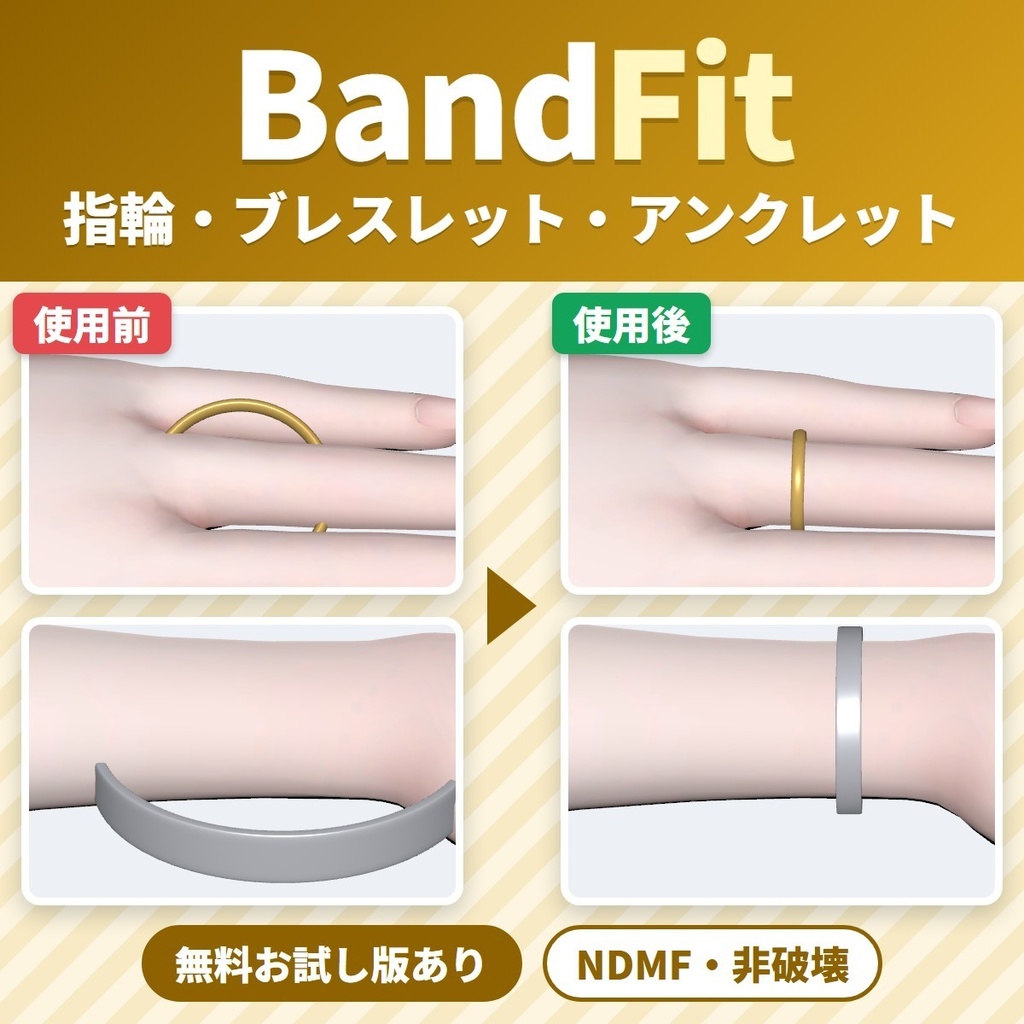
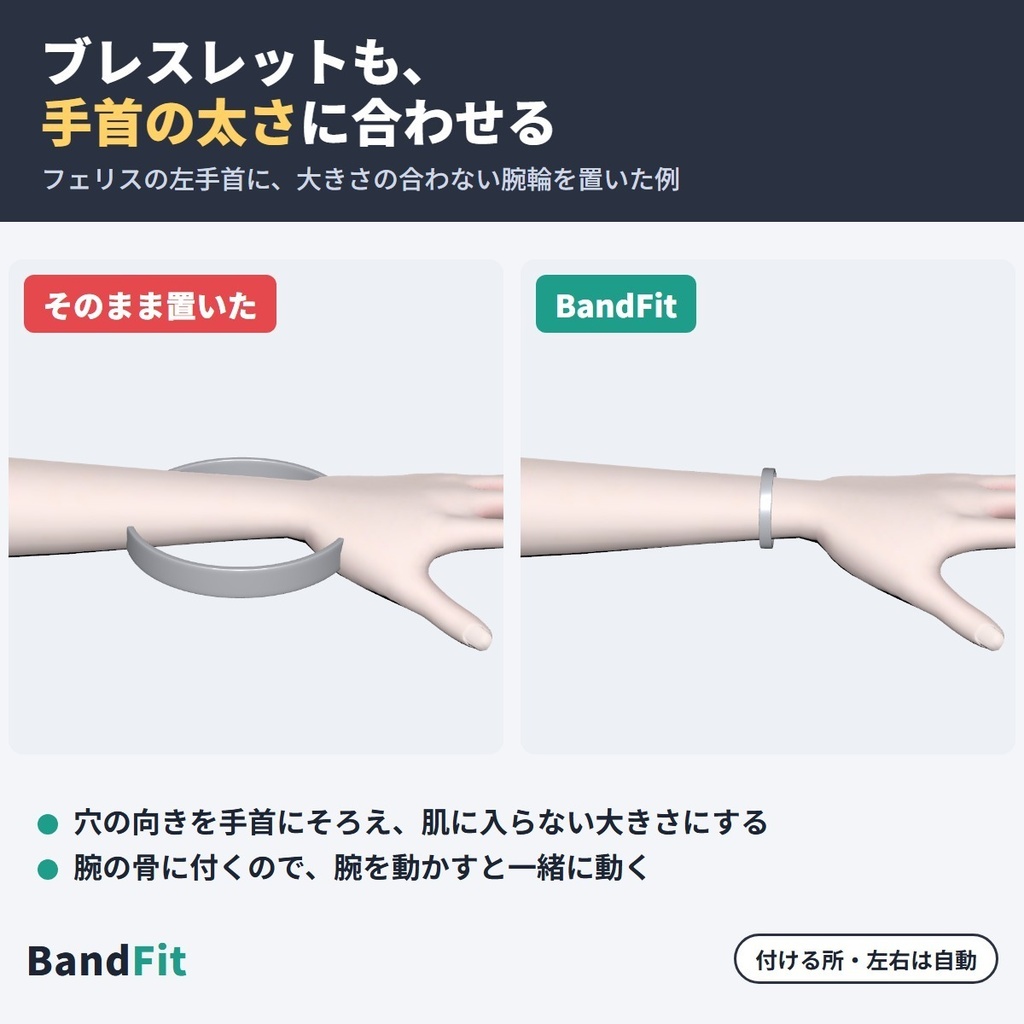
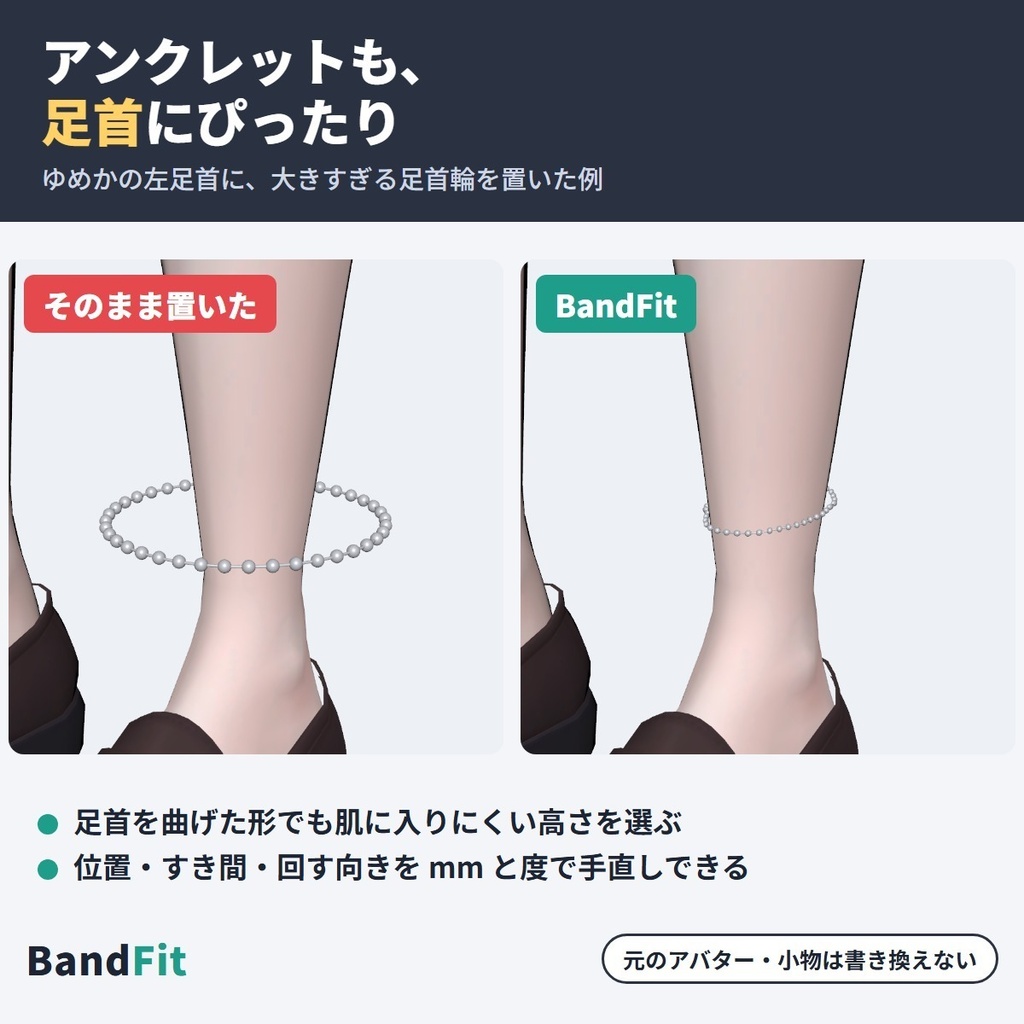
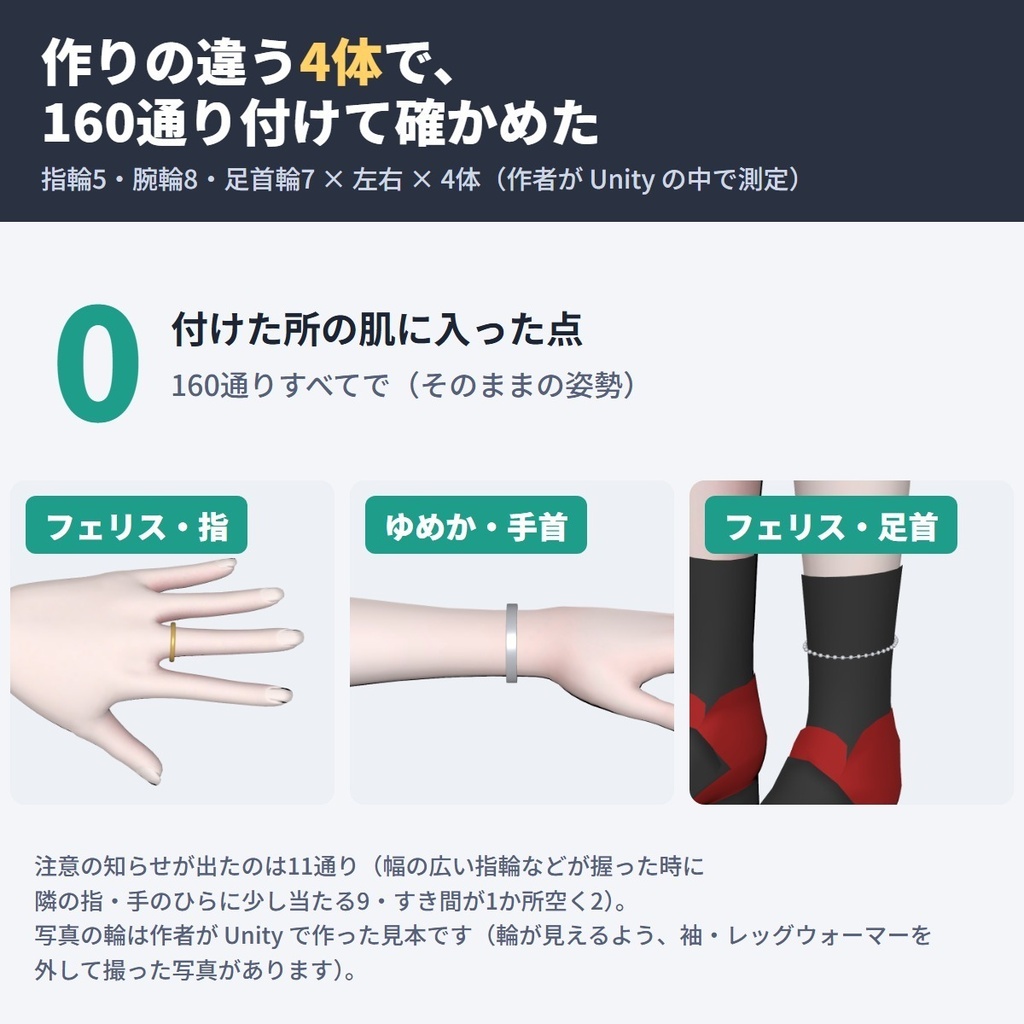
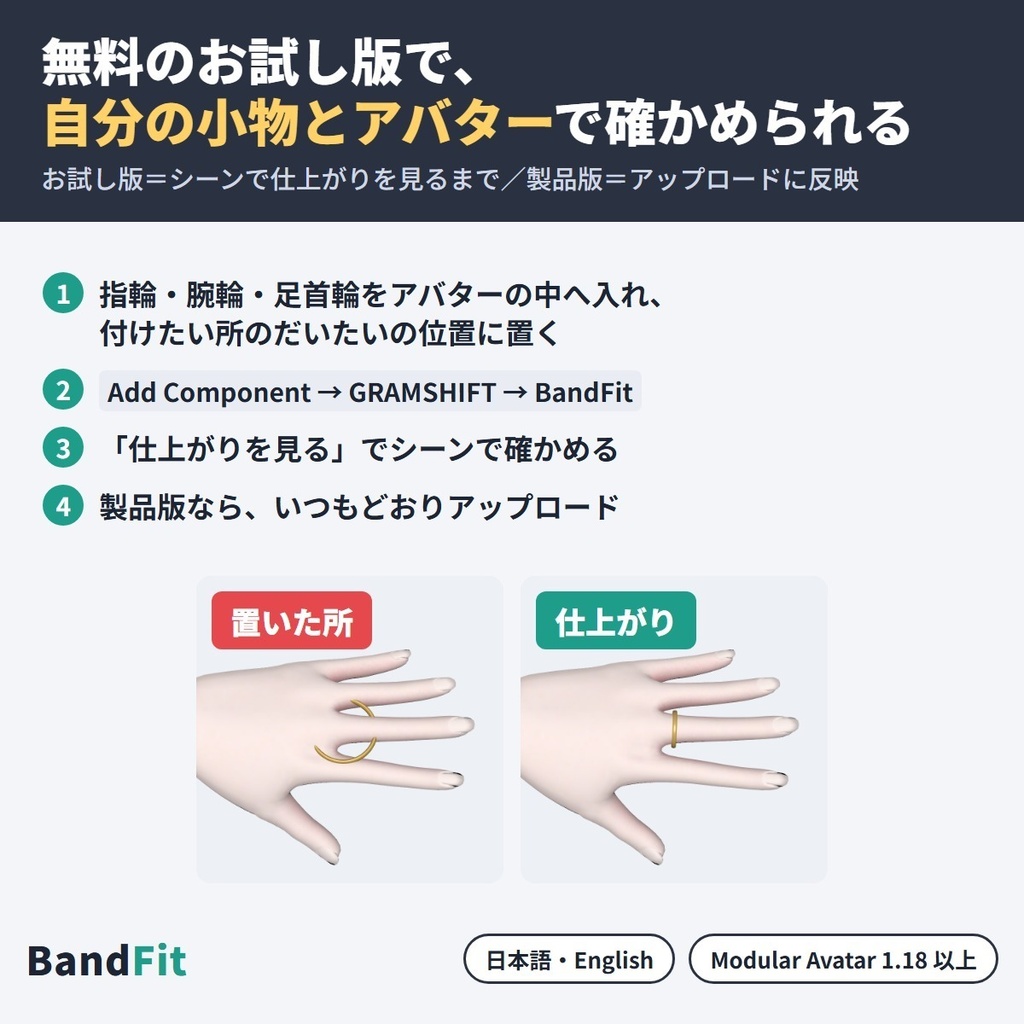


非対応(別のアバター用)の指輪・ブレスレット(腕輪)・アンクレット(足首輪)を、いま使っている VRChat アバターの指・手首・足首に装着できるツールです。 小物をだいたいの所に置いて BandFit を付けるだけで、アップロードの時に輪の向きと大きさ(サイズ)を自動で合わせ、肌に埋まる(貫通)・浮く・横を向くのを直して、その指・手首・足首の骨に付けて追従させます。 Unity の中だけで完結します(NDMF・非破壊・Blender 不要)。 ■ まずは無料お試し版で、自分の小物とアバターを確かめる お試し版は無料です。「仕上がりを見る」で、合わせた姿をシーンで確かめられます。アップロードに反映できるのは製品版で、お試し版の上から入れると切り替わります。 ■ できること ・輪の穴の向きを指・手首・足首の骨にそろえ、大きさをその所の肌の太さに合わせます(肌の外に、すき間が小さく収まる大きさ) ・指・手首・足首を曲げた形でも肌に入りにくい高さを選びます ・その所の骨に付けるので、指を曲げる・腕や脚を動かすと一緒に動きます ・付ける所(親指〜小指・手首・足首)と左右は自動で選び、違う時は選べます。決めにくい置き方(指の間など)では知らせが出ます ・肌の形に沿わせる(オン/オフ):丸い輪を、手首・指・足首の平たい断面に沿う形にします ・位置をずらす(mm)・すき間を足す(mm)・回す(度)で手直しもできます ・「仕上がりを見る」で、付けた所・大きさ・すき間をアップロード前にシーンで確かめられます(シーンだけの表示) ・元のアバター用の骨の設定(MA Merge Armature・MA Bone Proxy)が入った小物も、そのまま使えます ・日本語/English 切り替え ■ 確かめた結果(作者の Unity の中での検査) 作りの違う4体(ゆめか・フェリス・HAOLAN・RadDollV3)に、指輪5・腕輪8・足首輪7の20通りを左右それぞれ付けた160通りで測りました。 ・そのままの姿勢で、付けた所の肌に入った点:160通りすべてで0 ・注意の知らせが出たのは11通り(幅の広い指輪などが握った時に隣の指・手のひらに少し当たる9・すき間が1か所空く2) ■ 使い方 1. Modular Avatar(1.18 以上 2.0 未満)を入れてから、unitypackage をプロジェクトに入れる 2. 指輪・腕輪・足首輪をアバターの中に入れ、付けたい所のだいたいの位置に置く(向き・大きさはそのままで可) 3. 小物の一番上に「Add Component → GRAMSHIFT → BandFit」を付ける(ヒエラルキーの右クリック → GRAMSHIFT → BandFit でも可) 4. 「仕上がりを見る」で確かめて、いつもどおりアップロードする ■ 動作環境 ・Unity 2022.3 / VRChat SDK3 Avatars / Modular Avatar 1.18 以上 2.0 未満(NDMF が一緒に入ります) ・Humanoid のアバターで、手足まで付いた体のメッシュがある物 ・作者が試した版:Unity 2022.3.22f1 / SDK 3.10.5 / MA 1.18.7 / NDMF 1.14.8 ・元のアバター・小物・プレハブ・メッシュのファイルはそのまま残ります ■ 使う前に ・小物の規約で、ほかのアバターへの改変・流用が許されているか確かめてください。アバターの規約にも従ってください ■ よくある質問 Q. 対応していないアバターに指輪やブレスレットを付けられますか? A. 付けられます。小物をだいたいの所に置いて BandFit を付けると、アップロードの時に向きとサイズを合わせて骨に付けます。 Q. 買う前に、自分の小物とアバターで試せますか? A. 試せます。無料お試し版で、シーンの「仕上がりを見る」まで使えます。 Q. Blender は要りますか? A. 要りません。Unity の中だけで使えます。 ■ 制限 ・作者が確かめたのは Unity の中です。VRChat の中での見た目と実際のアップロードは、まだ確かめていません ・対象は指・手首・足首に通す輪の形の小物です。チョーカー・ガーター・髪留め・リボンなど、輪でない物・首や太ももの物は対象外です ・指を強く握る・手首を大きく曲げる姿勢では、肌に少し入ることがあります(知らせが出ます) ・幅の広い指輪(約7mm以上)は、握った時に隣の指や手のひらに少し入ることがあります(知らせが出ます) ・面の少ない輪(角ばった腕輪など)は、肌のくぼみをまたぐ所にすき間が1か所残ることがあります(そのままの姿勢で最大4.1mm・知らせが出ます/曲げると最大6.9mm・知らせは出ません) ・飾りの大きさも、輪の大きさを合わせる分だけ一緒に変わります ・小物ごとに BandFit を1つずつ付けてください ・Modular Avatar が無い・範囲外の版の時は働かず、Console に案内が出ます(アバターの組み立ては止めません) ■ Fit シリーズ(Fit series) ・LidFit|改変した目のまばたき https://booth.pm/ja/items/9014545 ・IrisFit|瞳テクスチャ合わせ https://booth.pm/ja/items/9016322 ・NeckFit|首すげ替え https://booth.pm/ja/items/9020805 ・WearFit|非対応衣装を着せる https://booth.pm/ja/items/9032442 ・SkinFit|肌テクスチャを写す https://booth.pm/ja/items/9034575 ■ 困った時は うまく動かない時はショップへのお問い合わせから気軽にどうぞ(小物とアバターの名前、表示された文を添えてください)。 --- BandFit puts unsupported rings, bracelets and anklets (made for other avatars) on the fingers, wrists and ankles of the VRChat avatar you use. Place the accessory roughly where it goes and add BandFit: at upload it turns and resizes the ring automatically, fixes floating, sinking (clipping) and sideways rings, and attaches it to the bone of that finger, arm or leg. Everything stays inside Unity (NDMF, non-destructive, no Blender). ■ Try it free with your own accessory and avatar The free trial shows the fitted accessory in the Scene ("Preview result"); uploads use the full version, imported on top of the trial. ■ Features - Aligns the ring's hole with the bone, sizes it to the skin with a small gap and picks a height that stays out of the skin when bent - Attaches it to the bone, so it moves with the finger, arm or leg - Spot (thumb to little finger, wrist, ankle) and side are chosen automatically, or set by you; unclear placements (e.g. between fingers) show a notice - "Follow the skin shape" (on/off) shapes a round band to the flat wrist, finger or ankle - Shift (mm), Extra gap (mm) and Twist (degrees) for touch-ups - Scene preview before upload (scene-only) - Works with accessories that have MA Merge Armature / Bone Proxy - Japanese / English UI ■ Test results (author's tests inside Unity) 4 avatars with different builds (Yumeka, Felis, HAOLAN, RadDollV3) × 20 cases (5 rings, 8 bracelets, 7 anklets) × left and right = 160 cases. - Points inside the skin where it is worn: 0 in all 160 (default pose) - Warning notices in 11 (9: a wide ring touches the next finger or palm in a fist; 2: one small gap) ■ How to use 1. Install Modular Avatar (1.18 to below 2.0), then import the unitypackage 2. Put the accessory inside your avatar, roughly where it goes 3. On the top of the accessory: Add Component → GRAMSHIFT → BandFit 4. Check with "Preview result", then upload as usual ■ Requirements Unity 2022.3, VRChat SDK3 Avatars, Modular Avatar 1.18 to below 2.0 (with NDMF). A Humanoid avatar with a body mesh including hands and feet. Tested: Unity 2022.3.22f1, SDK 3.10.5, MA 1.18.7, NDMF 1.14.8. ■ Before you start Check that the accessory's terms allow use on other avatars, and follow your avatar's terms. ■ FAQ Q. Can I put a ring or bracelet on an avatar it does not support? A. Yes. Place it roughly and add BandFit; it is fitted at upload. Q. Can I try it with my own accessory and avatar before buying? A. Yes, with the free trial. Q. Do I need Blender? A. No, Unity only. ■ Limitations - Checked inside Unity only; not yet in VRChat or by a real upload - Only ring-shaped accessories on a finger, wrist or ankle; chokers, garters, hair ties and ribbons are not supported - A tight fist or a strongly bent wrist can touch the skin a little (a notice appears) - Wide rings (about 7 mm or more) can touch the next finger or the palm in a fist (a notice appears) - A low-poly band can leave one gap over a hollow in the skin: up to 4.1 mm in the default pose (a notice appears), 6.9 mm bent (no notice) - Decorations scale with the ring - One BandFit per accessory - Without Modular Avatar (or outside the range) BandFit stays off with a Console notice ■ Need help? If something does not work, feel free to contact the shop from this page (accessory and avatar names and any message shown).
利用規約
・VRChat などで使うアバターの改変に、個人・法人・商用を問わず使えます ・このツールを使って作ったアバター・改変データの公開・販売に、このツール側の制限はありません(指輪・腕輪などの小物とアバターのそれぞれの規約に従ってください) ・ツールのファイル(製品版・お試し版とも)の改変・逆コンパイル・解析・再配布はできません。お試し版の制限を外す事も含みます ・ツールのファイルの転売・共有・購入した人以外への譲渡もできません ・同梱の「利用規約_Terms.txt」が正です Terms (summary): you may use it to modify avatars for VRChat etc., for personal, corporate or commercial use; this tool puts no limit on publishing or selling avatars or edit data made with it (follow the terms of the accessory and of your avatar); you may not modify, decompile, analyze or redistribute the tool files (full version and trial), including removing the trial's limits; the tool files may not be resold, shared or transferred. The included "利用規約_Terms.txt" is authoritative.
更新履歴
1.0.1(2026-10)「仕上がりを見る」で作る写しが、スクリプトの再読み込みの後に残った時も片付けるようにしました。写しのために作った形も選ぶ窓に出しません(シーンでの見え方とアップロードの結果は変わりません) 1.0.0(2026-10)公開 1.0.1 (2026-10) a copy made by "Preview result" that is left behind after a script reload is now cleaned up, and the shapes made for the copy no longer appear in object pickers (the scene view and the upload are unchanged) 1.0.0 (2026-10) released