

ふわっとバスト - 胸の形を変えるシェイプキーをUnityの中で作る【JA,EN,KO】
- 日本語ダウンロード商品¥ 700
- Englishダウンロード商品¥ 700
- 한국어ダウンロード商品¥ 700
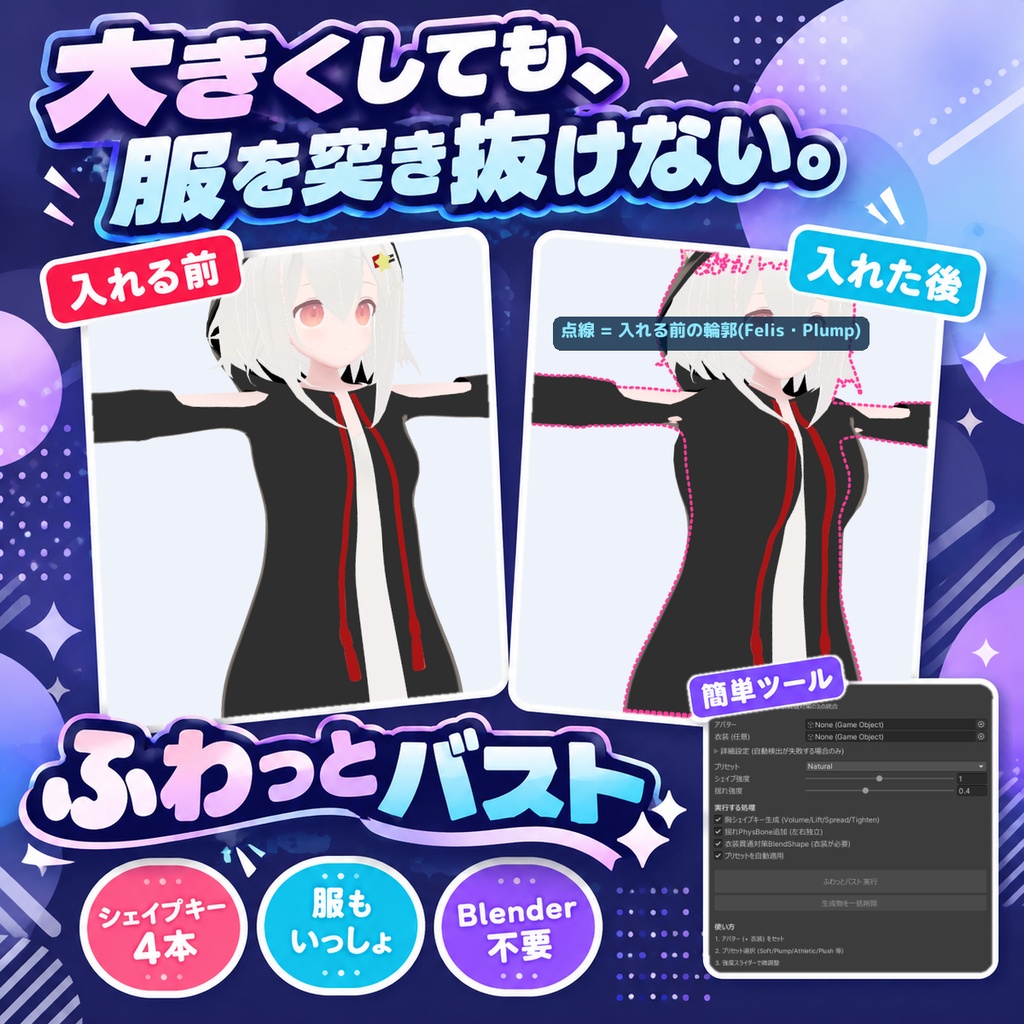
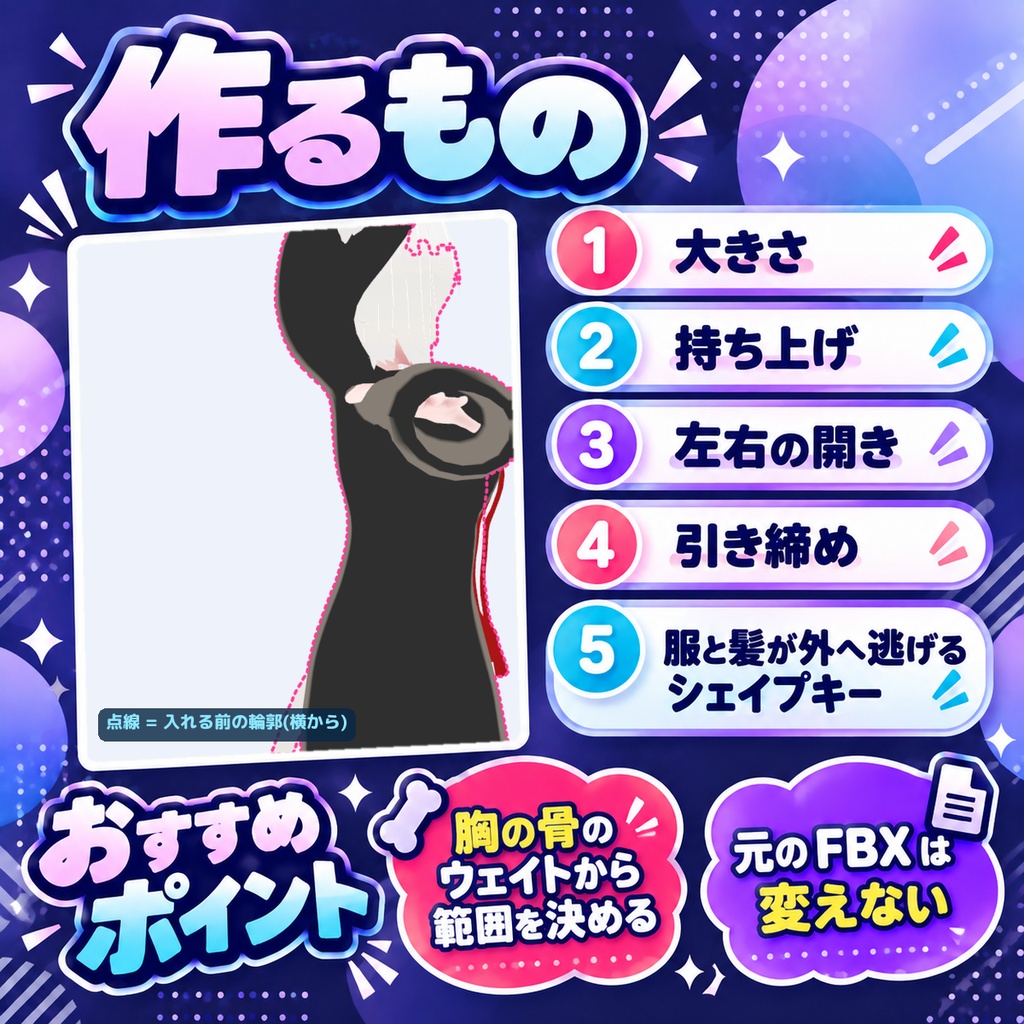
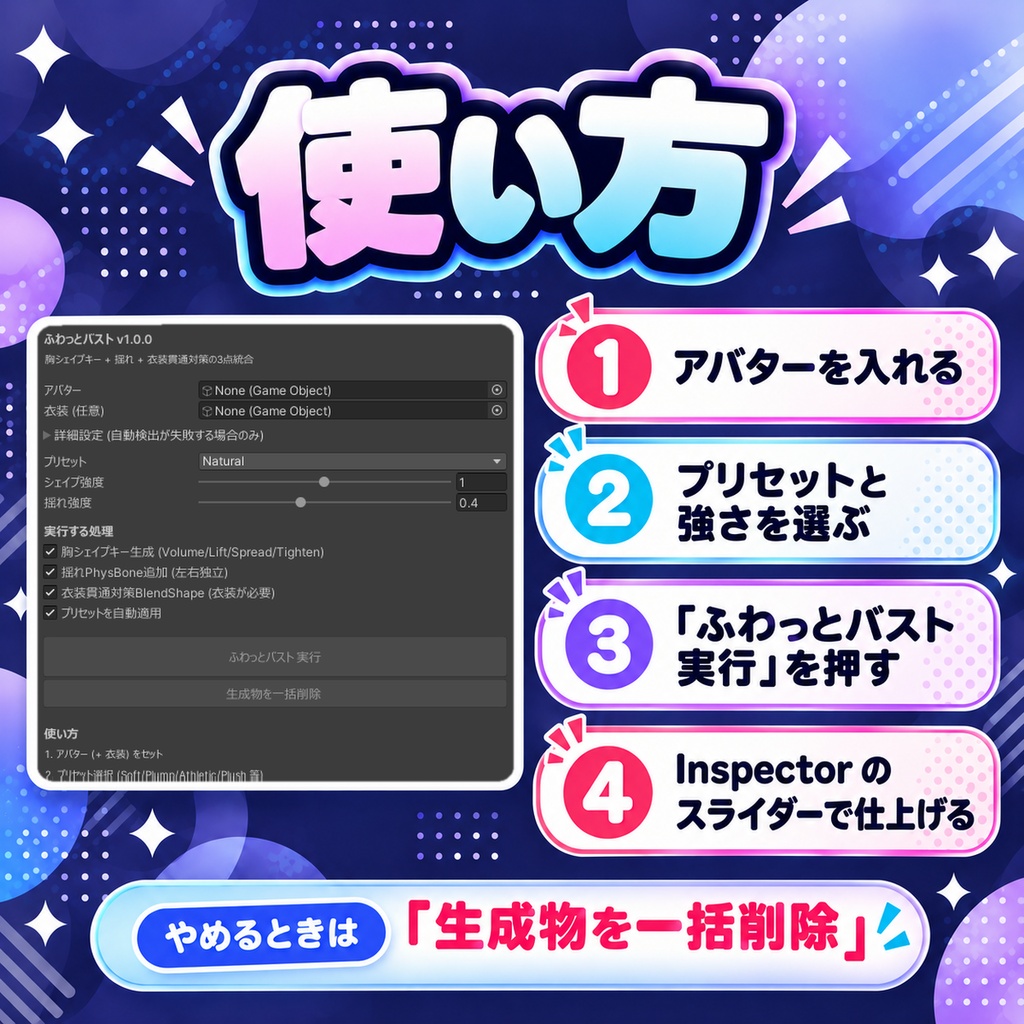
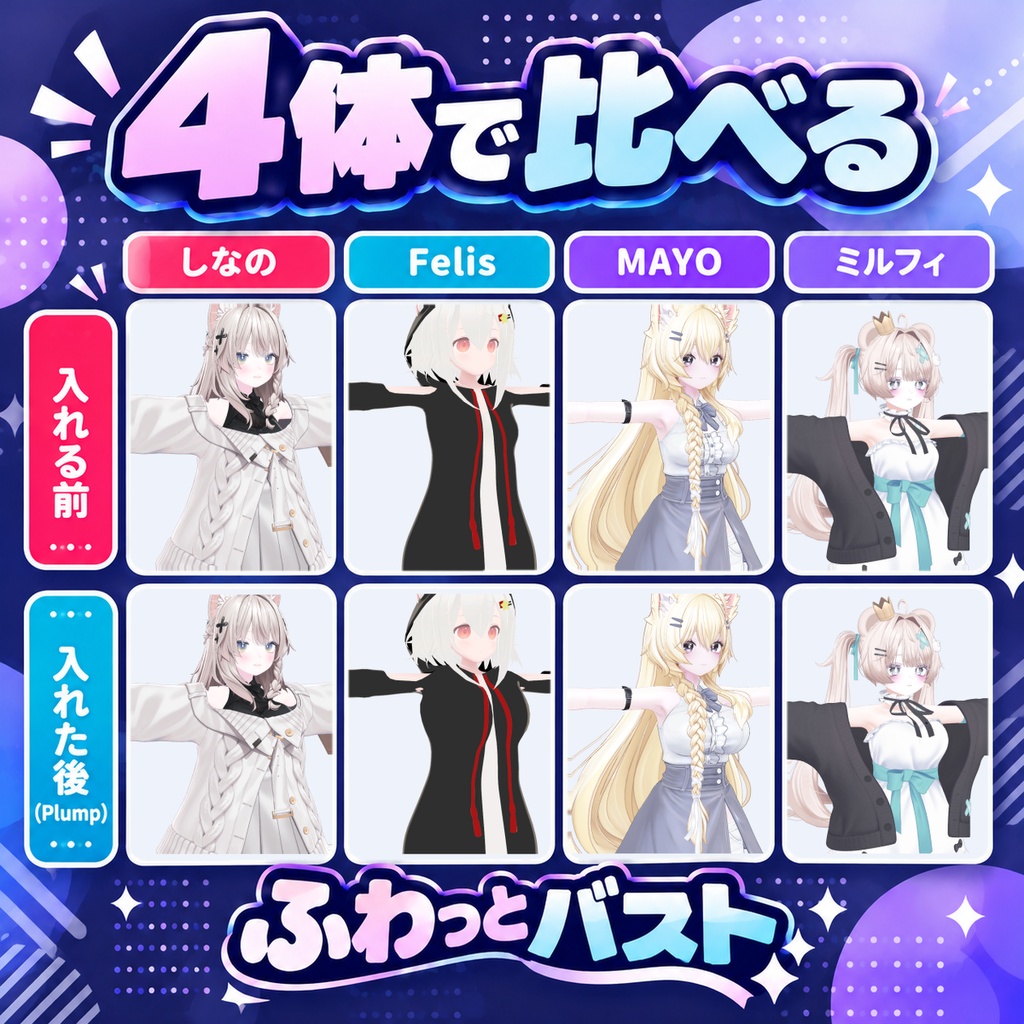
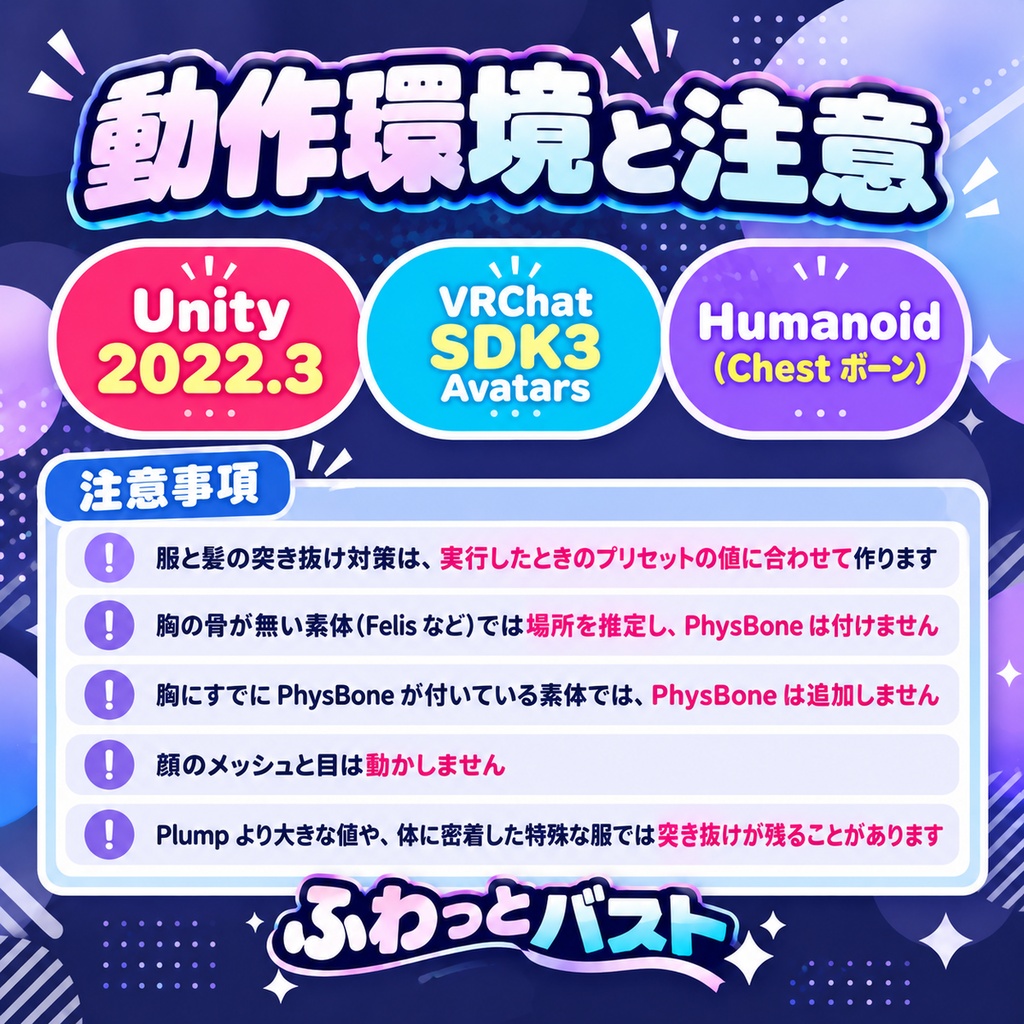
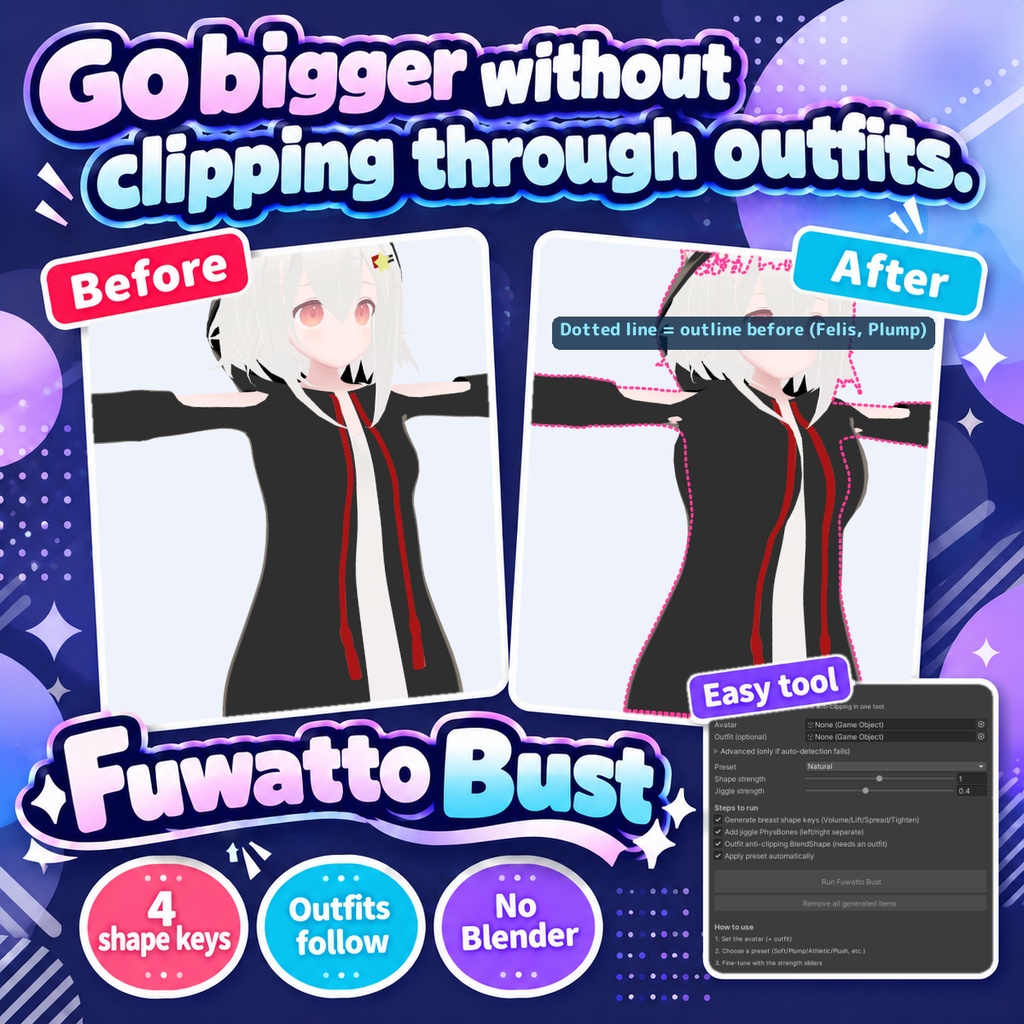
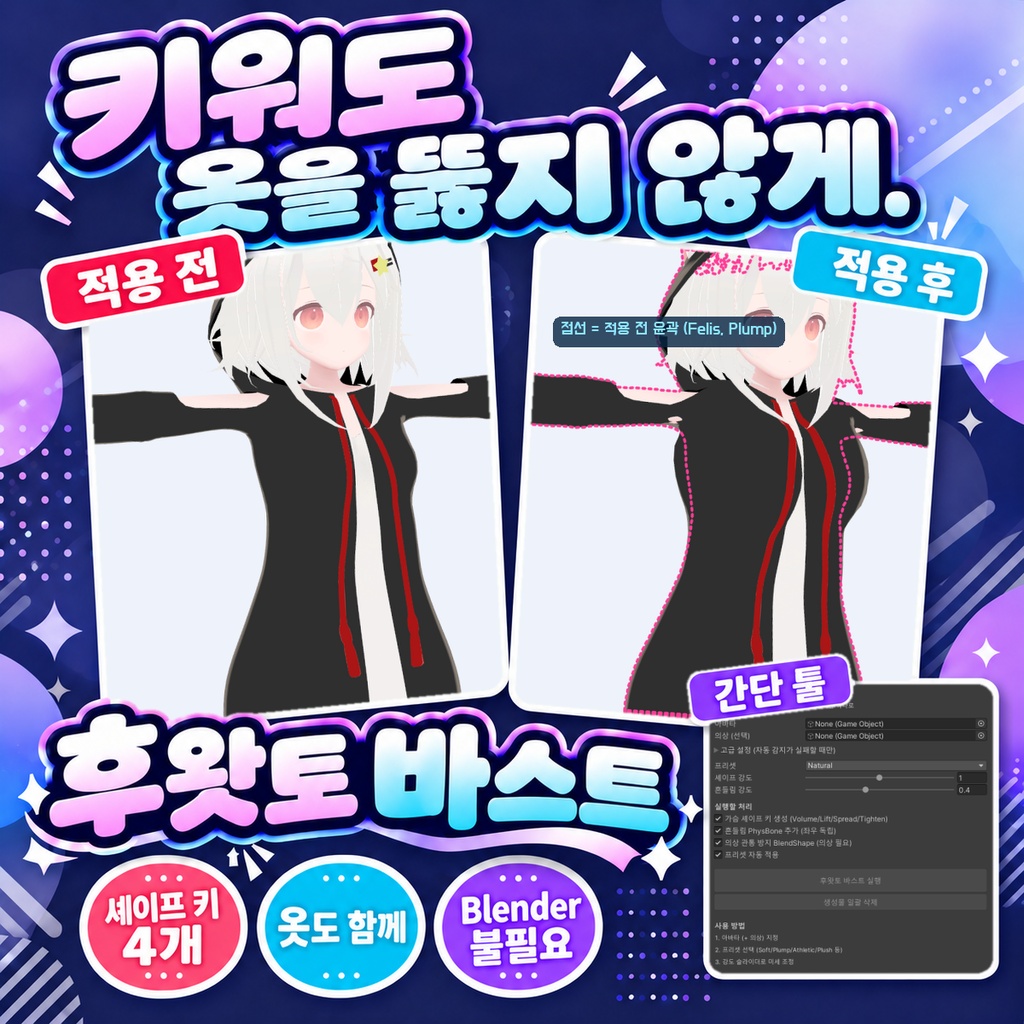


「胸を大きくしたら、服を突き抜けてしまった」。 Blenderは使いません。Unityの中だけで終わります。 アバターの体のメッシュに、胸の大きさ・持ち上げ・左右の開き・引き締めの4本のシェイプキーを作ります。胸の範囲は胸の骨に乗ったウェイトから決めるので、素体ごとの骨の向きや大きさに左右されません。服や髪には、体が実際に動いた量に合わせて外へ逃げるシェイプキーを作り、胸が大きくなっても突き抜けにくくします。プリセット(Natural/Soft/Plump/Athletic/Plush)を選ぶと、値を入れた状態で終わります。 ◆ 使い方 1. メニューの Tools > tool > ふわっとバスト を開く 2. 「アバター」にアバターを入れる(衣装は任意。空のままならアバターの中の服と髪を自動で拾います) 3. プリセットとシェイプ強度・揺れ強度を選び、実行する処理にチェックを入れる 4. 「ふわっとバスト 実行」を押す 5. Inspector で生成されたシェイプキーのスライダーを動かして仕上げる。やめるときは「生成物を一括削除」 ◆ 必要環境 ・Unity 2022.3 ・Humanoid 設定のアバター(Chest ボーンが必要) ・VRChat SDK3 Avatars(PhysBone を追加する場合) ※ 服と髪の突き抜け対策は、実行したときのプリセットの値に合わせて作ります。あとで胸のシェイプキーの値を大きく変えたときは、「生成物を一括削除」してから実行し直してください ※ 胸の骨が無い素体(Felis など)では、肩の位置と体の表面から胸の場所を推定します。揺れる骨が無いので PhysBone は付けません ※ 胸にすでに PhysBone が付いている素体(市販アバターの多く)では、PhysBone は追加しません。二重に付けると揺れが壊れるためです ※ 顔のメッシュ(vrc. で始まるシェイプキーを持つもの)と目は動かしません ※ 体と服のメッシュは複製して Assets/aaejau/FuwattoBust/Generated に保存し、そこへシェイプキーを足します(元の FBX は変えません) ※ しなの・Felis・MAYO・ミルフィの4体に Plump で入れて、立ち姿で突き抜けが出ないことを確かめました。これより大きな値や、体に密着した特殊な服では突き抜けが残ることがあります 内容物: unitypackage / README / CHANGELOG / TEST_REPORT / LICENSE / 画面のスクリーンショット ━━━━━━━━━━━━━━━━━━━━ English ━━━━━━━━━━━━━━━━━━━━ Adds four shape keys to the avatar body mesh: volume, lift, spread and tighten. The bust area is taken from the weights on the breast bones, so it does not depend on each body's bone axes or size. For outfits and hair it makes a shape key that moves them out by the amount the body actually moved, so a bigger bust is less likely to poke through. Choosing a preset (Natural/Soft/Plump/Athletic/Plush) finishes with the values already set. ◆ How to use 1. Open Tools > tool > ふわっとバスト from the menu 2. Put the avatar in "Avatar" (the outfit is optional; if left empty, outfits and hair inside the avatar are picked up automatically) 3. Choose a preset, shape strength and jiggle strength, and tick the steps to run 4. Press "Run Fuwatto Bust" 5. Move the generated shape key sliders in the Inspector to finish. To undo everything, use "Remove all generated items" ◆ Requirements ・Unity 2022.3 ・An avatar with a Humanoid rig (a Chest bone is required) ・VRChat SDK3 Avatars (to add PhysBones) * The outfit and hair anti-clipping is made for the preset values at the time you run it. If you later change the bust shape key values a lot, use "Remove all generated items" and run again * On bodies without breast bones (such as Felis) the bust position is estimated from the shoulders and the body surface. No PhysBone is added because there is no bone to swing * If the bust already has a PhysBone (most avatars on sale), no PhysBone is added. Adding a second one would break the jiggle * The face mesh (the one with shape keys starting with vrc.) and the eyes are never moved * The body and outfit meshes are duplicated into Assets/aaejau/FuwattoBust/Generated and the shape keys go there (the original FBX is not changed) * Checked on four avatars (Shinano, Felis, MAYO, Milfy) with Plump, standing, with no poke-through. Larger values or special skin-tight outfits may still clip Contents: unitypackage / README / CHANGELOG / TEST_REPORT / LICENSE / screenshot ━━━━━━━━━━━━━━━━━━━━ 한국어 ━━━━━━━━━━━━━━━━━━━━ 아바타 몸 메시에 가슴 크기·올림·좌우 벌림·조임 4개의 셰이프 키를 만듭니다. 가슴 범위는 가슴 본에 실린 웨이트로 정하므로 소체마다 다른 본 방향이나 크기에 좌우되지 않습니다. 옷과 머리카락에는 몸이 실제로 움직인 만큼 바깥으로 비키는 셰이프 키를 만들어, 가슴이 커져도 뚫고 나오기 어렵게 합니다. 프리셋(Natural/Soft/Plump/Athletic/Plush)을 고르면 값이 들어간 상태로 끝납니다. ◆ 사용법 1. 메뉴에서 Tools > tool > ふわっとバスト 를 엽니다 2. "아바타"에 아바타를 넣습니다 (의상은 선택. 비워 두면 아바타 안의 옷과 머리카락을 자동으로 찾습니다) 3. 프리셋과 셰이프 강도·흔들림 강도를 고르고, 실행할 처리에 체크합니다 4. "후왓토 바스트 실행"을 누릅니다 5. Inspector에서 생성된 셰이프 키 슬라이더를 움직여 마무리합니다. 되돌릴 때는 "생성물 일괄 삭제" ◆ 요구 환경 ・Unity 2022.3 ・Humanoid로 설정된 아바타 (Chest 본 필요) ・VRChat SDK3 Avatars (PhysBone을 추가할 경우) ※ 옷과 머리카락의 관통 방지는 실행할 때의 프리셋 값에 맞춰 만듭니다. 나중에 가슴 셰이프 키 값을 크게 바꿨다면 "생성물 일괄 삭제" 후 다시 실행하세요 ※ 가슴 본이 없는 소체(Felis 등)에서는 어깨 위치와 몸 표면으로 가슴 위치를 추정합니다. 흔들 본이 없으므로 PhysBone은 붙이지 않습니다 ※ 가슴에 이미 PhysBone이 붙어 있는 소체(판매 아바타 대부분)에는 PhysBone을 추가하지 않습니다. 두 번 붙이면 흔들림이 망가지기 때문입니다 ※ 얼굴 메시(vrc. 로 시작하는 셰이프 키가 있는 것)와 눈은 움직이지 않습니다 ※ 몸과 옷 메시는 복제해 Assets/aaejau/FuwattoBust/Generated 에 저장하고 거기에 셰이프 키를 추가합니다(원본 FBX는 바꾸지 않습니다) ※ 시나노·Felis·MAYO·밀피 4체에 Plump로 넣어, 선 자세에서 뚫고 나오지 않는 것을 확인했습니다. 이보다 큰 값이나 몸에 딱 붙는 특수한 옷에서는 관통이 남을 수 있습니다 내용물: unitypackage / README / CHANGELOG / TEST_REPORT / LICENSE / 스크린샷