

むちもも - 太ももの太さ・上げ・隙間・引き締めをシェイプキーで【JA,EN,KO】
- ダウンロード商品¥ 700
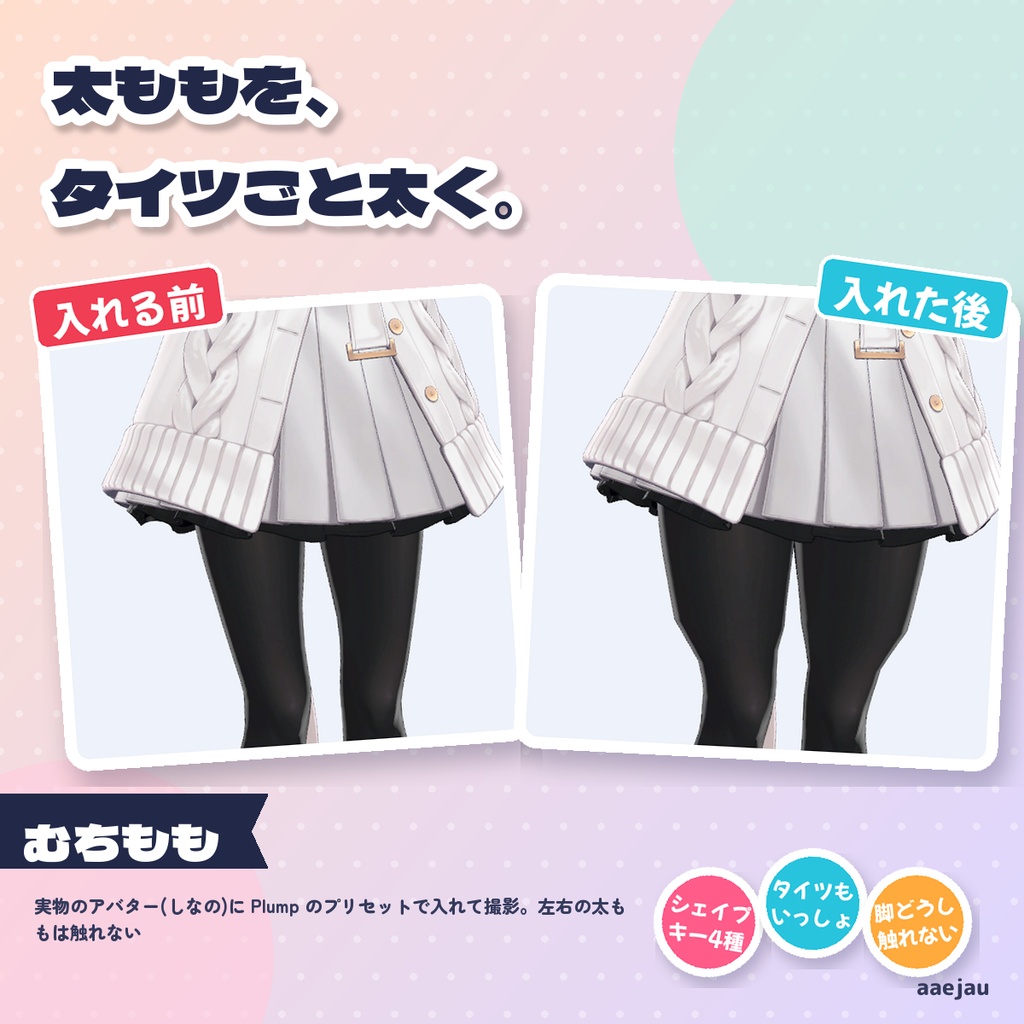
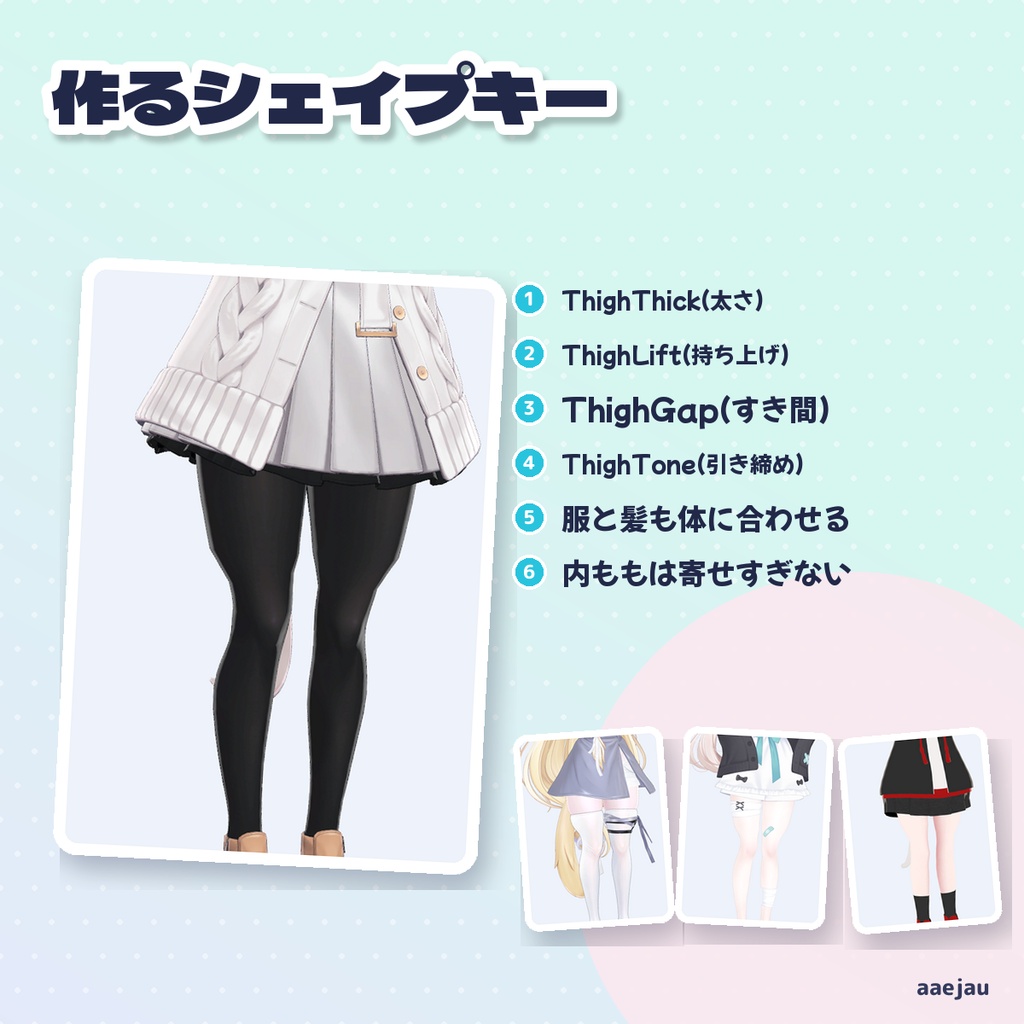
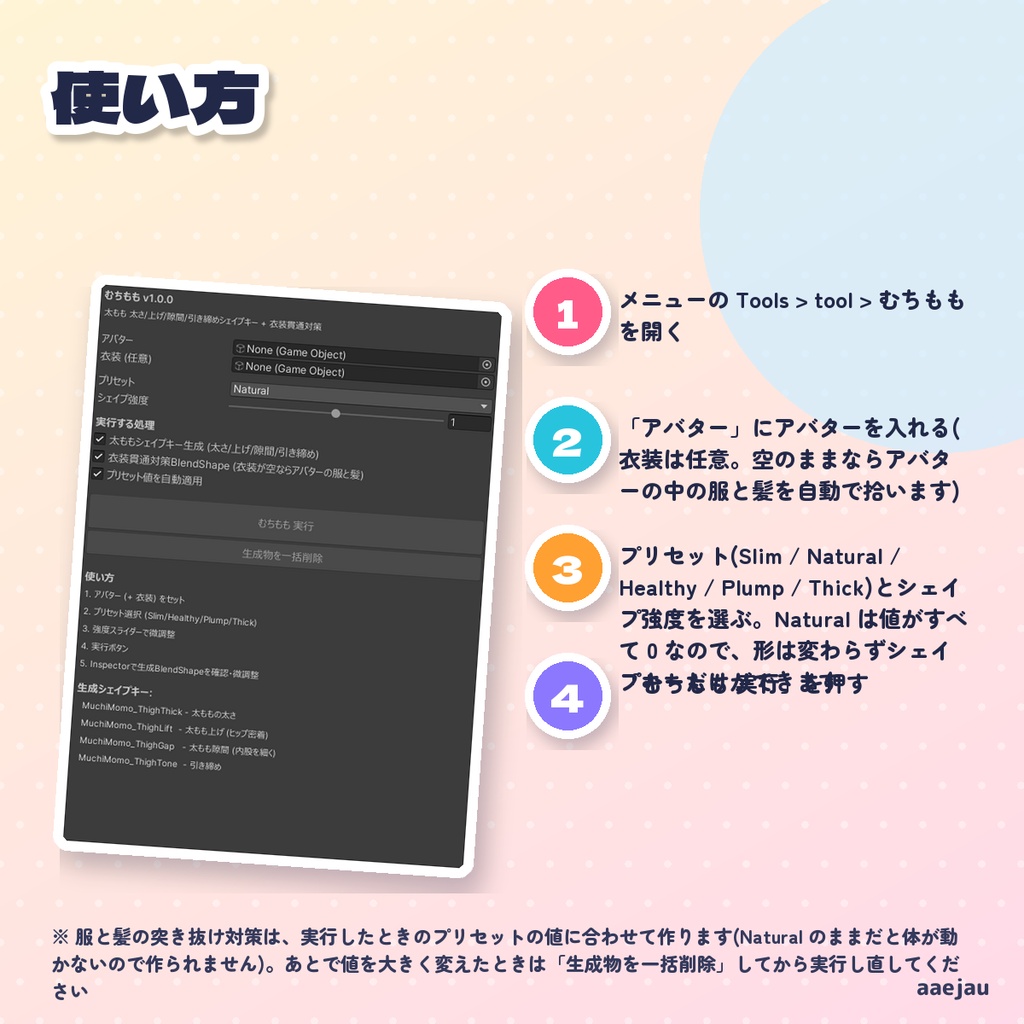
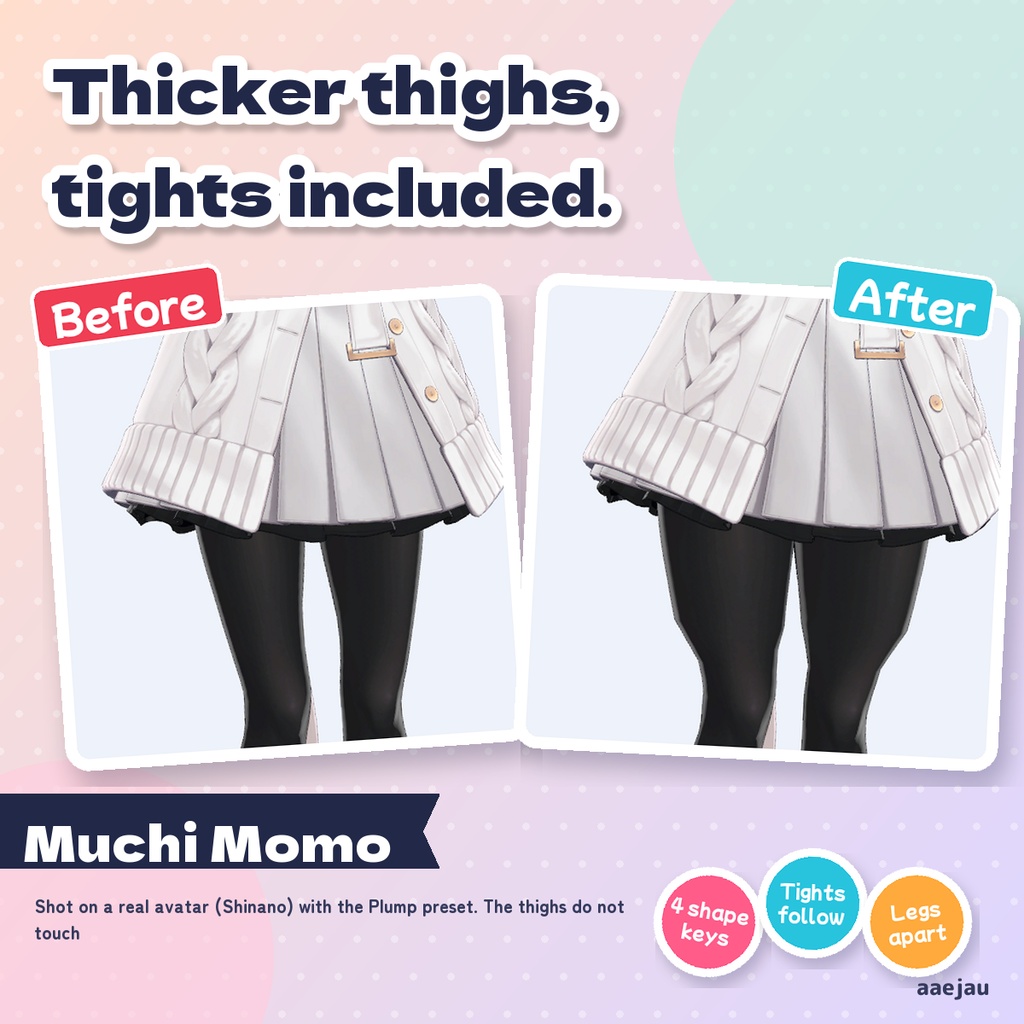
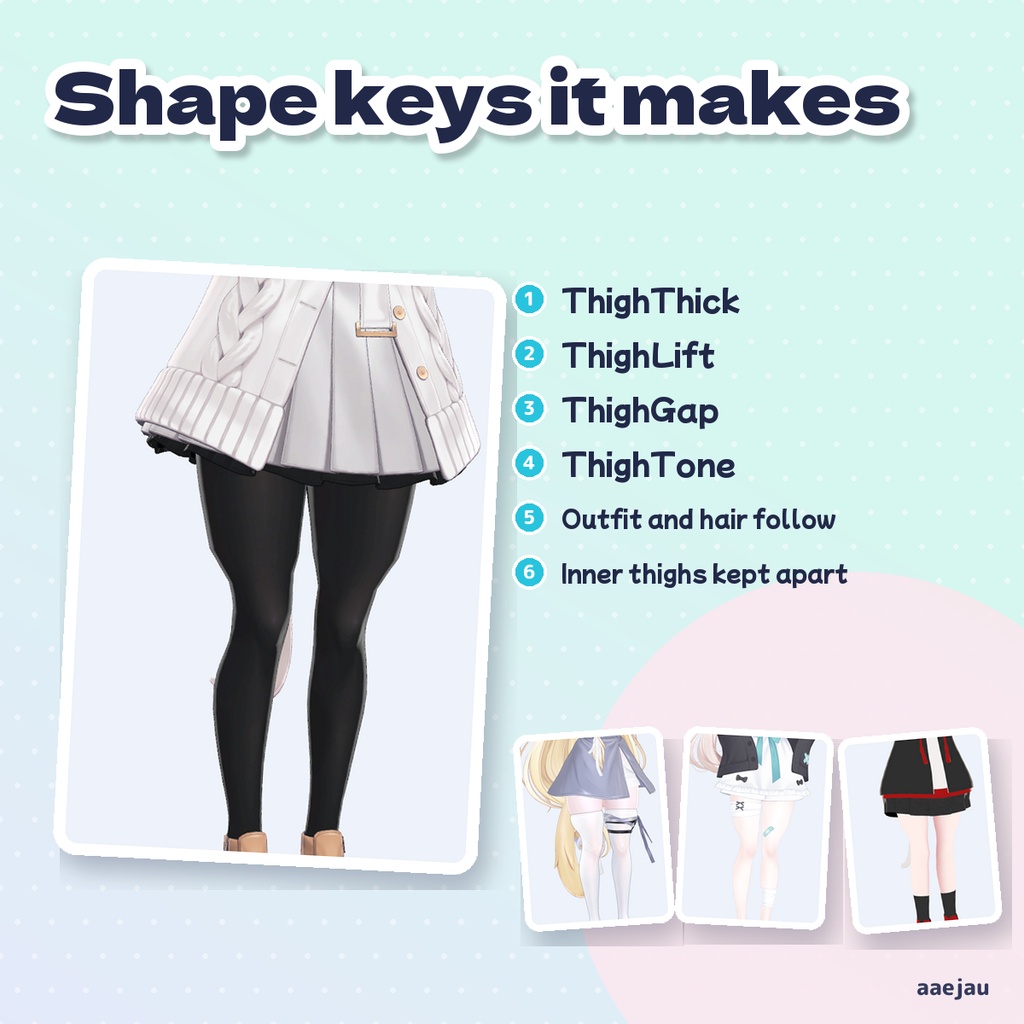
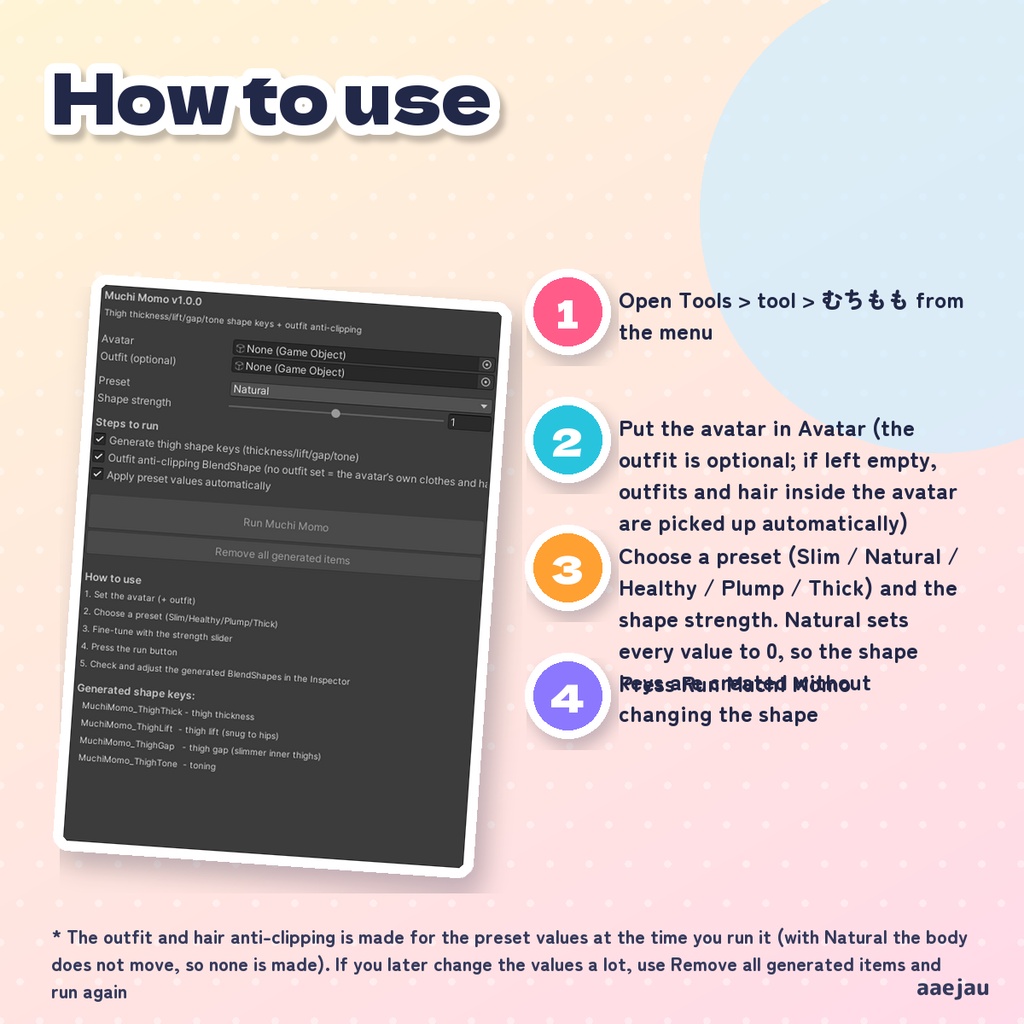
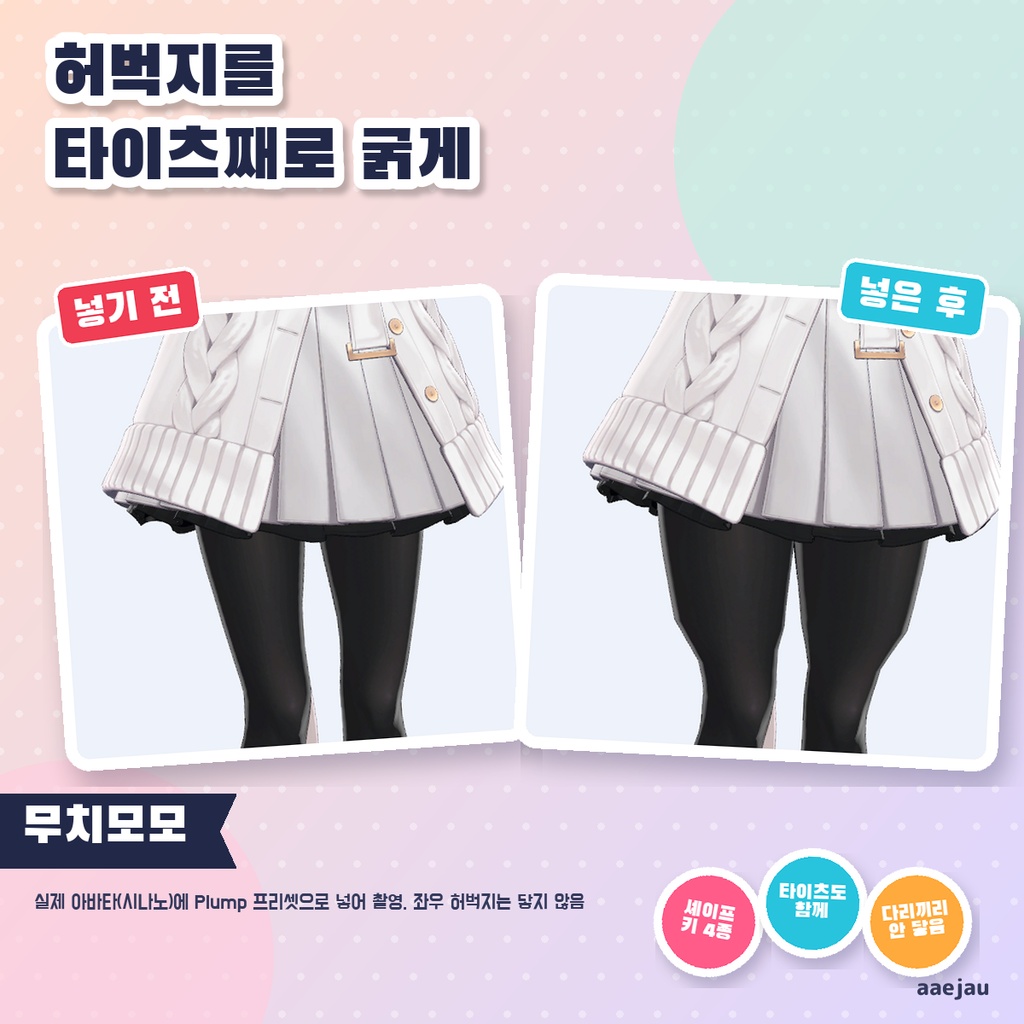
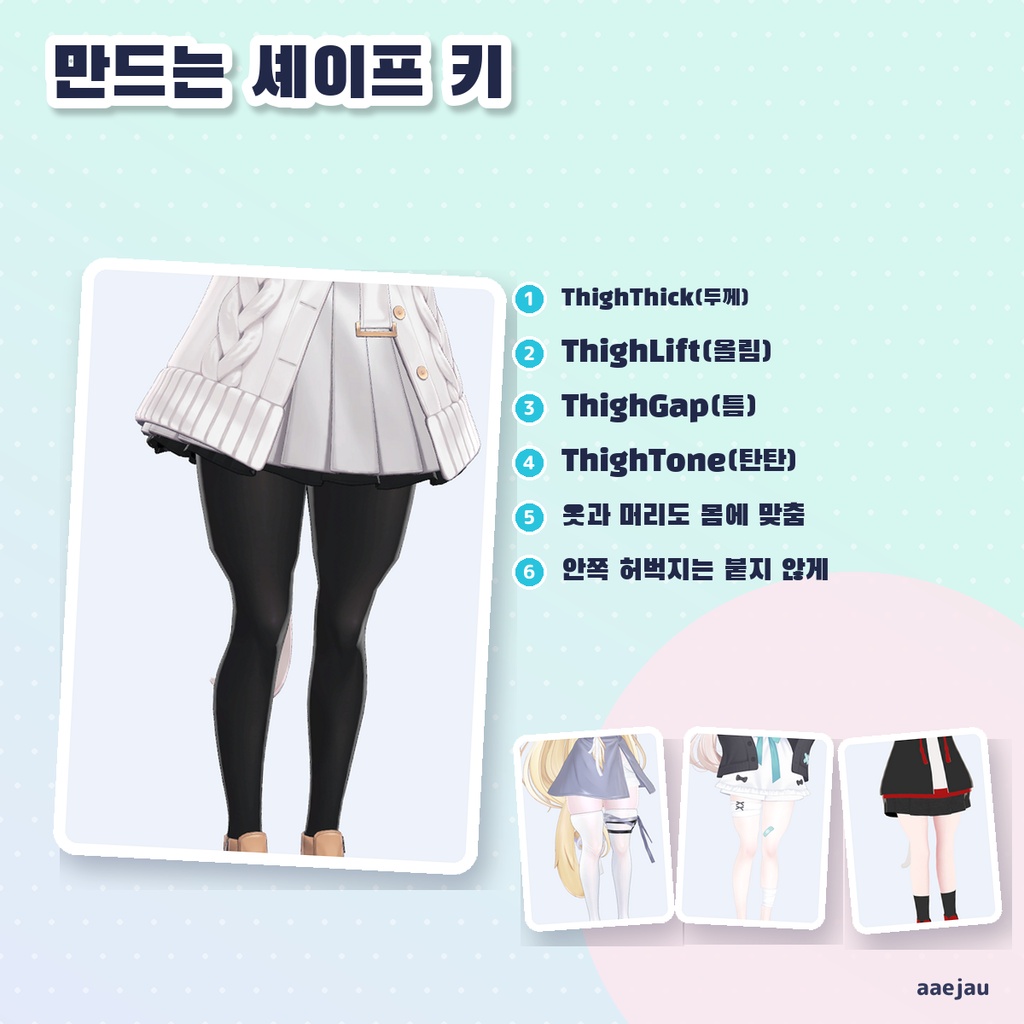
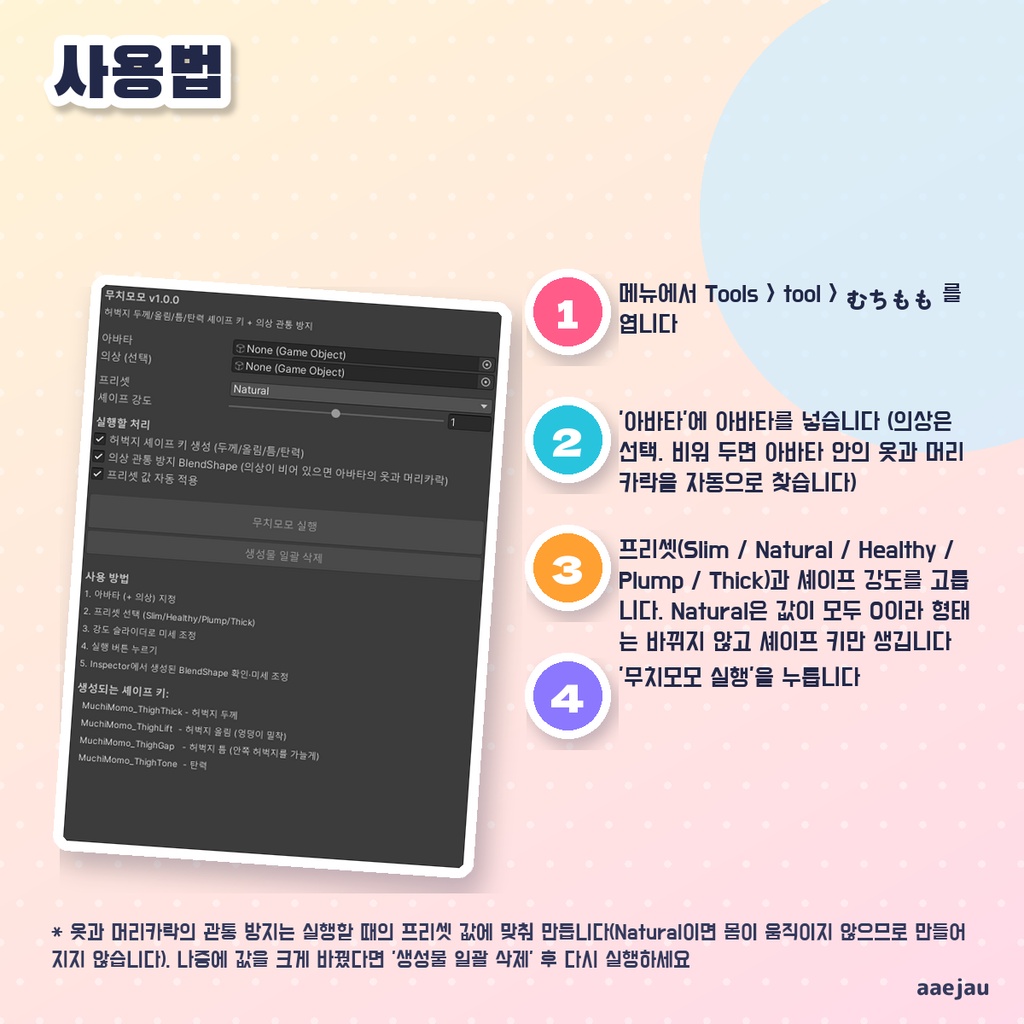


「太ももをむちっとさせたい。でもタイツから肌が出るのはいや。」 Blenderは使いません。Unityの中だけで終わります。 アバターの体のメッシュに、太ももの形を変えるシェイプキー4種(ThighThick 太さ / ThighLift 上げ / ThighGap 隙間 / ThighTone 引き締め)を作るエディタ拡張です。太ももの範囲は左右の太ももの骨のウェイトで決め、脚の付け根から膝の手前までに限ります。付け根と膝の近くはなめらかに弱めるので、お尻や膝の形は崩れません。計算は素体の向きと大きさに合わせて行うため、骨の向きが違う素体でも同じように効きます。太くしても内もも同士は脚の隙間の一部までしか寄せないので、左右の脚がめり込みにくくなっています。服と髪には、体が動いた分だけ外へ逃げるシェイプキーも作ります。 ◆ 使い方 1. メニューの Tools > tool > むちもも を開く 2. 「アバター」にアバターを入れる(衣装は任意。空のままならアバターの中の服と髪を自動で拾います) 3. プリセット(Slim / Natural / Healthy / Plump / Thick)とシェイプ強度を選ぶ。Natural は値がすべて 0 なので、形は変わらずシェイプキーだけができます 4. 「むちもも 実行」を押す 5. Inspector で作られたシェイプキーの値を確かめて微調整する。やり直すときは「生成物を一括削除」 ◆ 必要環境 ・Unity 2022.3 ・Humanoid 設定のアバター(太もも・ひざ下の骨が必要) ※ 服と髪の突き抜け対策は、実行したときのプリセットの値に合わせて作ります(Natural のままだと体が動かないので作られません)。あとで値を大きく変えたときは「生成物を一括削除」してから実行し直してください ※ 効く範囲は太ももの骨のウェイトで決まります。太ももの上の方を腰(Hips)の骨に乗せている素体では、付け根に近い所はあまり動きません ※ 内もも同士が寄る量は、元の脚の隙間の 15% まで(シェイプキー1つを 100 にしたとき)に抑えています。シェイプ強度を 2 にして複数のキーを大きく入れると、脚が触れることがあります ※ 顔のメッシュ(vrc. で始まるシェイプキーを持つもの)と目は動かしません。シェイプキーは複製したメッシュに入れて Assets/aaejau/MuchiMomo/Generated に保存し、元の FBX は変えません ※ 揺れ(PhysBone)は追加しません。形を変えるシェイプキーだけを作ります ※ Humanoid 設定で太ももとひざ下の骨があるアバターが必要です。動きの中の見え方は VRChat で確かめてください ※ しなの・Felis・MAYO・ミルフィに Plump で入れて、動いた頂点の約98%が太ももの骨の所で、左右の太ももが触れない(最短 13mm 以上)こと、タイツ・ストッキングも一緒に動くこと、一括削除で形のずれ 0.00mm に戻ることを確かめました 内容物: unitypackage / README / CHANGELOG / TEST_REPORT / LICENSE / 画面のスクリーンショット ━━━━━━━━━━━━━━━━━━━━ English ━━━━━━━━━━━━━━━━━━━━ An editor extension that adds four thigh shape keys (ThighThick / ThighLift / ThighGap / ThighTone) to the avatar body mesh. The thigh area is taken from the weights of the left and right thigh bones and limited to the part between the hip joint and just above the knee. It fades out smoothly near the hips and the knees, so the hips and knees keep their shape. The calculation follows the avatar's own facing and size, so it works the same on bodies with different bone axes. When the thighs get thicker, the inner sides only move toward each other by a part of the gap between the legs, so the legs are less likely to sink into each other. It also makes shape keys that move outfits and hair out by as much as the body moved. ◆ How to use 1. Open Tools > tool > むちもも from the menu 2. Put the avatar in Avatar (the outfit is optional; if left empty, outfits and hair inside the avatar are picked up automatically) 3. Choose a preset (Slim / Natural / Healthy / Plump / Thick) and the shape strength. Natural sets every value to 0, so the shape keys are created without changing the shape 4. Press Run Muchi Momo 5. Check and fine-tune the created shape keys in the Inspector. To start over, use Remove all generated items ◆ Requirements ・Unity 2022.3 ・A Humanoid avatar (thigh and lower leg bones are required) * The outfit and hair anti-clipping is made for the preset values at the time you run it (with Natural the body does not move, so none is made). If you later change the values a lot, use Remove all generated items and run again * The affected area depends on the thigh bone weights. On bodies where the top of the thigh is weighted to the Hips bone, the area near the hip joint moves little * The inner thighs move toward each other by at most 15% of the original gap between the legs (per shape key at 100). With shape strength 2 and several keys set high, the legs can touch * The face mesh (the one with shape keys starting with vrc.) and the eyes are never moved. Shape keys go on duplicated meshes saved in Assets/aaejau/MuchiMomo/Generated; the original FBX is not changed * No jiggle (PhysBone) is added. It only creates shape keys that change the shape * A Humanoid avatar with thigh and lower leg bones is required. Check how it looks in motion in VRChat * Checked on Shinano, Felis, MAYO and Milfy with Plump: about 98% of moved vertices are on the thigh bones, the thighs do not touch (13mm or more apart), tights and stockings move along, and Remove returns the shape with 0.00mm difference Contents: unitypackage / README / CHANGELOG / TEST_REPORT / LICENSE / screenshot ━━━━━━━━━━━━━━━━━━━━ 한국어 ━━━━━━━━━━━━━━━━━━━━ 아바타 몸 메시에 허벅지 형태를 바꾸는 셰이프 키 4종(ThighThick 두께 / ThighLift 올림 / ThighGap 틈 / ThighTone 탄력)을 만드는 에디터 확장입니다. 허벅지 범위는 좌우 허벅지 본의 웨이트로 정하고, 다리 시작점부터 무릎 조금 위까지로 한정합니다. 시작점과 무릎 근처는 부드럽게 약해지므로 엉덩이와 무릎의 형태는 무너지지 않습니다. 계산은 소체의 방향과 크기에 맞춰 하므로 본 방향이 다른 소체에서도 똑같이 적용됩니다. 두껍게 해도 안쪽 허벅지끼리는 다리 사이 틈의 일부까지만 가까워지므로 좌우 다리가 서로 파고들기 어렵습니다. 옷과 머리카락에는 몸이 움직인 만큼 바깥으로 비키는 셰이프 키도 만듭니다. ◆ 사용법 1. 메뉴에서 Tools > tool > むちもも 를 엽니다 2. '아바타'에 아바타를 넣습니다 (의상은 선택. 비워 두면 아바타 안의 옷과 머리카락을 자동으로 찾습니다) 3. 프리셋(Slim / Natural / Healthy / Plump / Thick)과 셰이프 강도를 고릅니다. Natural은 값이 모두 0이라 형태는 바뀌지 않고 셰이프 키만 생깁니다 4. '무치모모 실행'을 누릅니다 5. Inspector에서 생성된 셰이프 키 값을 확인하고 미세 조정합니다. 다시 하려면 '생성물 일괄 삭제'를 누릅니다 ◆ 요구 환경 ・Unity 2022.3 ・Humanoid로 설정된 아바타 (허벅지·종아리 본 필요) ※ 옷과 머리카락의 관통 방지는 실행할 때의 프리셋 값에 맞춰 만듭니다(Natural이면 몸이 움직이지 않으므로 만들어지지 않습니다). 나중에 값을 크게 바꿨다면 '생성물 일괄 삭제' 후 다시 실행하세요 ※ 적용 범위는 허벅지 본의 웨이트로 정해집니다. 허벅지 윗부분이 Hips 본에 실린 소체에서는 시작점 근처가 별로 움직이지 않습니다 ※ 안쪽 허벅지끼리 가까워지는 양은 원래 다리 틈의 15%까지(셰이프 키 하나를 100으로 했을 때)로 억제합니다. 셰이프 강도를 2로 하고 여러 키를 크게 넣으면 다리가 닿을 수 있습니다 ※ 얼굴 메시(vrc. 로 시작하는 셰이프 키가 있는 것)와 눈은 움직이지 않습니다. 셰이프 키는 복제한 메시에 넣어 Assets/aaejau/MuchiMomo/Generated 에 저장하며, 원본 FBX는 바꾸지 않습니다 ※ 흔들림(PhysBone)은 추가하지 않습니다. 형태를 바꾸는 셰이프 키만 만듭니다 ※ 허벅지와 종아리 본이 있는 Humanoid 아바타가 필요합니다. 움직일 때의 모습은 VRChat에서 확인하세요 ※ 시나노·Felis·MAYO·밀피에 Plump로 넣어, 움직인 정점의 약 98%가 허벅지 본 부분이고 좌우 허벅지가 닿지 않는 것(최소 13mm 이상), 타이츠·스타킹도 함께 움직이는 것, 일괄 삭제로 형태 차이가 0.00mm로 돌아오는 것을 확인했습니다 내용물: unitypackage / README / CHANGELOG / TEST_REPORT / LICENSE / 스크린샷