

首・肩・手・袖 貫通ガード - マフラー・襟・チョーカー・袖・手袋が首/肩/腕/手に刺さるのを、太さを実測して止める
- 日本語ダウンロード商品¥ 700
- Englishダウンロード商品¥ 700
- 한국어ダウンロード商品¥ 700
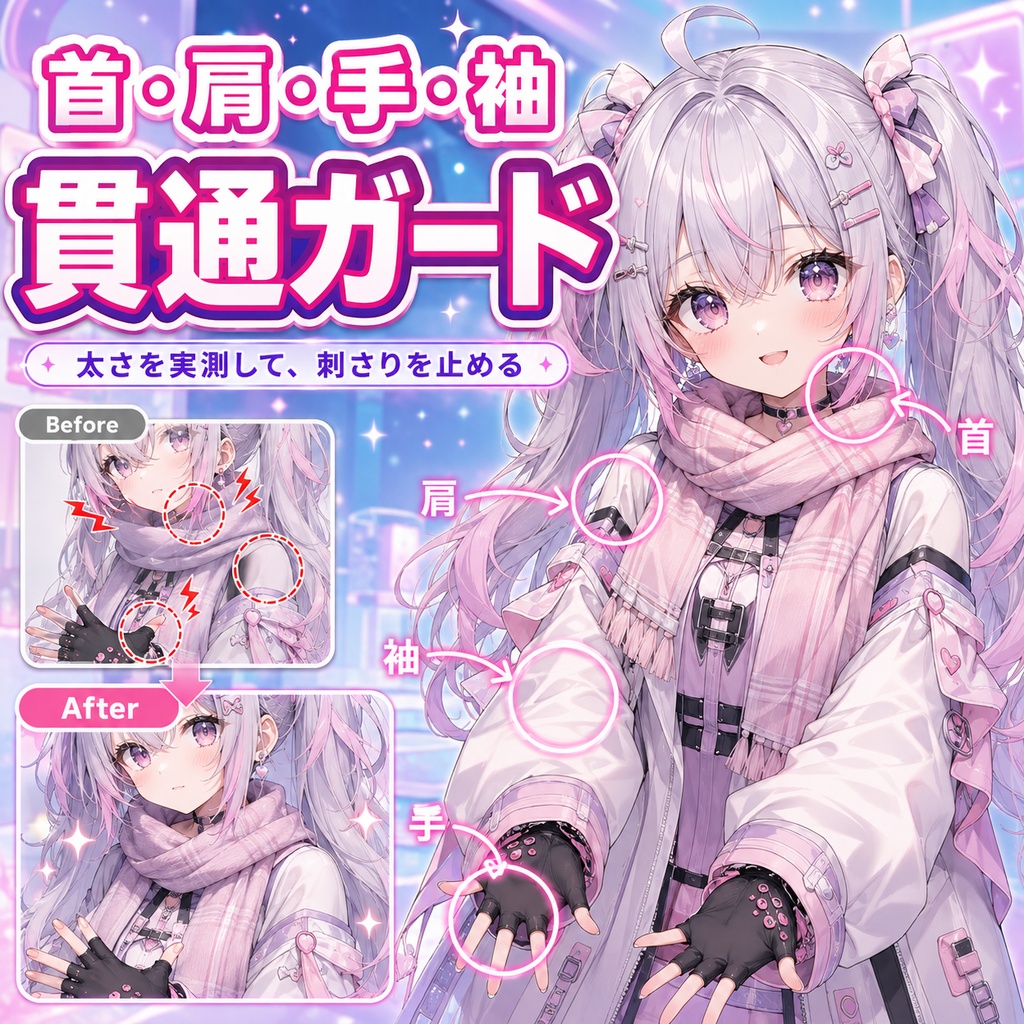
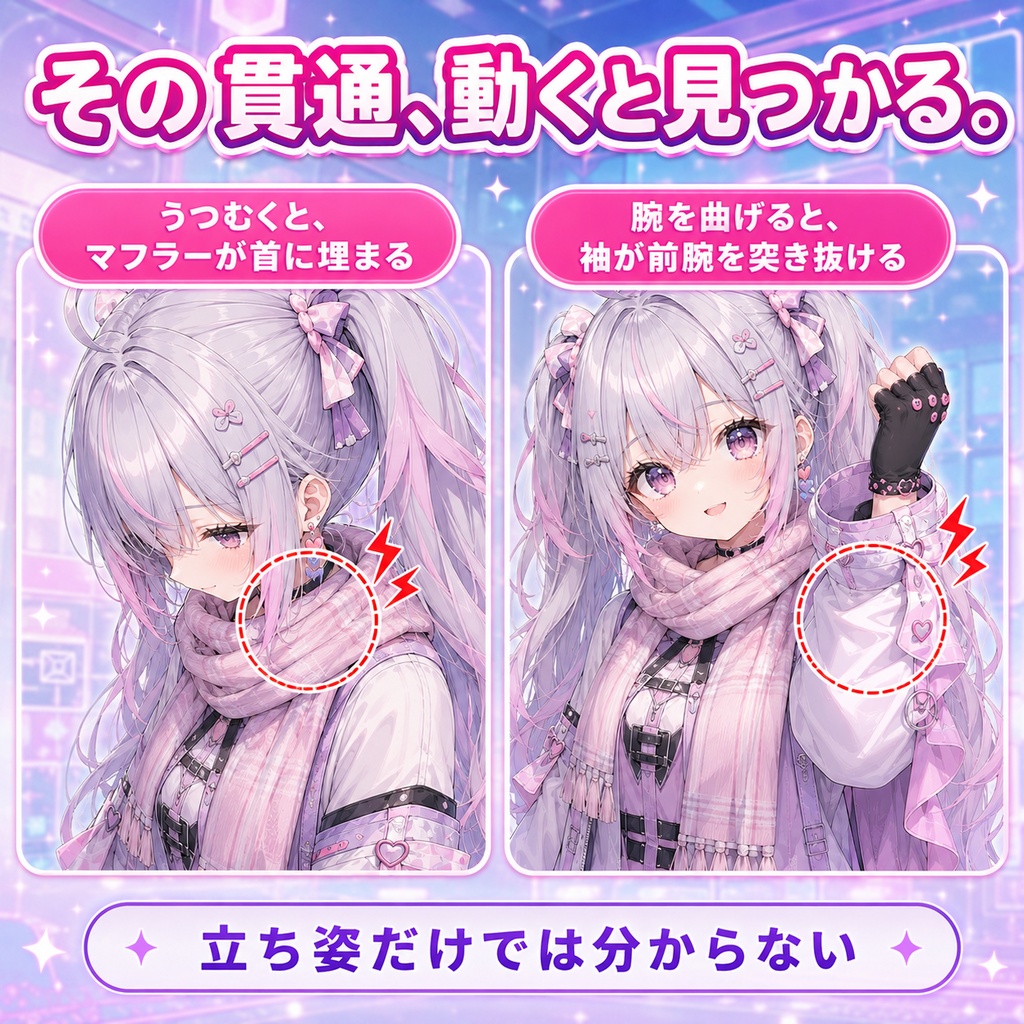
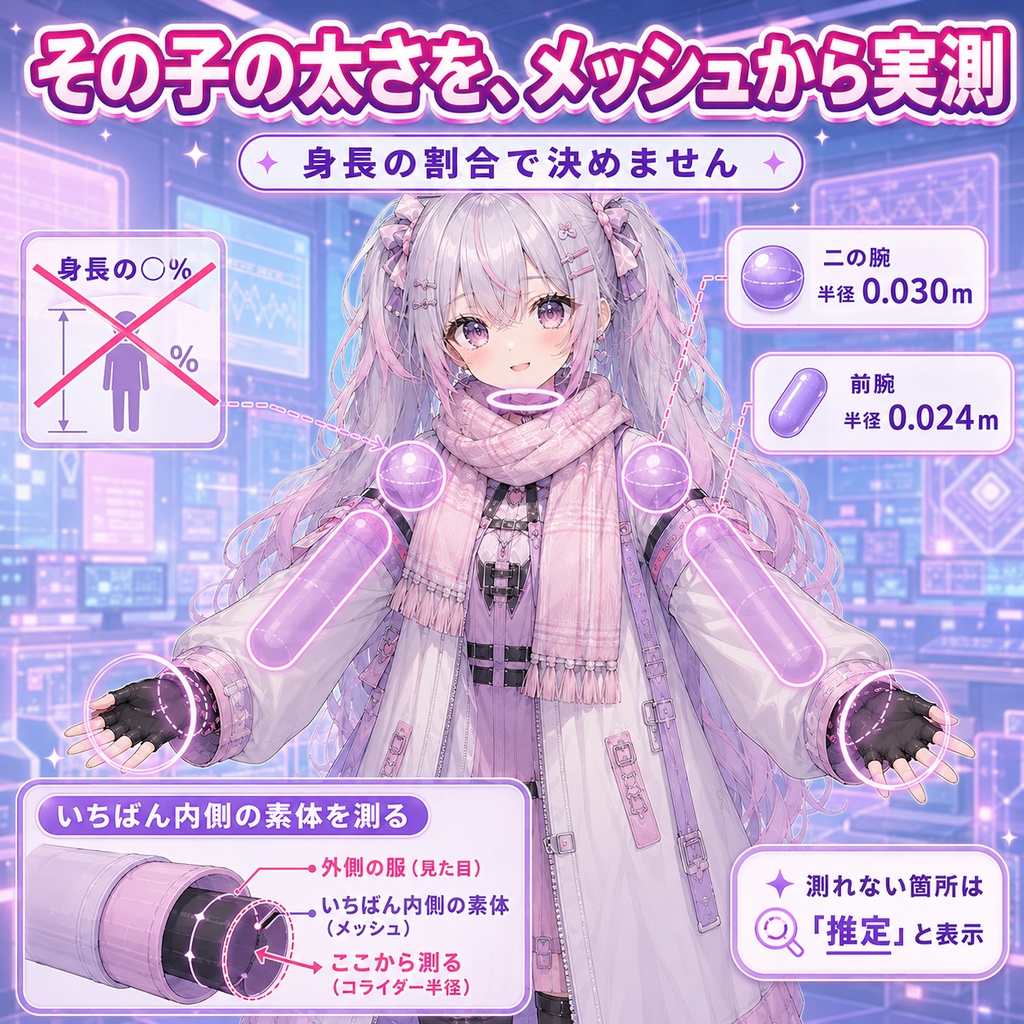
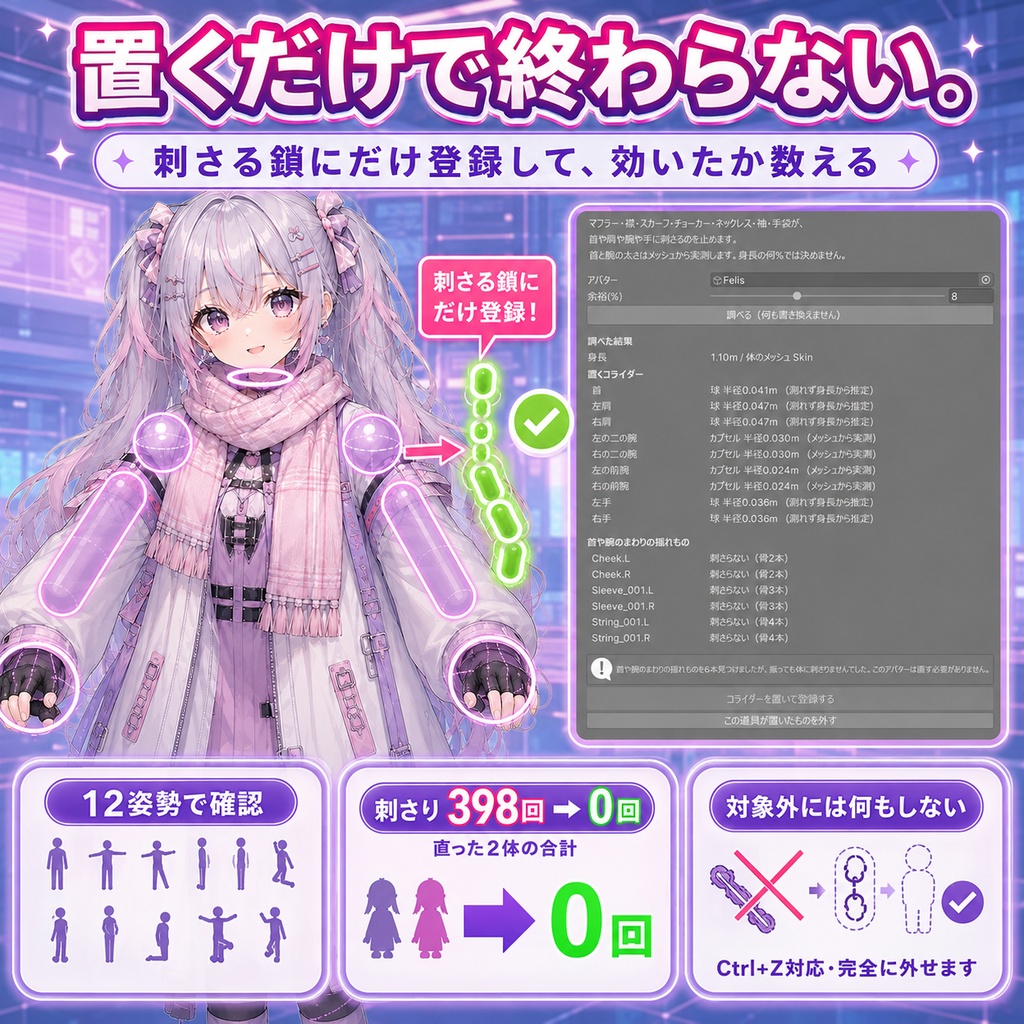


「うつむくとマフラーが首に埋まる。腕を曲げると袖が前腕を突き抜ける」。 首・肩・手・袖 貫通ガードは、マフラー・襟・スカーフ・チョーカー・ネックレス・袖・手袋が体に刺さるのを、PhysBoneコライダーを置いて止めるUnity Editorツールです。Blenderは使いません。 ◆ 太さを決め打ちにしません 同じ身長1.1mでも、細身の体とがっしりした体で腕の太さはまるで違います。身長の何%でコライダーの大きさを決めると、片方には細すぎ、もう片方には太すぎるものが乗ります。 このツールは首と肩と腕と手の太さを、そのアバターのメッシュから測ります。実測値は画面に出ます。測れなかった箇所は「推定」と正直に表示します。黙って推定に落としません。 実測の例(身長1.10mのアバター): 二の腕 半径0.030m / 前腕 0.024m ◆ 服の外側で測りません いちばん外にある面を選ぶと、スカートやコートの太さを体の太さとして測ってしまいます。開発中に実際にそうなり、コライダーがスカートごと包む巨大な球になりました。数字は「100%減」と出るのに、絵にすると壊れていました。 いちばん内側にある面(素体)を選びます。 ◆ 置くだけでは1mmも効きません VRChatのPhysBoneは、自分のcolliders配列に入っているコライダーとしか当たりません。シーンに置いただけでは何も起きません。 このツールは置いたあと、実際に刺さっている鎖にだけ登録します。登録した回数を画面に出します。刺さっていない鎖には登録しません。全部の鎖に全部のコライダーを入れると、当たり判定の数が増えて重くなるためです。 ◆ 効いたかどうかを数えます 置く前と置いた後で、鎖を12姿勢(前後左右へ15度・30度・45度)に振って、体の中に入っているのに受け止め手が登録されていない骨を数えます。減っていなければ「効きませんでした」と画面に出します。 なおPhysBoneの物理はUnityのエディタ上では動かないので、実際にどれだけ跳ね返るかはここでは測れません。測れないものは測りません。 ◆ 置く場所 首(球) / 左右の肩(球) / 左右の二の腕と前腕(カプセル) / 左右の手(球) ◆ 元に戻せます ・「この道具が置いたものを外す」で、コライダーも鎖の登録も完全に消えます ・Ctrl+Z でも戻せます ・2回続けて実行してもコライダーが増えません ・置いたコライダーは名前の頭で見分けられます ◆ 使い方 1. unitypackage を Import 2. Tools > tool > 首・肩・手・袖 貫通ガード を開く 3. アバターをシーンに置いて、そのアバターをドラッグ 4. 「調べる」を押す(この時点では何も書き換えません) 5. 結果を見て、よければ「コライダーを置いて登録する」を押す ◆ 検証 3本合計でテスト54件すべて通過。このツール単体では18件。 実物のアバター9体で確認しました。直せた2体 / 失敗0体 / 対象外7体。刺さり のべ398回が0回になりました(直った2体の合計。1体でいちばん多いもので308回)。対象外の7体には何もせず、直す必要が無いとだけ伝えます。マフラーも袖も入っていないアバターに何かをしないことが、この道具の売りです。 反映のたびに機械で確かめていること: コライダーの半径が身長の16%を超えたらその場で失敗にする / 鎖のcolliders配列へ本当に登録されたかを数える / 2回続けて実行しても増えない / 外したら完全に消える。 ※ VRChat SDK3 (Avatars) が必要です。同梱していません。 ※ Humanoidに設定されているアバターが対象です。骨が見つからないときはそう伝えます。 ※ 揺れもの(PhysBone)が入っていないアバターには何もできません。 ※ 刺さっていないアバターには何もしません。直す必要が無いとだけ伝えます。 ※ しっぽ・スカート・ケモ耳・角・翼は対象外です。当たる場所が違うので、それぞれ別の道具が受け持ちます。 内容物: unitypackage / README / CHANGELOG / TEST_REPORT / LICENSE / ツール画面のスクリーンショット 動作環境: Unity 2022.3.54f1 / VRChat SDK3 (Avatars) --- English --- "I look down and the scarf sinks into my neck." Neck Arm Sleeve Clip Guard is a Unity Editor tool that stops scarves, collars, chokers, necklaces, sleeves and gloves from poking into the body, by placing PhysBone colliders. Blender is not used. ◆ Thickness is never guessed Two avatars both 1.1m tall can differ by nearly a factor of two around the hips. Sizing colliders as a percentage of height gives one of them something too thin and the other something too thick. This tool measures the neck, shoulders, arms and hands from that avatar's own mesh, and shows the numbers. Where it could not measure, the screen says "estimated". It never falls back silently. Measured on a 1.10m avatar: upper arm radius 0.030m / forearm 0.024m ◆ It does not measure the outside of the clothing Picking the outermost surface would measure a skirt or coat as if it were the body. That happened during development: the collider became a huge sphere swallowing the whole skirt. The number still read "100% fewer" while the picture was broken. The innermost surface, the body itself, is used. ◆ Placing them alone does nothing at all A VRChat PhysBone only collides with colliders that are in its own colliders array. Putting them in the scene does nothing. After placing them, this tool registers them into the chains that actually poke, and shows how many registrations it made. Chains that do not poke get nothing, because putting every collider on every chain inflates the collision count. ◆ It counts whether it worked Before and after, each chain is swung through 12 poses and the tool counts bones inside the body with no registered collider to catch them. If that number does not go down, it says so. PhysBone physics do not run in the Unity editor, so how far the chain actually bounces cannot be measured here. What cannot be measured is not claimed. ◆ Where colliders go neck (sphere) / both shoulders (spheres) / both upper arms and forearms (capsules) / both hands (spheres) ◆ It can be undone * "Remove what this tool placed" clears both the colliders and the registrations * Ctrl+Z also undoes it * Running it twice does not stack * Placed colliders are identifiable by their name prefix ◆ How to use 1. Import the unitypackage 2. Open Tools > tool > Neck Arm Sleeve Clip Guard 3. Put the avatar in the scene and drag it in 4. Press Scan (nothing is written at this point) 5. Look at the result, then press Place colliders and register them ◆ Verification 54 tests pass across the three tools; 18 for this one alone. Checked on 9 real avatars: 2 fixed, 0 failed, 7 not applicable. Pokes went from 398 to 0 across the two that needed it (308 on the worst single avatar). The 7 that did not need it were left untouched and told so. Doing nothing to an avatar with no scarf and no sleeves is the point of this tool. Checked by machine on every apply: a collider radius over 16% of height fails immediately; registrations into the chain's colliders array are counted; running twice does not stack; removal clears everything. * VRChat SDK3 (Avatars) is required and is not bundled. * The avatar must be set up as Humanoid. * Avatars with no PhysBone chains cannot be helped. * Avatars that do not poke are left alone. * Tails, skirts, ears, horns and wings are not covered; they hit different places. Included: unitypackage / README / CHANGELOG / TEST_REPORT / LICENSE / a screenshot of the tool window Requirements: Unity 2022.3.54f1 / VRChat SDK3 (Avatars)